

AI Video Generator: Vivideo
Vazo, Inc. Photo & Video iPhoneiPadiPod touch
AI Video Generator: Vivideo is a free Photo & Video app for iPhone and iPad by Vazo, Inc. Rated 4.6/5 from 103 ratings. Requires iOS 15.0.
- Rating
- 4.6
- 103 ratings
- Price
- Free
- on the App Store
- Size
- 54 MB
- Age 4+
- Updated
- Oct 13
- 2026 · v2.0.6
Screenshots



About AI Video Generator: Vivideo
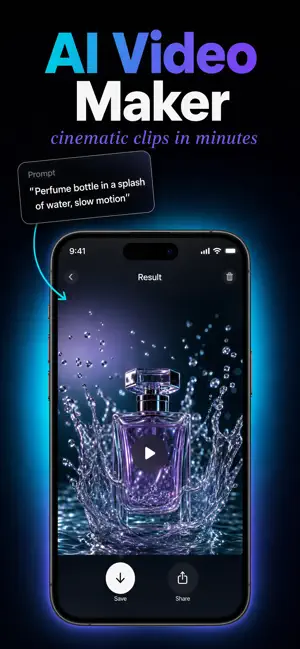
Turn any idea or photo into a cinematic AI video in minutes. Type a prompt or upload a picture — Vivideo builds the scenes, adds motion and sound, and delivers a video ready for TikTok, Reels, Shorts or YouTube. No camera, no timeline, no editing skills. Rated 4.8 on Trustpilot and loved by 1M+ creators. TEXT TO VIDEO Describe what you want in one sentence. Vivideo turns it into an AI video with realistic motion, lighting and depth — great for Shorts, faceless YouTube videos, explainers and stories. IMAGE TO VIDEO Upload a photo and bring it to life. Animate portraits, products and art with natural motion, mood and sound. 32 TOP AI MODELS IN ONE APP Veo 3.1, Sora 2, Kling 2.5, Hailuo, Luma Ray 2, Pika, Seedance, Wan 2.5, LTX-2 and Hunyuan. Choose cinematic, anime, 3D, clay or photorealistic styles, up to 4K with native audio. AI AVATARS & TALKING VIDEOS • Hundreds of lifelike AI presenters for explainers, ads and UGC • Create an avatar from a photo or a prompt • Clone your voice or design a new AI voice EDIT BY CHATTING Ask your AI video agent: "make it 30 seconds" or "add a punchier hook". Captions, re-cuts and changes in seconds — no layers, no timeline. MADE FOR CREATORS AND BUSINESSES • Content creators and storytellers • Social media managers and marketers • Product, e-commerce and brand videos • Video ads, app promos and music videos MORE WAYS TO CREATE • Vertical, square or widescreen videos for every platform • Marketing videos with your brand kit • Online courses, training and explainer videos • Viral clips, memes and anime-style videos FREE TO START Your first video is free, and you can earn free credits with simple tasks. Upgrade to Pro or Max for more credits, HD and 4K exports and no watermark. HOW IT WORKS 1. Type a prompt or upload a photo 2. Generate your video 3. Share it to TikTok, Reels or Shorts Also available on the web at app.vivideo.ai with the same account. Terms: https://vivideo.ai/terms-of-service Privacy: https://vivideo.ai/privacy-policy Support: [email protected]
Ratings & reviews
4.6
103 ratings
What’s new
Version 2.0.6 · Updated October 13, 2026
• New yearly Pro and Max plans • Easier subscription management in Settings • Bug fixes and performance improvements
App privacy
The developer, Vazo, Inc., reported these privacy practices to Apple.
Data Not Linked to You
The following data, which may be collected but is not linked to your identity, may be used for the following purposes:
- Contact Info: Email Address
Used for: App Functionality
Alternatives to AI Video Generator: Vivideo
Looking for apps like AI Video Generator: Vivideo? Here are 6 similar apps on the App Store. The highest rated is AI Video Generator (4.8/5), and all 6 are free to download.
-
 Image To Video - PicAlive
4.7
-
 Bing video creator
2.0
-
 King AI • AI Video Generator
4.4
-
 AI Video Generator
4.8
-
 GenV - AI Video Generator
4.5
-
 PicVideo - AI Generator
4.2
| App | Rating | Price | Last updated | Compare |
|---|---|---|---|---|
| AI Video Generator: Vivideo | 4.6 / 5 (103 ratings) | Free | October 13, 2026 | |
| Image To Video - PicAlive | 4.7 / 5 (152) | Free | May 31, 2026 | Compare |
| Bing video creator | 2.0 / 5 (4) | Free | Mar 3, 2026 | Compare |
| King AI • AI Video Generator | 4.4 / 5 (154) | Free | Oct 16, 2026 | Compare |
| AI Video Generator | 4.8 / 5 (21) | Free | Aug 19, 2026 | Compare |
| GenV - AI Video Generator | 4.5 / 5 (596) | Free | Oct 12, 2026 | Compare |
| PicVideo - AI Generator | 4.2 / 5 (303) | Free | Oct 12, 2026 | Compare |