

PDF Converter ₊
Jeel Desai Utilities iPhoneiPadiPod touch
PDF Converter ₊ is a free Utilities app for iPhone and iPad by Jeel Desai. Requires iOS 15.6. Updated July 31, 2026.
- Price
- Free
- on the App Store
- Size
- 25 MB
- Age 4+
- Updated
- Jul 31
- 2026 · v2.0.1
Screenshots


About PDF Converter ₊
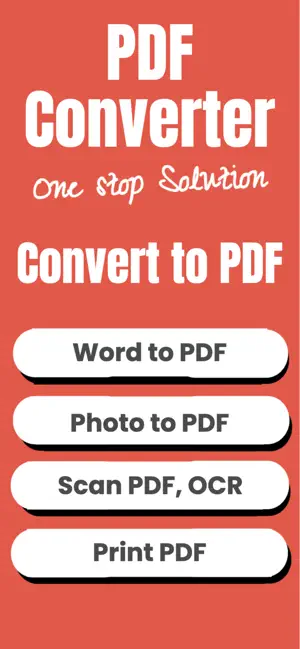
PDF Converter is a powerful all-in-one tool designed to help users create, convert, read, save, share, extract and manage PDF files instantly. This app provides a fast, simple and reliable solution for converting documents, images and text into professional PDF format without losing quality. Whether you need to convert photos into PDF, extract text using OCR, convert Word files, Excel sheets or text documents, this PDF Converter application offers every essential feature in one place. It is built for students, professionals, business owners, content creators and anyone who works daily with documents. Create PDF from images, documents or text with just one tap. Convert PDF to JPG or PNG, convert Word to PDF, convert Excel to PDF, convert TXT files to PDF or convert PDF to TXT instantly. This app uses smooth processing to maintain formatting, layout and text alignment during conversions. You can extract text from scanned files or photos using advanced OCR text recognition. Copy, print, save and share PDF or text files with full control and high accuracy. This PDF converter app is designed for global users and supports day-to-day document conversion tasks including PDF creation, PDF editing and text extraction. It is secure, reliable, easy to use and does not require complicated steps to produce high-quality output. Office users, professional writers, teachers, business owners and students can generate PDFs for invoices, assignments, notes, contracts, certificates, ID cards, receipts, presentations and more. Main Features Create PDF quickly Convert PDF to Image Convert PDF to TXT Convert Word to PDF Convert Image to PDF Convert Excel to PDF Convert TXT to PDF OCR Text Extraction Print PDF Save PDF Locally Share PDF Files Copy Text from Documents Save Extracted Text Why this app is useful Users can convert multiple image files into a clean, aligned and professional PDF document. PDF to image conversion helps extract individual pages into high-resolution pictures for presentations, uploads or sharing. PDF to TXT allows you to convert PDF content into editable plain text. Word to PDF and Excel to PDF support is designed for office productivity, enabling easy document submission and official file formatting. With OCR, scanned pages or photos containing text can be converted into editable digital content. This helps in storing notes, extracting printed content, digitizing study material or converting physical documents into searchable text. This PDF converter app also functions as a file management and document utility tool for iPhone and iPad. You can save files for offline use, print directly using AirPrint, share PDF documents through mail or messaging apps, copy text and store it securely. The conversion engine is optimized for fast performance and small file size without compromising clarity. Use Cases Create PDF for office documents Convert assignment pages into PDF Generate PDF from gallery images Extract text for editing using OCR Convert Word doc to PDF for emailing Share converted PDF for work or school Save PDF copies for reference Print document using wireless printer Convert PDF to text for rewriting Store extracted text for future use Convert excel sheet into PDF format Use scanner photos for PDF generation Convert business papers into PDF securely PDF Converter is developed with a clean interface and easy navigation so anyone can convert files without technical knowledge. This iOS PDF app offers seamless performance, powerful conversion options and complete document control in one place. Terms of Use : https://www.apple.com/legal/internet-services/itunes/dev/stdeula/ Privacy Policy : https://pdfconverteriosapp.blogspot.com/2025/11/subscription-privacy-policy.html
What’s new
Version 2.0.1 · Updated July 31, 2026
- improve app performance
App privacy
The developer, Jeel Desai, reported these privacy practices to Apple.
Data Used to Track You
The following data may be used to track you across apps and websites owned by other companies:
- Usage Data: Advertising Data
Data Not Linked to You
The following data, which may be collected but is not linked to your identity, may be used for the following purposes:
- Usage Data: Advertising Data
Used for: Third-Party Advertising
Alternatives to PDF Converter ₊
Looking for apps like PDF Converter ₊? Here are 6 similar apps on the App Store. The highest rated is Image to PDF Converter; (5.0/5), and all 6 are free to download.
-
 Text to PDF | Text document
-
 Image to PDF Converter;
5.0
Image to PDF Converter;
5.0
-
 Image to PDF - Convert to PDFs
-
 Image Compressor ° CompressKit
5.0
Image Compressor ° CompressKit
5.0
-
 Secure Document & PDF Scan
-
 Photo Cleaner - Tidy
4.9
Photo Cleaner - Tidy
4.9
| App | Rating | Price | Last updated | Compare |
|---|---|---|---|---|
| PDF Converter ₊ | – | Free | July 31, 2026 | |
| Text to PDF | Text document | – | Free | Apr 21, 2026 | Compare |
| Image to PDF Converter; | 5.0 / 5 (3) | Free | Jan 2, 2026 | Compare |
| Image to PDF - Convert to PDFs | – | Free | Oct 12, 2026 | Compare |
| Image Compressor ° CompressKit | 5.0 / 5 (2) | Free | Jul 28, 2025 | Compare |
| Secure Document & PDF Scan | – | Free | Jul 2, 2026 | Compare |
| Photo Cleaner - Tidy | 4.9 / 5 (18) | Free | Sep 7, 2026 | Compare |
Compare PDF Converter ₊ with the top alternatives: ratings, updates, ASO score and keyword gaps →