

Lion Family: Parental Controls
Lion Software, LLC Utilities iPhoneiPadiPod touch
Lion Family: Parental Controls is a free Utilities app for iPhone and iPad by Lion Software, LLC. Rated 4.0/5 from 4 ratings. Requires iOS 18.0.
- Rating
- 4.0
- 4 ratings
- Price
- Free
- on the App Store
- Size
- 47 MB
- Age 4+
- Updated
- Sep 11
- 2026 · v2.0.4
Screenshots



About Lion Family: Parental Controls
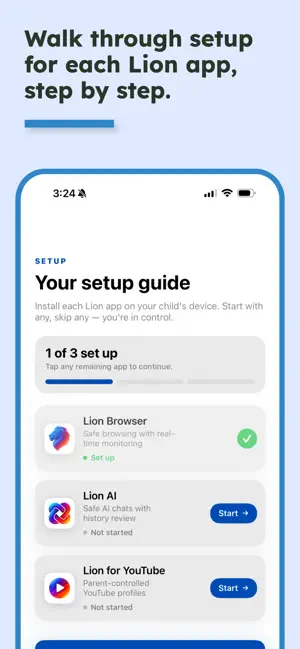
Stay informed about your family's online activity. Lion Family is the companion app for Lion Browser. It gives parents a clear, simple dashboard to monitor browsing activity, manage parental controls, and guide their children's online experience — all from your own device. Getting started is easy Scan a QR code from your teen's Lion Browser to link their device. That's it — you'll instantly see their activity. What you can do: • View browsing history across all of a family member's devices • See flagged websites and inappropriate content alerts • Adjust content filtering, blocking rules, whitelists, and sensitivity settings • Add websites to the blacklist right from the history view • Manage controls per family member — changes sync instantly to all their devices YouTube monitoring If your family uses Lion for YouTube, you can also view each child's YouTube watching history directly in Lion Family. Built for families Add up to 5 family members, each with their own devices, controls, and activity feed. Whether your kids are 10 or 17, Lion Family gives you visibility without being invasive. A Lion Family Premium subscription is required for full access. Privacy Policy: https://www.lionfamily.org/privacy Terms of Use: https://www.lionfamily.org/terms
What’s new
Version 2.0.4 · Updated September 11, 2026
• Fixed an issue that could show a duplicate device on a child's profile. • Subscriptions purchased on our website are now recognized in the app, including when you tap Restore Purchases. • Stability improvements.
App privacy
The developer, Lion Software, LLC, reported these privacy practices to Apple.
Data Linked to You
The following data, which may be collected and linked to your identity, may be used for the following purposes:
- Contact Info: Email Address
- Browsing History: Browsing History
Used for: App Functionality
Data Not Linked to You
The following data, which may be collected but is not linked to your identity, may be used for the following purposes:
- Identifiers: User ID, Device ID
- Diagnostics: Crash Data, Performance Data
Used for: App Functionality
Alternatives to Lion Family: Parental Controls
Looking for apps like Lion Family: Parental Controls? Here are 6 similar apps on the App Store. The highest rated is Havenly Parental Control (5.0/5), and 4 of the 6 are free to download.
-
 SPIN Safe Browser Enterprise
4.5
SPIN Safe Browser Enterprise
4.5
-
 HappyWeb: Family Browser
-
 Speakhby
-
 Havenly Parental Control
5.0
Havenly Parental Control
5.0
-
 boundrees for Kids
-
 WebFilter Radar
5.0
WebFilter Radar
5.0
| App | Rating | Price | Last updated | Compare |
|---|---|---|---|---|
| Lion Family: Parental Controls | 4.0 / 5 (4 ratings) | Free | September 11, 2026 | |
| SPIN Safe Browser Enterprise | 4.5 / 5 (23) | 19.99 USD | Feb 18, 2026 | Compare |
| HappyWeb: Family Browser | – | 2.99 USD | May 11, 2026 | Compare |
| Speakhby | – | Free | Aug 15, 2024 | Compare |
| Havenly Parental Control | 5.0 / 5 (6) | Free | Feb 11, 2026 | Compare |
| boundrees for Kids | – | Free | Aug 10, 2026 | Compare |
| WebFilter Radar | 5.0 / 5 (2) | Free | Jun 25, 2026 | Compare |