

Havenly Parental Control
Metzzo LLC Utilities iPhoneiPadiPod touch
Havenly Parental Control is a free Utilities app for iPhone and iPad by Metzzo LLC. Rated 5.0/5 from 6 ratings. Requires iOS 16.0. Updated February 11, 2026.
- Rating
- 5.0
- 6 ratings
- Price
- Free
- on the App Store
- Size
- 11 MB
- Age 4+
- Updated
- Feb 11
- 2026 · v1.17
Screenshots


About Havenly Parental Control
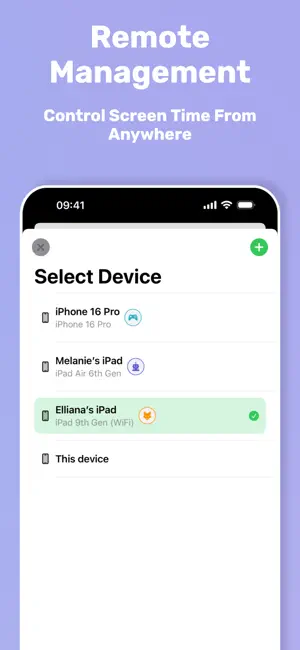
Havenly lets you: - Block websites and in-app content everywhere on the device—TikTok clips inside Instagram, YouTube links in Safari, you name it - Block mobile game ads from Unity, Google, TikTok Pangle, and other major ad networks - Remote-control rules from your own phone—no account or login required - Set daily screen-time limits that reset automatically - Schedule downtime for homework, bedtime, or family time - Pre-block risky apps before they’re ever installed - Get instant alerts when a blocked site or app is opened - Lock settings behind a parent-only passcode Total protection without the hassle: Kids are tech-savvy: if YouTube is gone from Safari, they’ll find it through Instagram. Havenly stops those work-arounds by filtering at the device level, so harmful content stays blocked everywhere—no matter which app tries to serve it. Why parents choose Havenly: - Zero accounts, zero logins – Pair devices with a quick QR code and start managing in seconds. - Remote management – Edit rules from anywhere; changes reach the child’s device almost instantly. - Granular schedules – Create one-off, daily, or weekly rules tailored to each child’s routine. - Advanced ad blocking – Keep kids focused on gameplay without constant ad interruptions - Privacy first – Data is processed on-device whenever possible and never sold to third parties. How it works: 1- Install Havenly on your device and your child’s. 2- Choose what to block, limit, or schedule. Havenly enforces it automatically. 3- Scan the on-screen QR code to remotely control your child's device —no usernames or authentication needed. No more app-hopping work-arounds, late-night scrolling, or constant nagging. Just peace of mind for you and healthier digital habits for them. Download Havenly today and take back control of screen time—straight from your own phone.
Ratings & reviews
5.0
6 ratings
What’s new
Version 1.17 · Updated February 11, 2026
• Faster, simpler onboarding - get set up in fewer steps. • Improved mobile game ad blocking for a cleaner, safer play experience.
App privacy
The developer, Metzzo LLC, reported these privacy practices to Apple.
Data Linked to You
The following data, which may be collected and linked to your identity, may be used for the following purposes:
- Identifiers: Device ID
Used for: App Functionality
Alternatives to Havenly Parental Control
Looking for apps like Havenly Parental Control? Here are 6 similar apps on the App Store. The highest rated is ScreenSpy: See PC/Mac Screen (5.0/5), and all 6 are free to download.
-
 boundrees: Parental Control
4.9
boundrees: Parental Control
4.9
-
 ScreenSpy: See PC/Mac Screen
5.0
ScreenSpy: See PC/Mac Screen
5.0
-
 Parental Control KidsLink Kids
5.0
Parental Control KidsLink Kids
5.0
-
 Parental Control App KidsLink
4.2
Parental Control App KidsLink
4.2
-
 MMGuardian App for Child Phone
1.4
MMGuardian App for Child Phone
1.4
-
 Kids Mode & Child Lock :Suzy
4.7
Kids Mode & Child Lock :Suzy
4.7
| App | Rating | Price | Last updated | Compare |
|---|---|---|---|---|
| Havenly Parental Control | 5.0 / 5 (6 ratings) | Free | February 11, 2026 | |
| boundrees: Parental Control | 4.9 / 5 (7) | Free | Oct 2, 2026 | Compare |
| ScreenSpy: See PC/Mac Screen | 5.0 / 5 (5) | Free | Sep 30, 2026 | Compare |
| Parental Control KidsLink Kids | 5.0 / 5 (1) | Free | Aug 6, 2026 | Compare |
| Parental Control App KidsLink | 4.2 / 5 (5) | Free | Sep 25, 2026 | Compare |
| MMGuardian App for Child Phone | 1.4 / 5 (1,013) | Free | Mar 19, 2026 | Compare |
| Kids Mode & Child Lock :Suzy | 4.7 / 5 (734) | Free | Dec 1, 2025 | Compare |