

Splatting: AI Photo Editor
NiteBlend OU Photo & Video iPhoneiPadiPod touch
Splatting: AI Photo Editor is a free Photo & Video app for iPhone and iPad by NiteBlend OU. Requires iOS 15.1. Updated May 11, 2026.
- Price
- Free
- on the App Store
- Size
- 52 MB
- Age 12+
- Updated
- May 11
- 2026 · v1.1.2
Screenshots
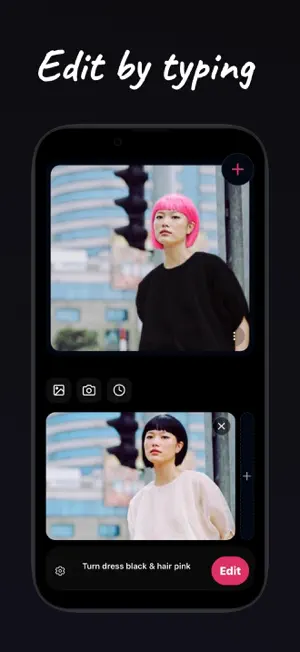
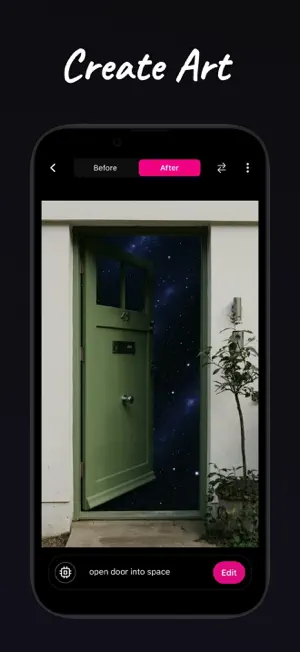


About Splatting: AI Photo Editor
Just type what you want — Splatting turns your words into edits. Describe a change, and the AI applies it to your photo in seconds. No layers, no sliders, no learning curve. Type "add sunglasses," "change the sky to sunset," or "make it look cinematic" — and it happens. What you can do: Smart Edit — Change anything in your photo using text. Add, remove, restyle, fix details, or blend multiple photos together with a simple prompt. Create — Generate entirely new images from text. Describe a scene, style, or idea and bring it to life. Repair & Unblur — Fix old, damaged, blurry, or low-quality photos. Sharpen details and bring images back to life. Expand — Extend your photo beyond its original frame naturally and seamlessly. Remove Background — Remove, replace, or swap backgrounds in one tap. Upscale — Enhance resolution and export sharper, higher-quality images. Portrait — Turn casual selfies into polished, professional headshots with studio-quality lighting and backgrounds. Cartoonify — Transform photos into illustrated, cartoon, or stylized art. Built for realistic results — natural lighting, smooth texture blending, strong face and detail accuracy, and edge-aware edits that look like they were always there. No experience needed. Just type and edit. Feedback [email protected] Terms of Use: https://splatting.art/terms Privacy Policy: https://splatting.art/privacy
What’s new
Version 1.1.2 · Updated May 11, 2026
-bug fixes
App privacy
The developer, NiteBlend OU, reported these privacy practices to Apple.
Data Used to Track You
The following data may be used to track you across apps and websites owned by other companies:
- Identifiers: Device ID
Data Linked to You
The following data, which may be collected and linked to your identity, may be used for the following purposes:
- Purchases: Purchase History
- Contact Info: Email Address
- User Content: Photos or Videos, Other User Content
- Identifiers: User ID
- Usage Data: Product Interaction
- Diagnostics: Other Diagnostic Data
Used for: App Functionality
Alternatives to Splatting: AI Photo Editor
Looking for apps like Splatting: AI Photo Editor? Here are 6 similar apps on the App Store. The highest rated is PhotoPilot – AI Image Editor (5.0/5), and all 6 are free to download.
-
 AI Magic Camera
3.0
-
 Poze AI: Photo Editor
-
 PhotoPilot – AI Image Editor
5.0
-
 CTRL - AI Camera Photo Editor
5.0
-
 Plixar: AI Photo Editor
-
 Gazo – AI Photo Editor
5.0
| App | Rating | Price | Last updated | Compare |
|---|---|---|---|---|
| Splatting: AI Photo Editor | – | Free | May 11, 2026 | |
| AI Magic Camera | 3.0 / 5 (2) | Free | Oct 21, 2026 | Compare |
| Poze AI: Photo Editor | – | Free | Aug 10, 2026 | Compare |
| PhotoPilot – AI Image Editor | 5.0 / 5 (2) | Free | Sep 4, 2026 | Compare |
| CTRL - AI Camera Photo Editor | 5.0 / 5 (3) | Free | Dec 16, 2025 | Compare |
| Plixar: AI Photo Editor | – | Free | Sep 30, 2026 | Compare |
| Gazo – AI Photo Editor | 5.0 / 5 (2) | Free | Nov 25, 2025 | Compare |