

DoomCatcher: App Blocker
Helena Jagodnik Kuhar Productivity iPhoneiPadiPod touch
DoomCatcher: App Blocker is a free Productivity app for iPhone and iPad by Helena Jagodnik Kuhar. Rated 3.7/5 from 3 ratings. Requires iOS 18.1.
- Rating
- 3.7
- 3 ratings
- Price
- Free
- on the App Store
- Size
- 16 MB
- Age 9+
- Updated
- Mar 27
- 2026 · v1.8
Screenshots
About DoomCatcher: App Blocker
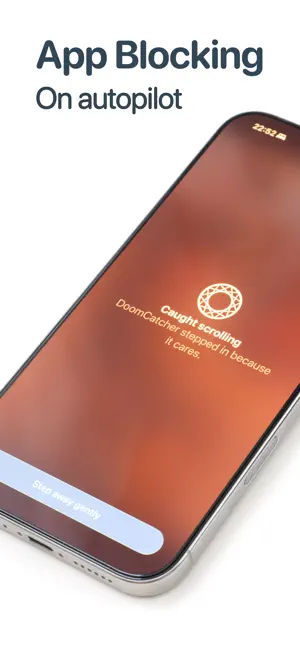
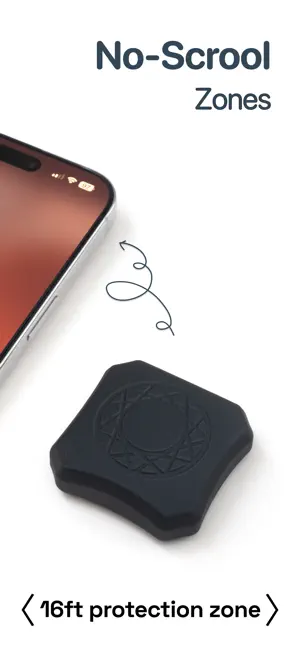
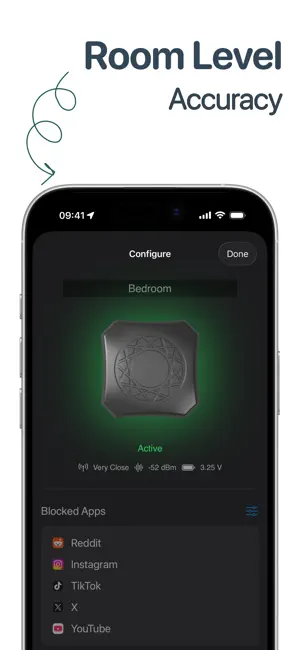
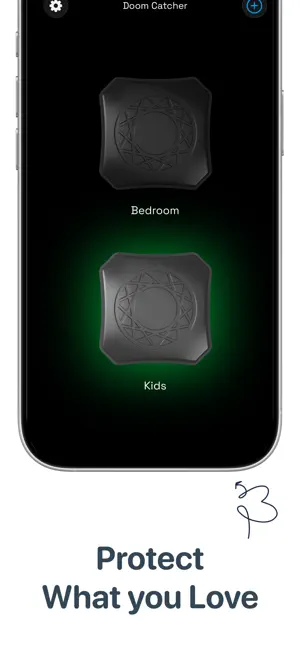
DoomCatcher is the calm little forcefield for your phone. Pair the app with the DoomCatcher beacon on your nightstand or desk and your most distracting apps quietly lock themselves when you enter its zone. No toggling focus modes, no remembering to “be good.” Just walk into the calm zone and scrolling stops. Designed for people who can’t stop “one more scroll” on TikTok, Instagram, or the news, Doom Catcher helps you actually close your eyes at night, look up at dinner, and be present when it matters. Put a DoomCatcher in the bedroom, another by your work setup, maybe one on the dining table. Each one creates its own ultra-local zone, so the blocks are tied to real spaces in your life, not vague building-wide locations. When you leave the zone, your apps unlock again—no extra steps. We call the device The DoomCatcher. You get to enjoy the quiet. Key features • Automatic blocking The app works with your Doom Catcher beacon to automatically block chosen apps whenever you’re in range. No manual switches, no extra taps. • Room-level zones Create multiple calm zones: bedroom, desk, dining table. Each Doom Catcher has its own settings, tuned to how you want to feel in that space. • Ultra-local, not building-wide Unlike app-only solutions tied to big geofences, Doom Catcher is ultra-local. It cares about your nightstand, not your entire apartment block. • Choose what gets caught Pick which apps are “doom scroll” territory and which are allowed. Messaging a friend? Maybe allowed. Infinite feeds? Caught. • Gentle, not preachy When you try to open a blocked app, Doom Catcher offers a small, calm nudge instead of guilt. You’re in charge; it just removes the friction. • Dark, distraction-aware design A dark default theme and minimal UI so even opening the app doesn’t feel like another hit of stimulation. How it works 1. Place your Doom Catcher beacon in the spot you want to protect (like your nightstand). 2. Open the app and pair it with your beacon. 3. Choose which apps should be blocked inside that zone. 4. That’s it. When you’re near your Doom Catcher, blocks turn on. When you walk away, they release. Requirements • DoomCatcher hardware device required. Available at https://doomcatcher.com • Works with Apple’s Screen Time / Family Controls framework to apply app limits on device.
What’s new
Version 1.8 · Updated March 27, 2026
Introducing location-based blocking zones on iPhone. Less precise than DoomCatcher device zones, but a helpful complement for places like the office.
App privacy
The developer, Helena Jagodnik Kuhar, reported these privacy practices to Apple.
Data Not Linked to You
The following data, which may be collected but is not linked to your identity, may be used for the following purposes:
- Usage Data: Product Interaction, Other Usage Data
- Diagnostics: Crash Data, Performance Data, Other Diagnostic Data
Used for: Analytics
Alternatives to DoomCatcher: App Blocker
Looking for apps like DoomCatcher: App Blocker? Here are 6 similar apps on the App Store. The highest rated is ByTime: Time Hub (5.0/5), and all 6 are free to download.
-
 DoEarnEnjoy
-
 Justnoise
-
 ByTime: Time Hub
5.0
ByTime: Time Hub
5.0
-
 Unlocked: Screen Time Blocker
4.5
Unlocked: Screen Time Blocker
4.5
-
 Curo - Your Learning Companion
-
 DARE. - Stop Scrolling
| App | Rating | Price | Last updated | Compare |
|---|---|---|---|---|
| DoomCatcher: App Blocker | 3.7 / 5 (3 ratings) | Free | March 27, 2026 | |
| DoEarnEnjoy | – | Free | Sep 12, 2026 | Compare |
| Justnoise | – | Free | Sep 25, 2026 | Compare |
| ByTime: Time Hub | 5.0 / 5 (1) | Free | May 20, 2026 | Compare |
| Unlocked: Screen Time Blocker | 4.5 / 5 (14) | Free | Aug 25, 2026 | Compare |
| Curo - Your Learning Companion | – | Free | Aug 20, 2026 | Compare |
| DARE. - Stop Scrolling | – | Free | Apr 15, 2026 | Compare |