

Document Reader - PDF Scanner
Berngeins Limited Productivity iPhoneiPadiPod touch
Document Reader - PDF Scanner is a free Productivity app for iPhone and iPad by Berngeins Limited. Rated 4.7/5 from 3 ratings. Requires iOS 15.0.
- Rating
- 4.7
- 3 ratings
- Price
- Free
- on the App Store
- Size
- 28 MB
- Age 12+
- Updated
- Oct 30
- 2025 · v1.0
Screenshots


About Document Reader - PDF Scanner
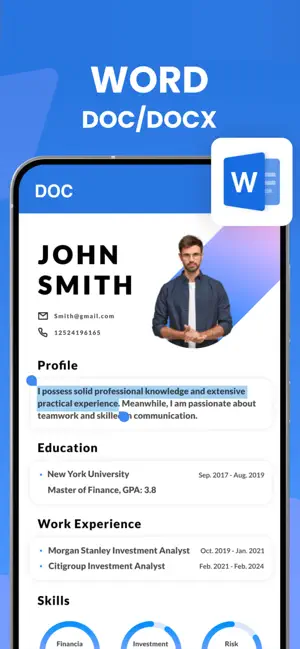
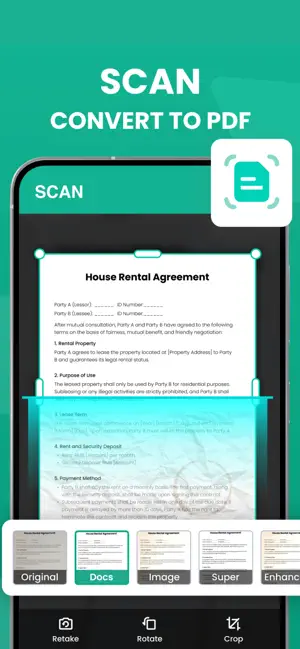
With Office Documents Reader, you can scan paper documents, receipts, ID cards, homework and pages, convert them into high-quality PDFs, annotate, merge, sign and securely share or store them. Everything works offline, ad-free for premium users. Key Features: Unlimited Scan to PDF — capture multiple pages, batch scan, export high-resolution PDFs. ID / Passport Scan — front and back capture, auto-crop and align. Math Camera — snap a photo of a formula or problem and get a step-by-step solution. AR Measure — measure length, area and objects in real world using your camera. Image → PDF — convert images or photos into editable multi-page PDFs, no watermark. Offline & Private — scans stay on your device; remove ads and unlock full tools with Premium. Document editing: crop, rotate, reorder pages, annotate, add text, draw, highlight. Cloud and local file management: import from Files, Google Drive, Dropbox, OneDrive, scan and index documents. Fine-tune your scan: auto-edge detection, perspective correction, color filters (grayscale, color, black & white). Export & share: save to PDF, image (PNG, JPG), print, email or share to other apps. Security & privacy: password-protect PDFs, Face ID/Touch ID folder lock, offline mode. Whether you’re a student scanning homework, a professional digitizing receipts, or simply organizing your documents at home, Office Documents Reader lets you do it all with simplicity and power. Try the free version now (with standard features). Unlock Premium for unlimited scans, no ads, full access to advanced features and tools. Premium Benefits: Unlimited OCR, batch export, ID card scan, AR Measure, math solver, no watermark, fully offline, priority support. Upgrade today and embrace a paper-free lifestyle. Scan. Convert. Edit. Share. Efficiently. Subscription Information: - Weekly Subscription - $8.99 - Monthly Subscription - $19.99 - Yearly Subscription - $49.99 Payment will be charged to the credit card connected to your iTunes Account when you confirm the initial subscription purchase. Subscriptions automatically renew unless auto-renew is turned off at least 24-hours before the end of the current subscription period. Your account will be charged for renewal within 24-hours prior to the end of the current period, and the cost of the renewal will be identified. You may manage your subscription and auto-renewal may be turned off by going to your Account Settings after the purchase. Any unused portion of a free trial period, if offered, will be forfeited when you purchase a subscription, where applicable. Privacy Policy: https://berngeinsltd.com/privacy.html Terms of use: https://berngeinsltd.com/terms.html
App privacy
The developer, Berngeins Limited, reported these privacy practices to Apple.
Data Used to Track You
The following data may be used to track you across apps and websites owned by other companies:
- Identifiers: Device ID
- Usage Data: Advertising Data
Data Not Linked to You
The following data, which may be collected but is not linked to your identity, may be used for the following purposes:
- Identifiers: Device ID
- Usage Data: Advertising Data
Used for: Third-Party Advertising
Alternatives to Document Reader - PDF Scanner
Looking for apps like Document Reader - PDF Scanner? Here are 6 similar apps on the App Store. The highest rated is Archive: Document Scanner (5.0/5), and all 6 are free to download.
-
 Scan-to-PDF
-
 Archive: Document Scanner
5.0
Archive: Document Scanner
5.0
-
 Fyndo – ADHD Focus & Tasks
-
 Flow Sprint : 25 Min Focus
-
 123scannervault
-
 BeMe AI Twin
| App | Rating | Price | Last updated | Compare |
|---|---|---|---|---|
| Document Reader - PDF Scanner | 4.7 / 5 (3 ratings) | Free | October 30, 2025 | |
| Scan-to-PDF | – | Free | Mar 3, 2025 | Compare |
| Archive: Document Scanner | 5.0 / 5 (1) | Free | Aug 28, 2026 | Compare |
| Fyndo – ADHD Focus & Tasks | – | Free | Oct 12, 2026 | Compare |
| Flow Sprint : 25 Min Focus | – | Free | Mar 26, 2026 | Compare |
| 123scannervault | – | Free | Aug 21, 2025 | Compare |
| BeMe AI Twin | – | Free | Oct 15, 2026 | Compare |