

BeastBoard - Voice Typing
Tunde Alao Utilities iPhoneiPadiPod touch
BeastBoard - Voice Typing is a free Utilities app for iPhone and iPad by Tunde Alao. Requires iOS 16. Updated December 15, 2025.
- Price
- Free
- on the App Store
- Size
- 50 MB
- Age 4+
- Updated
- Dec 15
- 2025 · v1.0
Screenshots
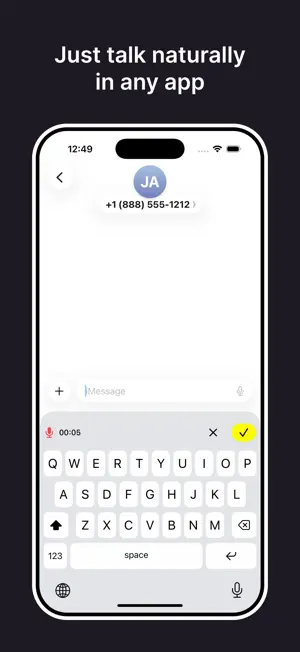
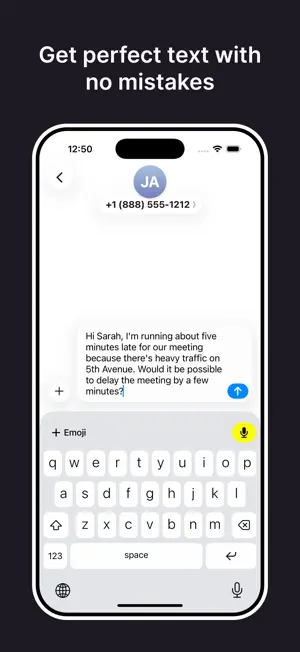
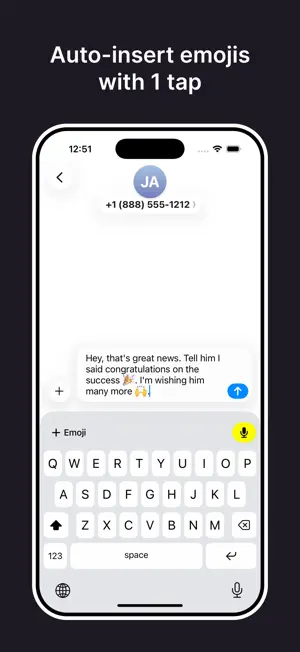
About BeastBoard - Voice Typing
HOW TO USE BEASTBOARD: 1. Enable Beastboard in your keyboard settings 2. Tap the microphone to start dictation* 3. Watch your voice turn into perfect text powered by OpenAI whisper* If you want to type 10x faster, Beastboard will help you get there with less time spent editing than anyone else. We aren't another glitchy voice-to-text tool. We want to empower everyone to communicate at the speed of thought with minimal time spent. We will support you and give you the accuracy, punctuation, and speed you need. * VOICE DICTATION RESULTS REQUIRE A SUBSCRIPTION TERMS: https://beastboard.framer.website/terms
App privacy
The developer, Tunde Alao, reported these privacy practices to Apple.
Data Linked to You
The following data, which may be collected and linked to your identity, may be used for the following purposes:
- Contact Info: Email Address, Name
Used for: App Functionality
Alternatives to BeastBoard - Voice Typing
Looking for apps like BeastBoard - Voice Typing? Here are 6 similar apps on the App Store. The highest rated is HeyRaven: Voice Typing (5.0/5), and 5 of the 6 are free to download.
-
 HeyRaven: Voice Typing
5.0
-
 S2K NIG
-
 Bes Energy
-
 VibeSwitch Keyboard
-
 Voice to Text – Speech typing
-
 Ownos - Private, Local AI
| App | Rating | Price | Last updated | Compare |
|---|---|---|---|---|
| BeastBoard - Voice Typing | – | Free | December 15, 2025 | |
| HeyRaven: Voice Typing | 5.0 / 5 (2) | Free | Apr 10, 2026 | Compare |
| S2K NIG | – | 0.99 USD | Sep 30, 2026 | Compare |
| Bes Energy | – | Free | Oct 29, 2025 | Compare |
| VibeSwitch Keyboard | – | Free | Apr 22, 2025 | Compare |
| Voice to Text – Speech typing | – | Free | Mar 3, 2026 | Compare |
| Ownos - Private, Local AI | – | Free | Nov 11, 2025 | Compare |