

PDF Reader - OCR Scan Edit
Fuzhou Jiange Technology Co., Ltd. Productivity iPhoneiPadiPod touch
PDF Reader - OCR Scan Edit is a free Productivity app for iPhone and iPad by Fuzhou Jiange Technology Co., Ltd. Rated 4.3/5 from 508 ratings.
- Rating
- 4.3
- 508 ratings
- Price
- Free
- on the App Store
- Size
- 72 MB
- Age 4+
- Updated
- May 12
- 2026 · v1.2.5
Screenshots
About PDF Reader - OCR Scan Edit
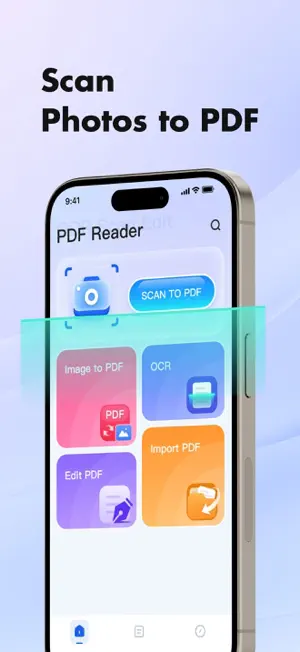
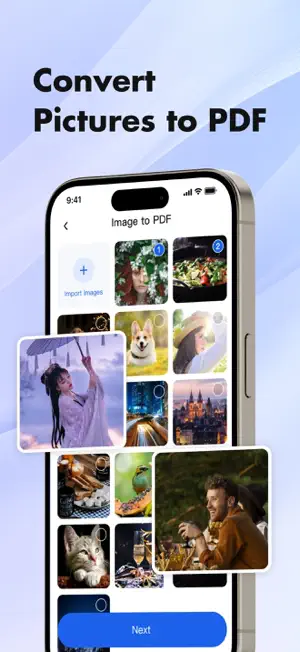
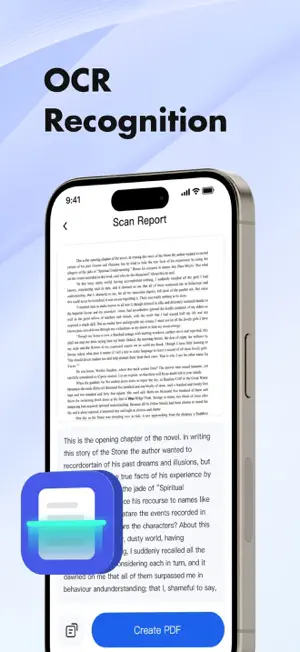
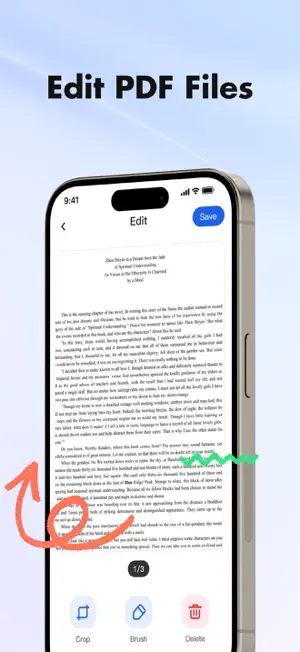
PDF Reader - OCR Scan Edit: Your mobile PDF office assistant. Supports editing, scanning, and OCR recognition, making document management easy and efficient. Key Features: PDF Editing Easily add, delete, and rearrange pages. Supports filters, highlights, and annotations, making your PDFs more readable and personalized. Image to PDF Import multiple images at once and automatically generate a PDF file for clarity, organization, and efficiency. Import PDF Import PDF files from system folders, ready to use right out of the box, making management easier. OCR Text Recognition Intelligently recognize text in images or scans, extracting and generating editable PDF files with one click, instantly converting paper documents to digital form. Whether you're scanning notes, editing documents, or recognizing text in images, PDF Reader - OCR Scan Edit is your go-to assistant. 【Ad-Free Edition - Enjoy a Pure Experience】 Upgrade to the Ad-Free version to enjoy an uninterrupted workspace: • Remove all advertisements completely. • Focus entirely on reading, scanning, and editing. Subscription Details: • Payment will be charged to your iTunes account upon confirmation. • Subscriptions auto-renew unless turned off at least 24-hours before the period ends. • Manage your subscriptions and auto-renewal in your Account Settings after purchase. Links: Privacy Policy: https://pdfreaderocrscanedit.com/privacy.html Terms of Use: https://pdfreaderocrscanedit.com/terms.html Subscription Terms: https://pdfreaderocrscanedit.com/subscription_terms.html
Ratings & reviews
4.3
508 ratings
What’s new
Version 1.2.5 · Updated May 12, 2026
1. Fix some issues.
App privacy
The developer, Fuzhou Jiange Technology Co., Ltd., reported these privacy practices to Apple.
Data Used to Track You
The following data may be used to track you across apps and websites owned by other companies:
- Identifiers: Device ID
Data Not Linked to You
The following data, which may be collected but is not linked to your identity, may be used for the following purposes:
- Identifiers: Device ID
- Diagnostics: Crash Data, Other Diagnostic Data, Performance Data
Used for: Third-Party Advertising, Analytics, App Functionality, Other Purposes
Alternatives to PDF Reader - OCR Scan Edit
Looking for apps like PDF Reader - OCR Scan Edit? Here are 6 similar apps on the App Store. The highest rated is PDF Scanner・Document Scanner (4.6/5), and all 6 are free to download.
-
 PDF Converter - OCR Reader
4.5
PDF Converter - OCR Reader
4.5
-
 PDF Editor - Convert File
3.7
PDF Editor - Convert File
3.7
-
 PDF Scanner Pro *
4.4
PDF Scanner Pro *
4.4
-
 PDF Scanner・Document Scanner
4.6
PDF Scanner・Document Scanner
4.6
-
 PDF Craft: Local Desk
3.7
PDF Craft: Local Desk
3.7
-
 Office Word - Edit Word Docs
4.4
Office Word - Edit Word Docs
4.4
| App | Rating | Price | Last updated | Compare |
|---|---|---|---|---|
| PDF Reader - OCR Scan Edit | 4.3 / 5 (508 ratings) | Free | May 12, 2026 | |
| PDF Converter - OCR Reader | 4.5 / 5 (44) | Free | Apr 29, 2026 | Compare |
| PDF Editor - Convert File | 3.7 / 5 (66) | Free | Jun 9, 2026 | Compare |
| PDF Scanner Pro * | 4.4 / 5 (108) | Free | May 17, 2026 | Compare |
| PDF Scanner・Document Scanner | 4.6 / 5 (2,107) | Free | Oct 19, 2026 | Compare |
| PDF Craft: Local Desk | 3.7 / 5 (9) | Free | Aug 28, 2026 | Compare |
| Office Word - Edit Word Docs | 4.4 / 5 (15) | Free | Jun 1, 2026 | Compare |