

EasyJoin Pad: Local File Share
Panagiotis Spiropoulos Utilities iPad
EasyJoin Pad: Local File Share is a free Utilities app for iPad by Panagiotis Spiropoulos. Requires iOS 16. Updated July 4, 2026.
- Price
- Free
- on the App Store
- Size
- 3 MB
- Age 4+
- Updated
- Jul 4
- 2026 · v4.2
Screenshots


About EasyJoin Pad: Local File Share
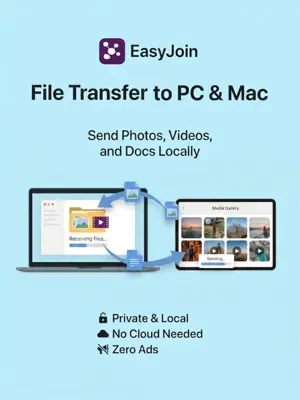
If you are tired of emailing photos to yourself or waiting for cloud uploads just to move a file from your iPad to your PC, Mac, laptop, or any other mobile phone, EasyJoin Pad solves this. It sends files and clipboard text directly between your devices over your local Wi-Fi network, completely offline. Please note before downloading: iOS privacy rules strictly block apps from reading your clipboard in the background. Because of this, clipboard sharing cannot be automatic. To send text or a link, you simply open the app and tap the clipboard button to send it manually. WHAT IT DOES: • Local File Transfer Move photos, videos, and documents directly between your phone and computer. Because it stays entirely on your local network, it transfers at your Wi-Fi's maximum speed and uses zero cellular data. • Text & Link Sharing Copy text, a password, or a link on one device, open the app, and send it to the other. It works both ways (Phone to PC, or PC to Phone). • Direct Privacy Your data never touches the internet or an external server. There are no accounts to create, no cloud tracking, and absolutely no ads. • Cross-Platform Connection Bridges the gap between your iPhone, iPad, desktop computers, and non-iOS mobile devices using a single, simple interface. KEY DETAILS: • Works Offline: Share files on airplanes, in basements, or anywhere without an internet connection. • No Size Limits: Send large video files or full folders without hitting cloud storage caps. • Automatic Setup: No QR codes to scan or IP addresses to type. Open the app on both devices and they find each other. HOW TO CONNECT: 1. Get the companion app: Download the version for your computer at easyjoin.net. 2. Join the same network: Make sure your iPhone and your computer are on the same Wi-Fi network or mobile hotspot. 3. Open both apps: Open EasyJoin on your computer and your iPad. They will see each other automatically. 4. Start sharing: Select the device on your screen, choose your files, or tap the clipboard icon to send. IMPORTANT FIRST-TIME STEP: When you first open the app, iOS will ask for "Local Network" permission. You must allow this, or the app will be blocked from finding your computer. FREE VS. PREMIUM: EasyJoin Air is free for basic, everyday sharing. For heavy workflows, a single one-time in-app purchase removes all limits for life. Premium features: • Unlimited daily file transfers (no quantity or size caps). • Unlimited on-demand clipboard sharing. • One-time payment. No subscriptions or recurring fees. Support & Feedback: [email protected] Website: https://easyjoin.net
What’s new
Version 4.2 · Updated July 4, 2026
• Fixed memory usage during large transfers: Resolved an issue where sending massive files or folders to a computer would consume excessive memory. • Stability fixes: Optimized the code to reduce the overall memory footprint and improve performance. Free vs. Premium Reminder: Local file sharing is free. If you need unlimited daily file transfers or unlimited on-demand clipboard sharing, consider upgrading to Premium. It is a single, one-time purchase - no subscriptions. If EasyJoin makes it easier to move data between your devices, taking 10 seconds to leave a rating or review helps this independent project immensely!
App privacy
The developer, Panagiotis Spiropoulos, reported these privacy practices to Apple.
Data Not Collected
The developer does not collect any data from this app.
Alternatives to EasyJoin Pad: Local File Share
Looking for apps like EasyJoin Pad: Local File Share? Here are 6 similar apps on the App Store. The highest rated is EzFilez (5.0/5), and 5 of the 6 are free to download.


| App | Rating | Price | Last updated | Compare |
|---|---|---|---|---|
| EasyJoin Pad: Local File Share | – | Free | July 4, 2026 | |
| Clipiphany | – | Free | Aug 31, 2026 | Compare |
| EzFilez | 5.0 / 5 (3) | Free | Apr 3, 2026 | Compare |
| ShrimpSend-Fast File Transfer | – | Free | Jun 17, 2026 | Compare |
| StooopWatch | – | Free | Jul 20, 2026 | Compare |
| Cam Shutter | – | 1.99 USD | Oct 1, 2024 | Compare |
| Easy FTP&SMB Client | – | Free | Jun 15, 2026 | Compare |