

UniDrop - File Sharing
DAVIDE PADOAN Utilities iPhoneiPadiPod touchMac
UniDrop - File Sharing is a free Utilities app for iPhone and iPad by DAVIDE PADOAN. Requires iOS 15.0. Updated August 6, 2026.
- Price
- Free
- on the App Store
- Size
- 42 MB
- Age 4+
- Updated
- Aug 6
- 2026 · v2.0.1
Screenshots


About UniDrop - File Sharing
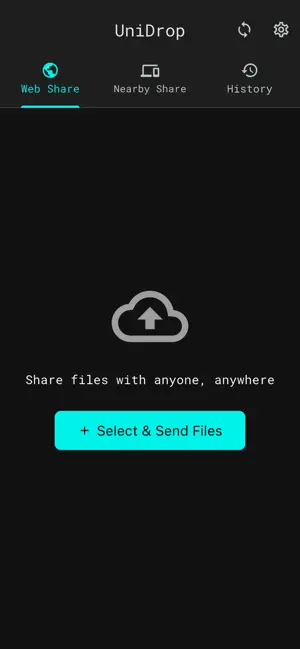
UniDrop: The universal bridge for your devices. Tired of emailing photos to yourself or looking for cables? UniDrop closes the gap between your iPhone, iPad, and Mac and your other computers and phones, making file transfer instant, secure, and truly universal. KEY FEATURES: Nearby Share - Direct Transfer Connect your devices on the same network and transfer photos, 4K videos, and documents. Cross-Platform Power: Seamlessly send files from your iPhone to your other phones and computers with a single tap. Blazing Fast P2P: Uses your local Wi-Fi for transfers that don't use mobile data. Unlimited Local Sharing: Transfer files of any size directly between devices without compression. Clipboard Sync - Copy There, Paste Here The magic feature you’ve been waiting for. Pair your iPhone with your computer. Copy text on your computer and instantly paste it on your iPhone (and vice versa). Perfect for sharing links, codes, and notes in real-time. Web Share - Temporary Cloud Links Need to send files to someone who doesn't have the app? Select up to 300MB of files and generate a secure link. Files are stored temporarily for 24 hours and then automatically deleted for your privacy. The recipient can download everything from any browser. Privacy First No Registration: No accounts, no sign-ups. End-to-End Encryption: Your P2P transfers happen directly between devices. Secure: Your data stays yours. We don't analyze your content. Download UniDrop today and experience true sharing freedom.
What’s new
Version 2.0.1 · Updated August 6, 2026
• Cloud delivery for Nearby Share — when a direct connection isn't possible (for example, devices on different networks), UniDrop now offers to deliver your file through a secure cloud link. The recipient gets notified instantly and can download the file. • Faster connection handling — UniDrop now detects connection issues in seconds and immediately proposes an alternative, so your transfer never gets stuck. • Fixed an issue where previously received files appeared as deleted in your history after updating the app. • Improved transfer reliability and various stability fixes.
App privacy
The developer, DAVIDE PADOAN, reported these privacy practices to Apple.
Data Not Linked to You
The following data, which may be collected but is not linked to your identity, may be used for the following purposes:
- Usage Data: Product Interaction
- Diagnostics: Crash Data, Performance Data
Used for: Analytics
Alternatives to UniDrop - File Sharing
Looking for apps like UniDrop - File Sharing? Here are 6 similar apps on the App Store. The highest rated is Blip: Send Files in a Click (4.8/5), and all 6 are free to download.
-
 Feem - Share Files Offline
3.3
-
 qRemote for qBittorrent
4.7
-
 Blip: Send Files in a Click
4.8
-
 Wake Me Up - Wake-on-LAN
4.5
-
 IntoWallet: Make Wallet Passes
4.2
-
 AdGuard DNS
3.5
| App | Rating | Price | Last updated | Compare |
|---|---|---|---|---|
| UniDrop - File Sharing | – | Free | August 6, 2026 | |
| Feem - Share Files Offline | 3.3 / 5 (78) | Free | Jul 12, 2026 | Compare |
| qRemote for qBittorrent | 4.7 / 5 (92) | Free | Oct 14, 2026 | Compare |
| Blip: Send Files in a Click | 4.8 / 5 (3,631) | Free | Oct 30, 2026 | Compare |
| Wake Me Up - Wake-on-LAN | 4.5 / 5 (170) | Free | Oct 17, 2026 | Compare |
| IntoWallet: Make Wallet Passes | 4.2 / 5 (34) | Free | Oct 6, 2025 | Compare |
| AdGuard DNS | 3.5 / 5 (45) | Free | Apr 6, 2026 | Compare |