

IntoWallet: Make Wallet Passes
Dani Shalash Utilities iPhoneiPadiPod touch
IntoWallet: Make Wallet Passes is a free Utilities app for iPhone and iPad by Dani Shalash. Rated 4.2/5 from 33 ratings. Requires iOS 16.4.
- Rating
- 4.2
- 33 ratings
- Price
- Free
- on the App Store
- Size
- 15 MB
- Age 4+
- Updated
- Oct 6
- 2025 · v2.5.0
Screenshots
About IntoWallet: Make Wallet Passes
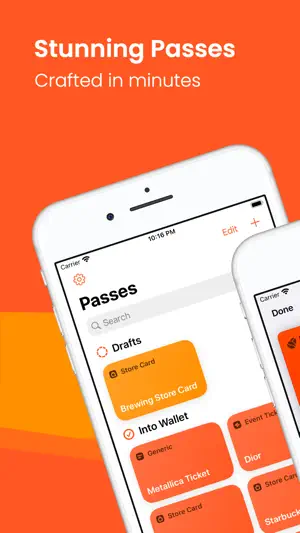
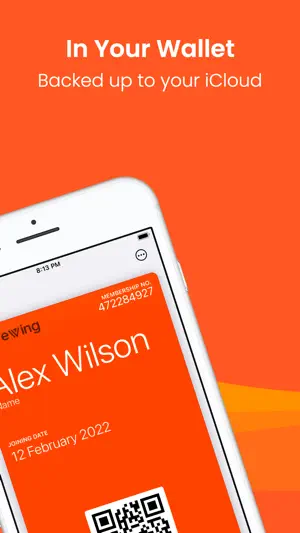
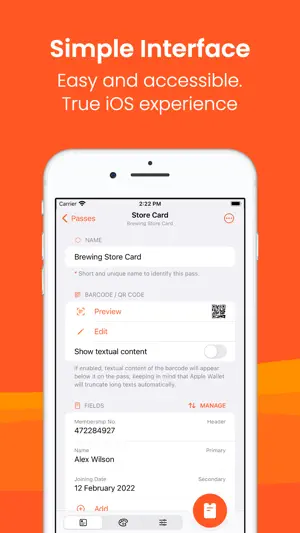
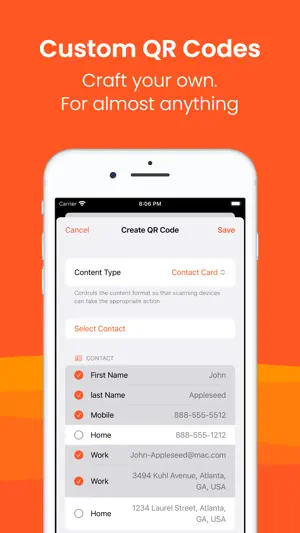
IntoWallet hides all the complexities of creating Apple wallet passes and provide you with simple tools that work all together for an amazing end-result: • Easy QR Codes and Barcodes: Capture QR Codes and barcodes with your device's camera, or select images/PDFs from your Photo Library or Files application to add a QR code or barcode to your pass. • Custom QR Codes: Tailor your passes to your exact needs. Create custom QR codes for Contact Cards, SMS, Calls, Web Links, Emails, and more. Craft passes that match your unique style and requirements. • Brands Search: Easily search for logos using brand names and domains or select an image from your Photo Library or Files application and fine-tune it inside the app. • Assisting Color Tool: Have your pass's background and text color automatically set based on colors extracted from the logo, ensuring a cohesive and professional appearance. • Comprehensive Tool for Geographic Relevance: Have your passes suggested to you on your Lock Screen based on your geographic location. Search for places, streets, cities and virtually anything with a fully fledged map interface to help you add up to 10 locations per pass. • More Tools: Set expiration date to your pass, add thumbnail images and experience many more tools to customize your pass to your own way. • Private iCloud Sync: Have your passes available wherever you go; IntoWallet leverages your iCloud account to store the passes you create and makes them available. Access your passes on all your devices signed in to the same iCloud account. • Privacy: IntoWallet does NOT collect any personally identifiable data of any sort. the only data collected is completely anonymous crash reporting to ensure the best user experience in the app. Download the app today and take control of your wallet. Experience the power of easy pass creation, seamless synchronization, and unmatched convenience, all in one app. ------------------------ Notes: • Passes are required to be cryptographically signed before they can be added to your Apple Wallet. IntoWallet sends completely meaningless metadata of your pass to a server to sign it. This can't be done on device without compromising the signing keys. IntoWallet does NOT store any data. • Apple Wallet supports QR Code, code128, PDF417 and Aztec Barcodes. IntoWallet cannot extend support for other types of barcodes beyond what's compatible with Apple Wallet.
Ratings & reviews
4.2
33 ratings
What’s new
Version 2.5.0 · Updated October 6, 2025
• Logo search just got smarter and easier to use. • General improvements throughout the app.
App privacy
The developer, Dani Shalash, reported these privacy practices to Apple.
Data Not Linked to You
The following data, which may be collected but is not linked to your identity, may be used for the following purposes:
- Diagnostics: Crash Data, Performance Data, Other Diagnostic Data
Used for: Analytics
Alternatives to IntoWallet: Make Wallet Passes
Looking for apps like IntoWallet: Make Wallet Passes? Here are 6 similar apps on the App Store. The highest rated is Qewie | QR Code Generator (4.8/5), and all 6 are free to download.
-
 MakePass: AI Wallet Editor
4.4
MakePass: AI Wallet Editor
4.4
-
 Clocks - A fun standby mode
4.6
Clocks - A fun standby mode
4.6
-
 Pass4Wallet - store cards
4.2
Pass4Wallet - store cards
4.2
-
 NeatPass - PDF to Wallet
4.2
NeatPass - PDF to Wallet
4.2
-
 Qewie | QR Code Generator
4.8
Qewie | QR Code Generator
4.8
-
 Clipboard Manager - OneTap
4.5
Clipboard Manager - OneTap
4.5
| App | Rating | Price | Last updated | Compare |
|---|---|---|---|---|
| IntoWallet: Make Wallet Passes | 4.2 / 5 (33 ratings) | Free | October 6, 2025 | |
| MakePass: AI Wallet Editor | 4.4 / 5 (288) | Free | Sep 21, 2026 | Compare |
| Clocks - A fun standby mode | 4.6 / 5 (455) | Free | Sep 22, 2026 | Compare |
| Pass4Wallet - store cards | 4.2 / 5 (516) | Free | Sep 13, 2026 | Compare |
| NeatPass - PDF to Wallet | 4.2 / 5 (94) | Free | Oct 3, 2026 | Compare |
| Qewie | QR Code Generator | 4.8 / 5 (98) | Free | Nov 13, 2024 | Compare |
| Clipboard Manager - OneTap | 4.5 / 5 (237) | Free | Oct 6, 2026 | Compare |