

Beautiful Planimetry
Tomasz Rygula Education iPhoneiPadiPod touch
Beautiful Planimetry is a free Education app for iPhone and iPad by Tomasz Rygula. Requires iOS 18.5. Updated December 7, 2025.
- Price
- Free
- on the App Store
- Size
- 8 MB
- Age 4+
- Updated
- Dec 7
- 2025 · v1.3
Screenshots
About Beautiful Planimetry
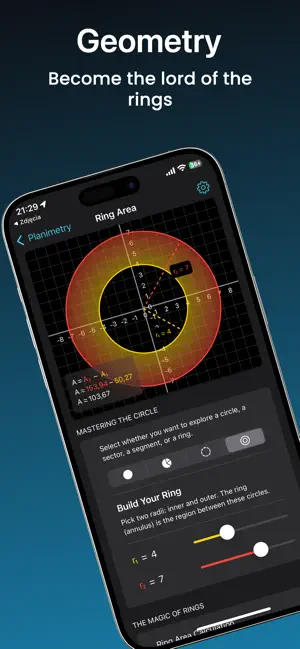
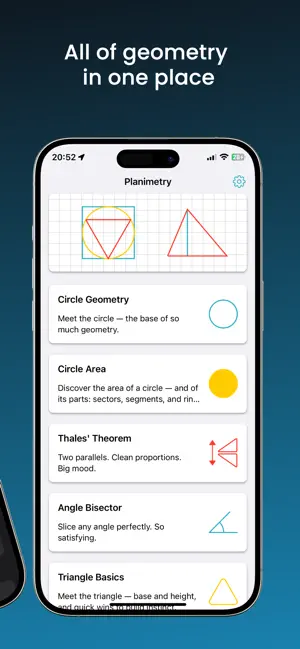
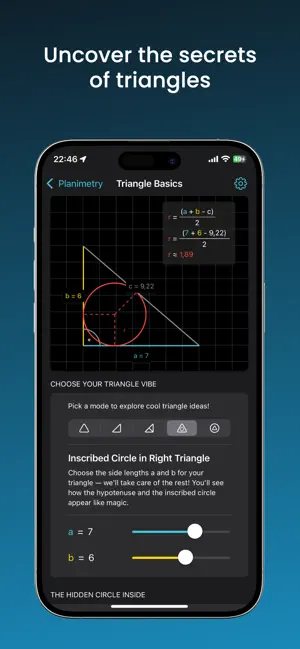
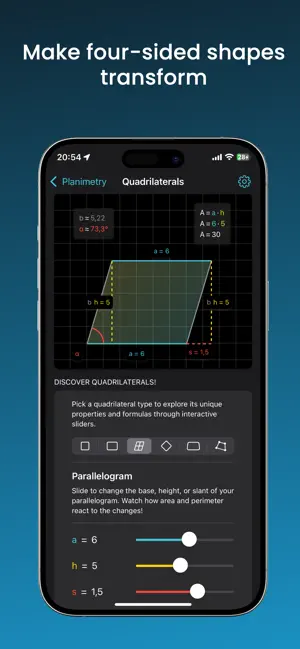
Geometry doesn’t have to feel impossible. When my daughter first opened her geometry book, she looked at the page — circles, triangles, and lines everywhere — and sighed: “Dad, this makes no sense.” I knew that feeling. So I built a way to make geometry visible. With sliders, motion, and colour, she could see how shapes connect — how an angle changes a triangle, how circles hide perfect relationships, how formulas aren’t just rules but reflections of movement. That small idea became Beautiful Planimetry — an interactive geometry world where math comes alive. Instead of memorising formulas, explore how they work. Move a slider and watch a shape stretch, rotate, or reveal a hidden pattern. Suddenly, geometry isn’t about remembering — it’s about discovering. What you’ll find inside Included for free: - Circle Geometry: basics, inscribed angle, right triangle on diameter, law of sines - Circle Area: circle, sector, segment, ring - Thales’ Theorem: parallel lines crossed by an angle - Angle Bisector: see how angles are perfectly divided - Triangle Basics: triangle types, Pythagoras, law of cosines, inscribed circle in a right triangle, right triangle inscribed in a circle Unlock more with one in-app purchase: - Triangle Area: base × height, two sides + angle, Heron’s formula, equilateral triangle - Quadrilaterals: square, rectangle, parallelogram, rhombus, trapezoid, kite - Regular Polygons: triangle, square, pentagon, hexagon, octagon Why students love it - Visual learning — see shapes change in real time - Instant clarity — connect formulas to the figures they describe - Confidence boost — explore before practicing, so exercises feel easier Who it’s for - Students who want geometry to finally click - Teens tired of memorising without understanding - Parents and tutors who want to make math less stressful Beautiful Planimetry was born from a real story: a dad helping his daughter who struggled with math. What started as a simple app to make functions easier has grown into a family of apps that now includes geometry. Stop memorising. Start understanding. With Beautiful Planimetry, geometry becomes simple, visual, and — yes — beautiful.
What’s new
Version 1.3 · Updated December 7, 2025
We fixed an issue with sliders on iOS 26 to make interactions smooth again. Thanks for your patience and for learning with Beautiful Math!
App privacy
The developer, Tomasz Rygula, reported these privacy practices to Apple.
Data Not Linked to You
The following data, which may be collected but is not linked to your identity, may be used for the following purposes:
- Identifiers: Device ID
- Usage Data: Product Interaction
Used for: Analytics
Alternatives to Beautiful Planimetry
Looking for apps like Beautiful Planimetry? Here are 6 similar apps on the App Store.
-
 Fibonacci anyon
-
 DijkstraGraph
-
 Zometool-Explore geometry
-
 Touch Trigonometry
-
 Math Surface
-
 The Unit Circle App
| App | Rating | Price | Last updated | Compare |
|---|---|---|---|---|
| Beautiful Planimetry | – | Free | December 7, 2025 | |
| Fibonacci anyon | – | Free | Aug 7, 2025 | Compare |
| DijkstraGraph | – | Free | Nov 4, 2024 | Compare |
| Zometool-Explore geometry | – | Free | Aug 7, 2025 | Compare |
| Touch Trigonometry | – | Free | Feb 11, 2026 | Compare |
| Math Surface | – | Free | Aug 1, 2026 | Compare |
| The Unit Circle App | – | Free | Sep 15, 2025 | Compare |