

Touch Trigonometry
Aisatsu LLC Education iPhoneiPadiPod touch
Touch Trigonometry is a free Education app for iPhone and iPad by Aisatsu LLC. Requires iOS 15.1. Updated February 11, 2026.
- Price
- Free
- on the App Store
- Size
- 48 MB
- Age 4+
- Updated
- Feb 11
- 2026 · v1.0
Screenshots
About Touch Trigonometry
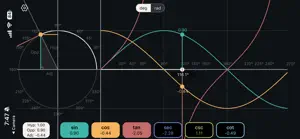
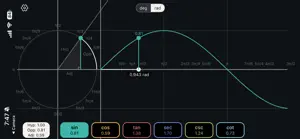
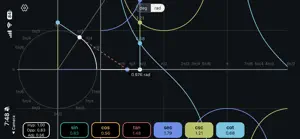
Finally understand trigonometry. Touch Trigonometry is the most intuitive way to learn the trigonometric functions. Instead of memorizing formulas, you'll see how sin, cos, tan, and the rest actually work—by touching and exploring a live unit circle and graph. Drag your finger around the circle and watch trig functions respond in real time. You'll be amazed at how quickly the "true meaning" of trigonometry becomes clear. Watch the graph on the right trace their values. In seconds, concepts that confused you for years will suddenly click. This app is great for students struggling with trigonometry or anyone looking for a refresher. HOW IT WORKS On the left: an interactive unit circle. Touch anywhere and drag to change the angle θ (theta). A triangle forms showing the relationships between the angle and the trig values. On the right: live graphs of all six trig functions. As you move the angle, dots trace along each curve showing the current value. Touch the graph side to control the angle from there too. It's bidirectional, immediate, and intuitive. No tutorial needed—just touch and explore. Users have told us that they never understood *why* the trig functions existed—until they used this app. From students to the math curious, Touch Trigonometry offers a truly intuitive way to understand one of the trickiest parts of geometry—at your fingertips! FEATURES • Interactive unit circle with touch control • All 6 trig functions: sin, cos, tan, sec, csc, cot • Live function graphs with real-time value tracking • Bidirectional control (circle or graph) • Right triangle overlay showing opposite/adjacent/hypotenuse • Reference angle markers (30°, 45°, 60°, 90°, etc.) • Switch between degrees and radians • Snap-to-reference-angles mode • Pinch to zoom the graph • Colorblind-friendly color palette • Clean dark theme, no distractions • No ads, no account required WHO IT'S FOR • High school & college students learning trig • Teachers demonstrating concepts in class • Engineers & scientists refreshing fundamentals • Anyone who was told to "just memorize SOHCAHTOA" • Visual learners who need to see it to get it FREE FEATURES • Full unit circle interaction • Sine visualization • Triangle overlay • Degree/radian switching • All UI customization options UNLOCK EVERYTHING (One-Time Purchase) • One-time purchase for lifetime access to all paid features • Cosine, tangent, secant, cosecant, cotangent • All future paid features
App privacy
The developer, Aisatsu LLC, reported these privacy practices to Apple.
Data Not Collected
The developer does not collect any data from this app.
Alternatives to Touch Trigonometry
Looking for apps like Touch Trigonometry? Here are 6 similar apps on the App Store. The highest rated is Speed Trigonometry (4.8/5), and all 6 are free to download.
-
 Trigonometry Toolkit by CS
-
 The Unit Circle App
-
 Visual Trig Func
1.0
-
 Beautiful Trigonometry
-
 Speed Trigonometry
4.8
-
 Trigonometry for Beginners
4.6
| App | Rating | Price | Last updated | Compare |
|---|---|---|---|---|
| Touch Trigonometry | – | Free | February 11, 2026 | |
| Trigonometry Toolkit by CS | – | Free | Mar 15, 2026 | Compare |
| The Unit Circle App | – | Free | Sep 15, 2025 | Compare |
| Visual Trig Func | 1.0 / 5 (2) | Free | May 8, 2024 | Compare |
| Beautiful Trigonometry | – | Free | Dec 7, 2025 | Compare |
| Speed Trigonometry | 4.8 / 5 (5) | Free | Aug 6, 2026 | Compare |
| Trigonometry for Beginners | 4.6 / 5 (33) | Free | Feb 18, 2026 | Compare |
Compare Touch Trigonometry with the top alternatives: ratings, updates, ASO score and keyword gaps →