

Text to Speech - SayTXT Reader
PDF GEAR TECH PTE. LTD. Magazines & Newspapers iPhoneiPadiPod touch
Text to Speech - SayTXT Reader is a free Magazines & Newspapers app for iPhone and iPad by PDF GEAR TECH PTE. LTD. Rated 4.6/5 from 518 ratings.
- Rating
- 4.6
- 518 ratings
- Price
- Free
- on the App Store
- Size
- 464 MB
- Age 4+
- Updated
- Sep 30
- 2026 · v2.5
Screenshots


About Text to Speech - SayTXT Reader
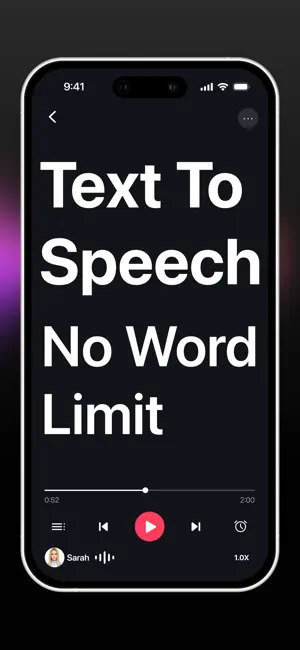
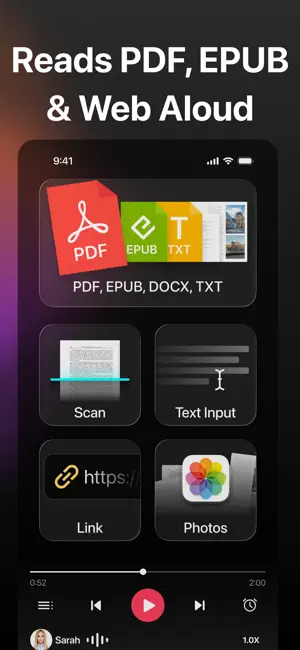
Listen Without Limits — truly free, unlimited Text to Speech (TTS). SayTXT instantly converts text into clear, natural audio. Open a PDF, an EPUB book, a Word document, a TXT file, a webpage, or just paste any text — and have it read aloud in a single tap. No subscriptions, no character limits, no signup. Share webpages from Safari or notes from Apple Notes directly to SayTXT and have them read aloud. Connect your own OPDS catalog by URL to browse and import DRM-free eBooks. Read Mode gives PDFs a cleaner, text-focused view. Optional filters let you skip detected tables, URLs, headers, footers, formulas, and text inside parentheses, brackets, or braces — useful for papers, textbooks, and reports. With the built-in web browser, open any website inside SayTXT and listen to the page you're viewing — articles, blogs, research, recipes, anywhere on the open web. Follow along with synced word-by-word highlighting across PDFs, TXT, DOCX, EPUB, photos, scans, URLs, the built-in web browser, and Read Mode. Focus Reading View shows the current sentence in large text. Scroll away without being pulled back, then tap the return button to return to the sentence being read. SayTXT supports natural voices in 31 languages — from Arabic and Hindi to Japanese, Korean, Spanish, French, German, and more. Auto language detection switches to a matching voice — Spanish reads in Spanish, French in French, no manual setup. Use your Personal Voice to read English or Spanish text aloud. For English, choose fun voices for stories, character dialogue, or just for fun. For real-world content, point your camera at any text — books, notes, menus, printed documents — and SayTXT extracts and reads it instantly. Built-in OCR plus image editing tools (crop, rotate, reorder) replace traditional scanner apps with a single capture-to-listen flow. Turn your commute, workout, study session, or daily chores into productive moments. SayTXT works as a reading companion for people with dyslexia, ADHD, low vision, or anyone who simply prefers listening over reading. Choose from multiple high-quality voices, listen at up to 3x speed, save audio with supported voices for offline playback, and use the sleep timer for bedtime listening. [KEY FEATURES] - 100% Free, Unlimited Text to Speech No subscriptions, trials, hidden fees & no character limits. - Reads Anything Aloud PDFs, EPUB books, DOCX documents, TXT files, web pages, articles, and pasted text — ideal for PDF to speech, ebook reader, and read-aloud app use. - Built-in Web Browser Browse the web inside SayTXT and have the full page read aloud. - Focus Reading View Synced word-by-word highlighting across all reading views, plus large sentence text in Focus Reading View. - Auto Language Detection · 31 Languages Natural voices for Arabic, Bulgarian, Croatian, Czech, Danish, Dutch, English, Estonian, Finnish, French, German, Greek, Hindi, Hungarian, Indonesian, Italian, Japanese, Korean, Latvian, Lithuanian, Polish, Portuguese, Romanian, Russian, Slovak, Slovenian, Spanish, Swedish, Turkish, Ukrainian, and Vietnamese. SayTXT detects the language of your text and switches to the right voice automatically. - Scan & Read (Camera / Photos / Images) Camera, photo library, or images — instant text extraction and read-aloud. Includes built-in OCR and image editing (crop, rotate, reorder). - Shortcuts, Spotlight & Widgets Find recent files by name in Spotlight, use App Shortcuts, and open SayTXT from Control Center, the Lock Screen, or Home Screen widgets with synced playback status. - High-Quality Voices & 3x Speed Clear, natural narration with adjustable speed up to 3x. - Save Audio Files Export speech from supported voices as downloadable audio for offline listening. - Accessibility Friendly Built for dyslexia, ADHD, low vision, and anyone who prefers listening to reading — now with synced word-by-word highlighting.
Ratings & reviews
4.6
518 ratings
What’s new
Version 2.5 · Updated September 30, 2026
Bug fix
App privacy
The developer, PDF GEAR TECH PTE. LTD., reported these privacy practices to Apple.
Data Not Linked to You
The following data, which may be collected but is not linked to your identity, may be used for the following purposes:
- Usage Data: Product Interaction
Used for: Analytics
Alternatives to Text to Speech - SayTXT Reader
Looking for apps like Text to Speech - SayTXT Reader? Here are 6 similar apps on the App Store. The highest rated is Particle: Personalized News (4.8/5), and all 6 are free to download.
-
 Voicepaper: PDF, eBooks & News
4.4
-
 Narrate - Text to Speech
4.3
-
 Audeus Text to Speech
3.7
-
 Particle: Personalized News
4.8
-
 Merfi AI: AI Text To Speech
4.6
-
 Interval News
4.8
| App | Rating | Price | Last updated | Compare |
|---|---|---|---|---|
| Text to Speech - SayTXT Reader | 4.6 / 5 (518 ratings) | Free | September 30, 2026 | |
| Voicepaper: PDF, eBooks & News | 4.4 / 5 (215) | Free | Sep 30, 2026 | Compare |
| Narrate - Text to Speech | 4.3 / 5 (13) | Free | Jan 29, 2026 | Compare |
| Audeus Text to Speech | 3.7 / 5 (34) | Free | Oct 2, 2026 | Compare |
| Particle: Personalized News | 4.8 / 5 (1,236) | Free | Oct 2, 2026 | Compare |
| Merfi AI: AI Text To Speech | 4.6 / 5 (30) | Free | Nov 7, 2025 | Compare |
| Interval News | 4.8 / 5 (148) | Free | Aug 28, 2026 | Compare |