

Doc PDF Scanner: Scan Document
David Krejci Utilities iPhoneiPadiPod touch
Doc PDF Scanner: Scan Document is a free Utilities app for iPhone and iPad by David Krejci. Rated 5.0/5 from 1 ratings. Requires iOS 18.5.
- Rating
- 5.0
- 1 ratings
- Price
- Free
- on the App Store
- Size
- 1 MB
- Age 4+
- Updated
- Aug 27
- 2025 · v1.0.1
Screenshots


About Doc PDF Scanner: Scan Document
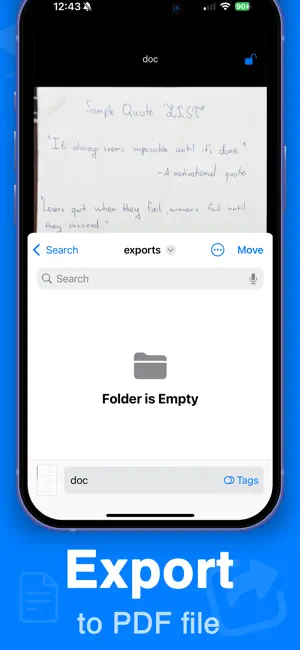
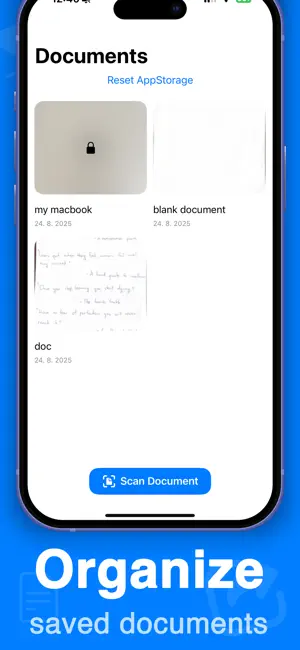
Scan documents easily and export them into PDF. Document scanner with many features. How to use this app: 1. Scan the document using the scan document button 2. Save the document inside the app to organize all your documents in one place 3. Lock the document using face id 4. Export the document into PDF into a separate folder All data is handled locally, so this app is private and does not share documents with third party services. All scanned documents stay on your device. Features: - Excellent scan quality - Automatically recognizes documents to scan - Saves documents locally - Can export documents to PDF files There is a PRO subscription available. Premium Subscription: Upgrade to professional access by purchasing an auto-renewing subscription. Please note that payment will be charged to your iTunes account upon confirmation of purchase. Your subscription will automatically renew at the same price and for the selected duration (monthly or annual) unless canceled at least 24 hours before the current period ends. Auto-renewal can be disabled at any time through your account settings. Available subscription options include the following (prices may vary by country): • 1-week pro: $3.99 (with 3-day free trial) • 1-year premium: $19.99 (no free trial available) EULA: https://dczt.dev/eula-terms-of-use.html Privacy Policy: https://dczt.dev/app-privacy-policy.html
App privacy
The developer, David Krejci, reported these privacy practices to Apple.
Data Used to Track You
The following data may be used to track you across apps and websites owned by other companies:
- Identifiers: Device ID
- Usage Data: Advertising Data
Data Linked to You
The following data, which may be collected and linked to your identity, may be used for the following purposes:
- Purchases: Purchase History
- Location: Coarse Location
- Identifiers: Device ID, User ID
- Usage Data: Product Interaction, Advertising Data, Other Usage Data
- Diagnostics: Performance Data, Other Diagnostic Data, Crash Data
- Other Data: Other Data Types
Used for: Third-Party Advertising, Analytics, App Functionality
Data Not Linked to You
The following data, which may be collected but is not linked to your identity, may be used for the following purposes:
- User Content: Customer Support
Used for: App Functionality
Alternatives to Doc PDF Scanner: Scan Document
Looking for apps like Doc PDF Scanner: Scan Document? Here are 6 similar apps on the App Store. The highest rated is ErnieApp (5.0/5), and all 6 are free to download.
-
 Parcare Gherla
-
 Demozzi
-
 Scanner:PDF Document Scanner
4.8
Scanner:PDF Document Scanner
4.8
-
 Photo to PDF Converter: P2PDF
-
 Bursa Tractari Auto
-
 ErnieApp
5.0
ErnieApp
5.0
| App | Rating | Price | Last updated | Compare |
|---|---|---|---|---|
| Doc PDF Scanner: Scan Document | 5.0 / 5 (1 rating) | Free | August 27, 2025 | |
| Parcare Gherla | – | Free | Oct 6, 2025 | Compare |
| Demozzi | – | Free | Oct 17, 2026 | Compare |
| Scanner:PDF Document Scanner | 4.8 / 5 (5) | Free | Jul 18, 2026 | Compare |
| Photo to PDF Converter: P2PDF | – | Free | Jul 28, 2025 | Compare |
| Bursa Tractari Auto | – | Free | May 18, 2026 | Compare |
| ErnieApp | 5.0 / 5 (3) | Free | Oct 21, 2026 | Compare |