

VisionScan: Document Scanner
YucaCreative OU Productivity iPhoneiPadiPod touch
VisionScan: Document Scanner is a free Productivity app for iPhone and iPad by YucaCreative OU. Requires iOS 17.4. Updated December 16, 2025.
- Price
- Free
- on the App Store
- Size
- 7 MB
- Age 4+
- Updated
- Dec 16
- 2025 · v1.2
Screenshots
About VisionScan: Document Scanner
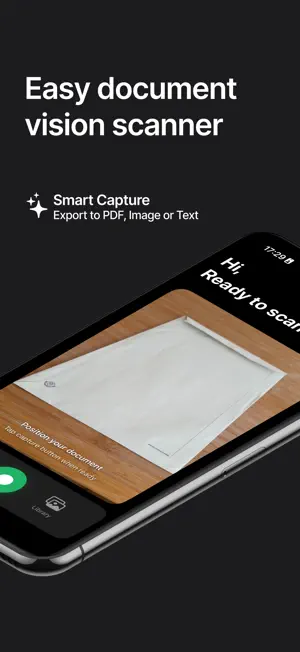
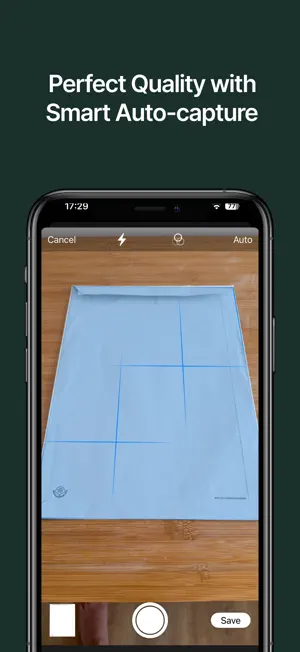
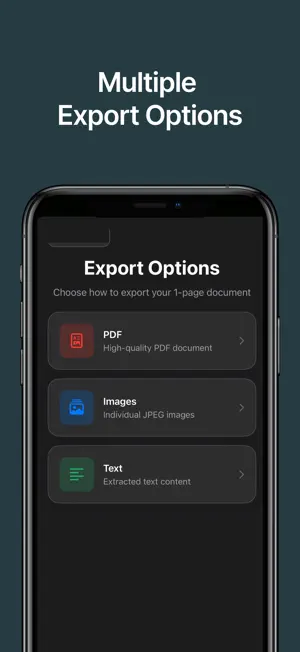
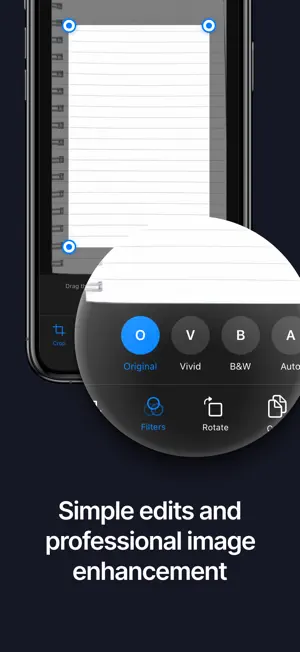
Transform physical documents into high-quality digital PDFs with VisionScan - the most advanced document scanner for iOS. Key Features: - Instant Scanning: Fast native scanner with automatic edge detection - Perfect Quality: Advanced perspective correction and image enhancement - Multi-Page Documents: Scan multiple pages into organized PDF files - OCR Text Recognition: Extract text from documents with searchable PDFs - Multiple Export Options: PDF, JPEG, PNG, and plain text formats - Privacy First: All processing happens on your device - your documents stay private Advanced Capabilities: - Two scanning modes: Quick native scanner and precise manual mode - Real-time document edge detection with smart auto-capture - Professional image enhancement: Color, B&W, and auto-optimization - Comprehensive page management: reorder, delete, and edit scanned pages - Share anywhere: Email, Files app, cloud storage, and more - Accessibility optimized with full VoiceOver support Perfect For: - Business professionals scanning contracts and reports - Students digitizing notes and assignments - Home organization of receipts and documents - Travel documentation and record keeping - Legal and financial document management VisionScan uses Apple's cutting-edge Vision framework for professional-grade document scanning that rivals dedicated scanner hardware. The app is designed for speed, accuracy, and ease of use. What Makes VisionScan Different: - Lightning-fast scanning with automatic document detection - Professional-quality perspective correction algorithms - Advanced image enhancement optimized for text readability - Completely private - no cloud processing or data collection - Intuitive interface designed for iPhone and iPad Legal Information: - Full Terms & Conditions: https://visionscan.netlify.app/terms - Privacy Policy: https://visionscan.netlify.app/privacy Connect With Us: Have suggestions or feedback? We'd love to hear from you! Email: [email protected] Download VisionScan today and transform how you handle physical documents!
What’s new
Version 1.2 · Updated December 16, 2025
App Age Ratings Updated
App privacy
The developer, YucaCreative OU, reported these privacy practices to Apple.
Data Not Collected
The developer does not collect any data from this app.
Alternatives to VisionScan: Document Scanner
Looking for apps like VisionScan: Document Scanner? Here are 6 similar apps on the App Store. The highest rated is Shift Calendar - ShiftBear (5.0/5), and all 6 are free to download.
-
 Inksight: Handwriting to Text
-
 LookScanned : Document Scanner
-
 ScanEx: Scan to PDF & Scanner
-
 Ai Scan Lite - PDF Scanner
-
 Shift Calendar - ShiftBear
5.0
Shift Calendar - ShiftBear
5.0
-
 Clary Mobile
| App | Rating | Price | Last updated | Compare |
|---|---|---|---|---|
| VisionScan: Document Scanner | – | Free | December 16, 2025 | |
| Inksight: Handwriting to Text | – | Free | Oct 17, 2026 | Compare |
| LookScanned : Document Scanner | – | Free | Apr 13, 2026 | Compare |
| ScanEx: Scan to PDF & Scanner | – | Free | Jun 11, 2026 | Compare |
| Ai Scan Lite - PDF Scanner | – | Free | Jul 16, 2026 | Compare |
| Shift Calendar - ShiftBear | 5.0 / 5 (4) | Free | Jan 19, 2026 | Compare |
| Clary Mobile | – | Free | Sep 27, 2026 | Compare |