

Ai Scan Lite - PDF Scanner
方青 范 Productivity iPhoneiPadiPod touch
Ai Scan Lite - PDF Scanner is a free Productivity app for iPhone and iPad by 方青 范. Requires iOS 15.6. Updated July 16, 2026.
- Price
- Free
- on the App Store
- Size
- 116 MB
- Age 17+
- Updated
- Jul 16
- 2026 · v1.0.7
Screenshots


About Ai Scan Lite - PDF Scanner
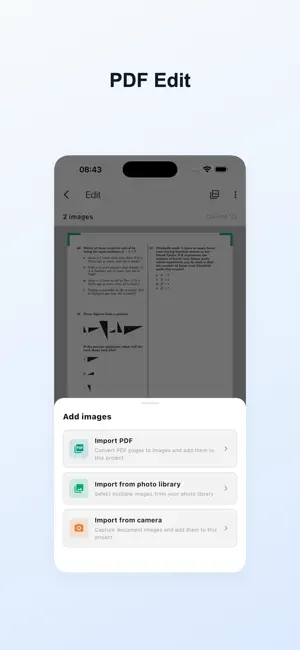
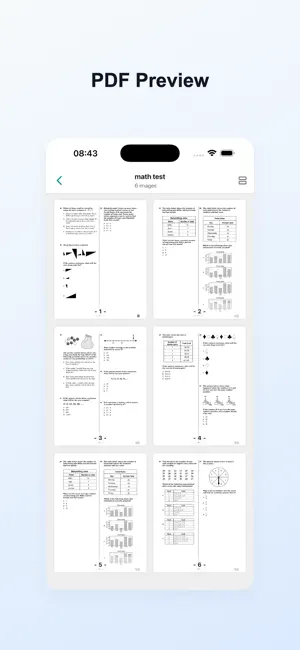
Core Features Intelligent Document Scanning Capture a photo or select an image from your gallery, and our advanced AI technology will automatically enhance image quality, provide professional editing effects, perfect angle adjustment, and ready for printing anytime. Document Enhancement and Optimization Automatically detects document edges, improves document quality, and removes shadows and other visual imperfections. Corrects distorted scans and improves overall quality, preparing documents for editing, printing, and OCR. You can also crop, rotate documents, improve contrast, convert to black and white, and remove unwanted backgrounds or content. Document Cleaning and Retouching Remove handwritten traces, improve document quality, and retouch it. Through our comprehensive image enhancement features, contrast and grayscale tools ensure your digital document copies meet the highest quality standards. The system also automatically optimizes document contrast. Text Recognition (OCR) Powerful optical character recognition technology supporting multi-language text extraction. Convert scanned documents into editable text, supporting copy, edit, and search functions. High recognition accuracy, even for complex documents. PDF Creation and Export Create and export PDF files, supporting editing of each page, including sorting, cropping, flipping, and other operations. Supports A3, A4 paper sizes, horizontal and vertical layout preview and sharing. Technical Advantages Efficient Processing Adopts a new generation of AI engine, with fast processing speed and excellent results, making document scanning and recognition simple and efficient. Offline Operation Core functions can be used without network connection, protecting your privacy and allowing document processing anytime, anywhere. Professional-Grade Results Whether it's business documents, academic materials, or personal files, you can achieve professional-grade scanning and recognition results. Application Scenarios • Business document scanning and management • Academic material digitization • Contract and agreement processing • Personal ID scanning • Book and magazine content extraction Why Choose Us • Advanced AI technology ensuring high-quality scanning • Powerful OCR functionality supporting multi-language text recognition • Offline operation, protecting privacy • Intuitive and user-friendly interface • Professional PDF export options Experience AI Scan Doc now and make document processing simpler and more efficient!
What’s new
Version 1.0.7 · Updated July 16, 2026
UIs improve
App privacy
The developer, 方青 范, reported these privacy practices to Apple.
Data Not Linked to You
The following data, which may be collected but is not linked to your identity, may be used for the following purposes:
- Diagnostics: Crash Data
Used for: Third-Party Advertising, Analytics
Alternatives to Ai Scan Lite - PDF Scanner
Looking for apps like Ai Scan Lite - PDF Scanner? Here are 6 similar apps on the App Store. The highest rated is BulkHead (3.0/5), and 5 of the 6 are free to download.


| App | Rating | Price | Last updated | Compare |
|---|---|---|---|---|
| Ai Scan Lite - PDF Scanner | – | Free | July 16, 2026 | |
| super copy: smart keyboard | – | Free | Mar 4, 2026 | Compare |
| Mionitors | – | Free | Apr 4, 2026 | Compare |
| BulkHead | 3.0 / 5 (2) | Free | Jun 14, 2026 | Compare |
| NANOASCAN | 3.0 / 5 (1) | Free | Jun 18, 2026 | Compare |
| Email Formatter | – | 0.99 USD | Mar 11, 2026 | Compare |
| Notelocked | – | Free | Apr 10, 2026 | Compare |