

AI Text Reader: Text to Speech
OGUZ OZDEMIR Productivity iPhoneiPadiPod touch
AI Text Reader: Text to Speech is a free Productivity app for iPhone and iPad by OGUZ OZDEMIR. Requires iOS 15.5. Updated May 4, 2026.
- Price
- Free
- on the App Store
- Size
- 134 MB
- Age 4+
- Updated
- May 4
- 2026 · v2.61.15
Screenshots

About AI Text Reader: Text to Speech
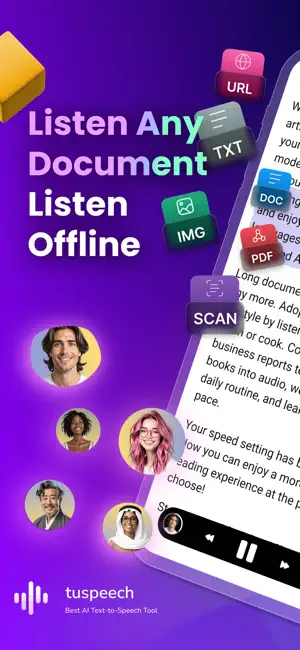
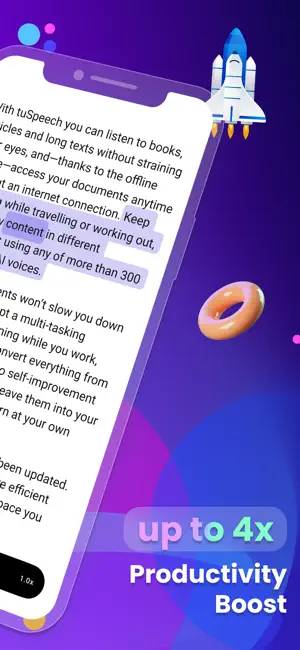
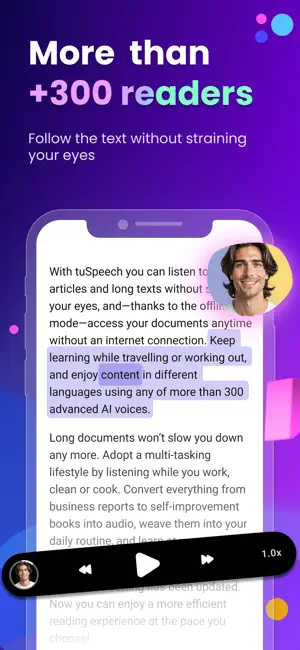
TuSpeech is an AI text reader and text to speech app for PDFs, docs, scans, images, web pages, and books. It turns written content into natural-sounding audio so you can listen instead of staying on the screen. Use it to read documents aloud, review study material, follow articles, or keep books available as audio while you commute, walk, work, or rest your eyes. READ PDFS, DOCS, SCANS, AND WEB CONTENT • Open PDFs, docs, text files, pasted text, and saved reading material • Turn scanned pages and images into speech with OCR • Listen to web pages, articles, and long documents in a cleaner reading flow • Save your place with bookmarks and come back later without losing progress • Use one reader for study files, work documents, and personal reading TEXT TO SPEECH WITH AI VOICES TuSpeech gives you AI text reader and text to speech tools in one place. Choose from a large voice library, adjust playback speed, and listen in the way that fits your reading pace. • Use natural-sounding voices for long reading sessions • Slow down for careful review or speed up when you want to move faster • Switch from a PDF to a scan to an article without changing apps • Keep written content available as audio whenever reading on screen is inconvenient OCR FOR IMAGES AND SCANNED PAGES OCR matters because many useful documents are not ready to read aloud by default. TuSpeech helps turn printed pages, screenshots, and scanned material into speech so they are easier to review. • Read image-based documents with OCR support • Listen to scanned notes, classroom handouts, and saved images • Keep difficult source material usable instead of retyping it by hand OFFLINE LISTENING AND BACKGROUND PLAYBACK TuSpeech is built for everyday reading, not only desk use. Download content, keep playback running in the background, and continue listening when you are away from a reliable connection. • Listen offline during travel, commuting, or focused work • Keep reading going while using other apps • Return to saved content with your place preserved BOOKS, ARTICLES, AND PERSONAL FILES Use TuSpeech for your own reading material, choose from 300+ voices, or explore 1000+ classic books inside the app. It works for reports, essays, study guides, articles, textbooks, emails, and longer files that are easier to follow by audio. If you already use read aloud apps, audiobook apps, or text to speech tools, TuSpeech gives you one place for everyday listening. BUILT FOR STUDY, WORK, AND ACCESSIBILITY TuSpeech can help when you want to review information faster, reduce screen time, or make reading easier. It is useful for students, professionals, and people who prefer listening to text. It also supports accessibility-focused use cases, including dyslexia-friendly and ADHD-friendly listening support, plus easier access to scanned material. • Review study guides, lecture notes, and textbooks by audio • Listen to reports, emails, and long documents during work • Use audio to reduce eye strain and screen fatigue • Make reading more accessible with OCR, playback controls, and flexible listening KEY FEATURES • AI text reader for PDFs, docs, files, scans, images, web pages, and books • Text to speech with natural voices • OCR for photos, screenshots, and scanned documents • Offline listening and background playback • Adjustable playback speed • Bookmarks and saved reading position • Classic books and everyday document reading in one app • Accessibility support for easier listening Privacy Policy: https://tuspeech.com/en/privacy-policy Terms of Service: https://tuspeech.com/en/terms-of-service
What’s new
Version 2.61.15 · Updated May 4, 2026
- Faster, smoother performance across the app. - Improved reliability for opening large files and background playback. - Enhanced text recognition for PDFs and images. - Small design polish for a cleaner reading experience. - Various bug fixes and stability improvements.
App privacy
The developer, OGUZ OZDEMIR, reported these privacy practices to Apple.
Data Used to Track You
The following data may be used to track you across apps and websites owned by other companies:
- Identifiers: User ID
- Usage Data: Product Interaction, Advertising Data
Data Linked to You
The following data, which may be collected and linked to your identity, may be used for the following purposes:
- Contact Info: Email Address, Name
- Identifiers: User ID
- Diagnostics: Crash Data
Used for: Analytics, App Functionality, Other Purposes
Data Not Linked to You
The following data, which may be collected but is not linked to your identity, may be used for the following purposes:
- Usage Data: Product Interaction, Advertising Data
- Diagnostics: Performance Data, Other Diagnostic Data
- Identifiers: Device ID
Used for: Analytics, App Functionality
Alternatives to AI Text Reader: Text to Speech
Looking for apps like AI Text Reader: Text to Speech? Here are 6 similar apps on the App Store. The highest rated is Text to Speech - MonReader (5.0/5), and all 6 are free to download.
-
 AI Reader: Text To Speech
-
 Text to Speech - MonReader
5.0
Text to Speech - MonReader
5.0
-
 Text to Speech Voice - Speecho
-
 Text to Speech: ListenAloud
-
 TTS Text To Speech: Read Aloud
4.4
TTS Text To Speech: Read Aloud
4.4
-
 LoudScript: Text to Speech
5.0
LoudScript: Text to Speech
5.0
| App | Rating | Price | Last updated | Compare |
|---|---|---|---|---|
| AI Text Reader: Text to Speech | – | Free | May 4, 2026 | |
| AI Reader: Text To Speech | – | Free | Jan 27, 2026 | Compare |
| Text to Speech - MonReader | 5.0 / 5 (2) | Free | Jan 5, 2026 | Compare |
| Text to Speech Voice - Speecho | – | Free | Mar 27, 2026 | Compare |
| Text to Speech: ListenAloud | – | Free | Oct 30, 2026 | Compare |
| TTS Text To Speech: Read Aloud | 4.4 / 5 (10) | Free | Mar 23, 2026 | Compare |
| LoudScript: Text to Speech | 5.0 / 5 (2) | Free | Oct 29, 2026 | Compare |