

LoudScript: Text to Speech
Ho Ye Lam Productivity iPhoneiPadiPod touch
LoudScript: Text to Speech is a free Productivity app for iPhone and iPad by Ho Ye Lam. Rated 5.0/5 from 3 ratings. Requires iOS 18.0.
- Rating
- 5.0
- 3 ratings
- Price
- Free
- on the App Store
- Size
- 69 MB
- Age 4+
- Updated
- Sep 26
- 2026 · v2026.12
Screenshots
About LoudScript: Text to Speech
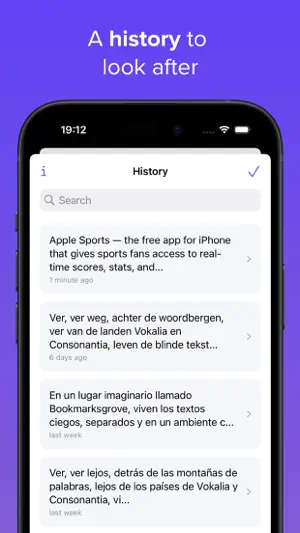
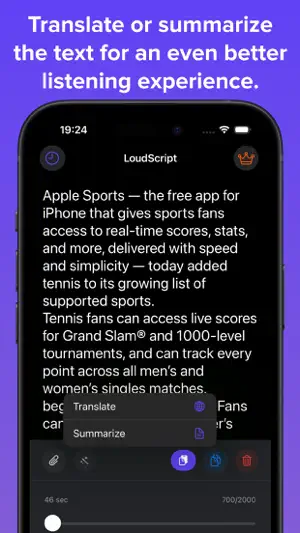
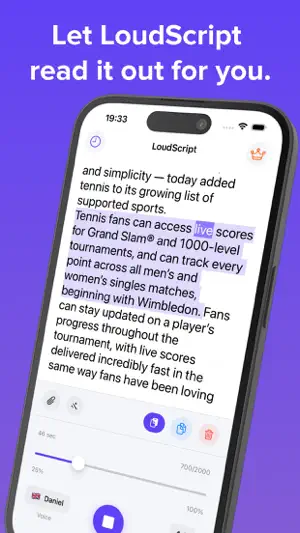
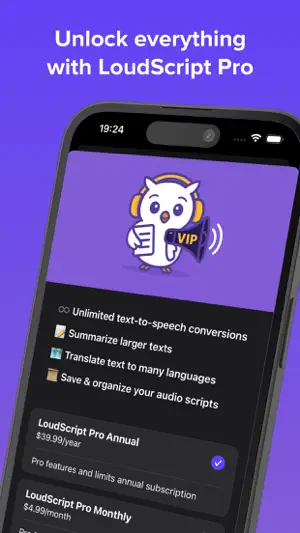
LoudScript turns text into natural speech using downloadable Supertonic voices that run directly on your device. Type or paste text, choose a speaking speed, and follow along with sentence highlighting. LoudScript automatically detects the language and selects a suitable voice. BETTER VOICES ON YOUR DEVICE - Download Supertonic voices for on-device speech - Generate speech directly on your device - Keep text out of an online speech service during Supertonic playback - Fall back to Apple Voices when Supertonic is unavailable or does not support the detected language WAYS TO ADD TEXT - Type text directly - Paste text from the clipboard - Extract plain text from one photo using OCR - Extract plain text from a PDF using OCR LISTEN YOUR WAY - Adjust speaking speed from 0.5x to 2x - Follow sentence highlighting during playback - Move through the text with the progress slider - Reopen saved entries from history PREMIUM - Remove the 2,000-character limit - Translate text online - Summarize text online No account is required. Photo and PDF import extracts plain text before playback. Translation and summarization require an internet connection. Terms of Use: https://loudscript.app/tos.html
What’s new
Version 2026.12 · Updated September 26, 2026
• Edit your text after pausing or stopping playback. • Use the progress slider to replay a sentence immediately without losing your place. • Improved playback reliability and responsiveness when working with long texts, history, and PDF imports.
App privacy
The developer, Ho Ye Lam, reported these privacy practices to Apple.
Data Not Linked to You
The following data, which may be collected but is not linked to your identity, may be used for the following purposes:
- Location: Coarse Location
- Identifiers: Device ID
- Usage Data: Product Interaction
- Diagnostics: Crash Data
Used for: Analytics, App Functionality
Alternatives to LoudScript: Text to Speech
Looking for apps like LoudScript: Text to Speech? Here are 6 similar apps on the App Store. The highest rated is Text to Speech – Read Aloud (4.9/5), and all 6 are free to download.
-
 Text to Speech Voice - Speecho
-
 Pagee - Text to Speech Reader
4.6
Pagee - Text to Speech Reader
4.6
-
 AI Text Reader: Text to Speech
-
 Text to Speech Reader Vocally
3.0
Text to Speech Reader Vocally
3.0
-
 Text to Speech – Read Aloud
4.9
Text to Speech – Read Aloud
4.9
-
 AI Reader: Read Aloud Pdf Book
4.7
AI Reader: Read Aloud Pdf Book
4.7
| App | Rating | Price | Last updated | Compare |
|---|---|---|---|---|
| LoudScript: Text to Speech | 5.0 / 5 (3 ratings) | Free | September 26, 2026 | |
| Text to Speech Voice - Speecho | – | Free | Mar 27, 2026 | Compare |
| Pagee - Text to Speech Reader | 4.6 / 5 (17) | Free | Oct 12, 2026 | Compare |
| AI Text Reader: Text to Speech | – | Free | May 4, 2026 | Compare |
| Text to Speech Reader Vocally | 3.0 / 5 (2) | Free | Jan 5, 2026 | Compare |
| Text to Speech – Read Aloud | 4.9 / 5 (140) | Free | Feb 24, 2026 | Compare |
| AI Reader: Read Aloud Pdf Book | 4.7 / 5 (190) | Free | Mar 29, 2026 | Compare |