

Seren - Screen Time Control
mart hoff Productivity iPhoneiPadiPod touch
Seren - Screen Time Control is a free Productivity app for iPhone and iPad by mart hoff. Requires iOS 17.0. Updated May 22, 2026.
- Price
- Free
- on the App Store
- Size
- 126 MB
- Age 4+
- Updated
- May 22
- 2026 · v1.45
Screenshots
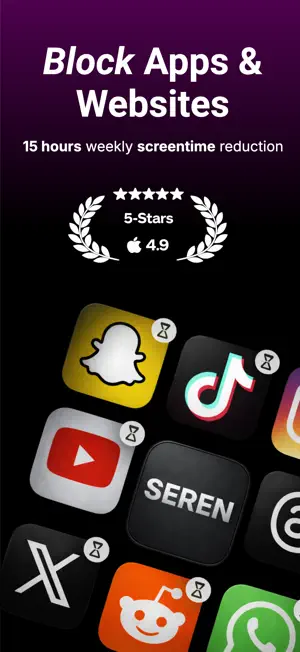


About Seren - Screen Time Control
Seren — app blocking that actually sticks Seren helps you reclaim your attention with simple, powerful app blocks, focus timers, and schedules designed to reduce distractions and protect your time. Whether you’re trying to stop doomscrolling, protect your mornings, or stay focused during deep work, Seren helps you stay present—without relying on willpower alone. Take back your time (without quitting your phone) Your phone can be both useful and distracting. Seren offers a calm, intentional approach to managing app usage, helping you reduce noise and create space for what matters most. What Seren helps you do • Block distracting apps during focus periods • Use focus timers for deep work, studying, reading, or workouts • Create schedules for work hours, evenings, bedtime, and weekends • Plan routines so blocks happen automatically • Allow intentional breaks with clear limits • Build healthier screen habits with structure that reduces impulsive use Made for real life Seren is designed to support everyday focus and consistency, whether you’re working, studying, or winding down in the evening. Everything is designed to be set up once and trusted to run in the background. Works with iOS Screen Time Seren uses Apple’s Screen Time framework to enforce app blocking. You’ll be asked to grant Screen Time access during setup—this is required for app blockers to work properly on iPhone. Subscription required Seren requires a paid subscription to use. Subscription details, pricing, and renewal terms are presented in the app before purchase. Legal Terms of Use: https://www.apple.com/legal/internet-services/itunes/dev/stdeula/ Privacy Policy: https://gist.github.com/marthoff7/8b84eaef2c8dca5e21dc34a22b7f35e8 Download Seren and make space for what matters.
What’s new
Version 1.45 · Updated May 22, 2026
Minor bug fixes
App privacy
The developer, mart hoff, reported these privacy practices to Apple.
Data Used to Track You
The following data may be used to track you across apps and websites owned by other companies:
- Identifiers: Device ID
Data Linked to You
The following data, which may be collected and linked to your identity, may be used for the following purposes:
- Identifiers: Device ID
- Contact Info: Email Address
Used for: Developer’s Advertising or Marketing, App Functionality
Data Not Linked to You
The following data, which may be collected but is not linked to your identity, may be used for the following purposes:
- Identifiers: User ID
- Usage Data: Product Interaction
- Contact Info: Name
Used for: Analytics, App Functionality
Alternatives to Seren - Screen Time Control
Looking for apps like Seren - Screen Time Control? Here are 6 similar apps on the App Store. The highest rated is Screen Time Control: Temper (5.0/5), and all 6 are free to download.
-
 Frogged - Screen Time Control
3.0
Frogged - Screen Time Control
3.0
-
 Screen Time Control: Temper
5.0
Screen Time Control: Temper
5.0
-
 Lettuce: Screen Time Control
5.0
Lettuce: Screen Time Control
5.0
-
 Restrix
3.7
Restrix
3.7
-
 TimeGuard: Screen Time + Focus
-
 Screen Time Control: Pausi
| App | Rating | Price | Last updated | Compare |
|---|---|---|---|---|
| Seren - Screen Time Control | – | Free | May 22, 2026 | |
| Frogged - Screen Time Control | 3.0 / 5 (2) | Free | Aug 18, 2026 | Compare |
| Screen Time Control: Temper | 5.0 / 5 (2) | Free | Feb 14, 2026 | Compare |
| Lettuce: Screen Time Control | 5.0 / 5 (2) | Free | May 21, 2026 | Compare |
| Restrix | 3.7 / 5 (3) | Free | Jul 31, 2025 | Compare |
| TimeGuard: Screen Time + Focus | – | Free | Apr 6, 2025 | Compare |
| Screen Time Control: Pausi | – | Free | Oct 12, 2026 | Compare |