

Bookify - Send to Kindle
禧钰 彭 Book iPhoneiPadiPod touchMac
Bookify - Send to Kindle is a free Book app for iPhone and iPad by 禧钰 彭. Rated 4.4/5 from 22 ratings. Requires iOS 16.4. Updated October 25, 2026.
- Rating
- 4.4
- 22 ratings
- Price
- Free
- on the App Store
- Size
- 36 MB
- Age 4+
- Updated
- Oct 25
- 2026 · v1.6.0
Screenshots



About Bookify - Send to Kindle
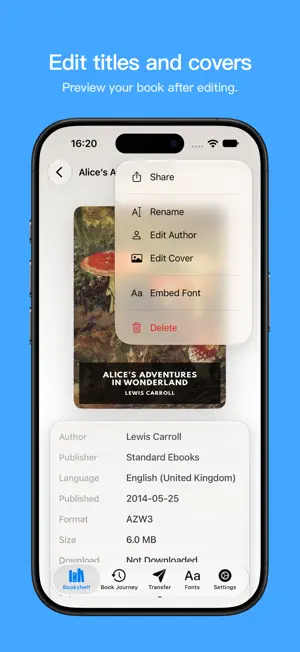
Send the books on your phone wirelessly to Kindle or Kobo. Bookify lets you import and transfer books directly from your iPhone or iPad, with no computer or cable needed. You don't need to sign in to Amazon to transfer books. Import books without manual conversion Bookify supports common formats including EPUB, KEPUB, MOBI, AZW3, and TXT, and automatically converts them for your chosen Kindle or Kobo. You can skip the extra conversion tools. Import books from the Files app, or share browser downloads and email attachments with Bookify. Make covers and fonts your own Choose a cover you like and edit the title and author to make books easier to recognize. You can also import TTF and OTF fonts and embed them in your books for use on supported readers. On Kindle, select the publisher font option to use embedded fonts. Kobo can use embedded fonts in supported EPUB/KEPUB books. Connect your reader and download 1. Choose Kindle or Kobo in Bookify, then import your books. 2. Connect your iPhone or iPad and reader to the same Wi-Fi network, then open “Transfer” in Bookify. Visit pair.bookify.top in your reader's browser and use Bookify to scan the QR code shown on the reader. 3. On the transfer page that opens on your reader, choose a book and download it. You can also connect manually by entering the transfer address shown in Bookify into your reader's browser. Keep Bookify open while downloading. Books transfer directly over your local network. Their contents are not uploaded to third-party servers. Free features and Pro Import as many books as you like for free, one at a time, up to 5 MB per book. Upgrade to Pro to import multiple books at once and books larger than 5 MB. Terms of Use (EULA): https://www.apple.com/legal/internet-services/itunes/dev/stdeula/ Privacy Policy: https://bookify.top/privacy
Ratings & reviews
4.4
22 ratings
What’s new
Version 1.6.0 · Updated October 25, 2026
1. Added Kindle comic optimization. 2. Choose your Kindle model in the setup guide or change it more easily in Settings. 3. New Advanced Transfer Mode guidance helps you send books directly from the bookshelf. 4. Fixed book details failing to save after a language change and duplicate or skipped bookshelf entries after batch imports.
App privacy
The developer, 禧钰 彭, reported these privacy practices to Apple.
Data Not Linked to You
The following data, which may be collected but is not linked to your identity, may be used for the following purposes:
- Usage Data: Product Interaction
- Diagnostics: Crash Data, Performance Data, Other Diagnostic Data
Used for: Analytics
Alternatives to Bookify - Send to Kindle
Looking for apps like Bookify - Send to Kindle? Here are 6 similar apps on the App Store. The highest rated is SendMyEbook (5.0/5), and all 6 are free to download.
-
 PagePop - Kindle Companion
4.8
PagePop - Kindle Companion
4.8
-
 SendMyEbook
5.0
SendMyEbook
5.0
-
 DropKind: Send to Kindle
5.0
DropKind: Send to Kindle
5.0
-
 EPubMate - Send Book to Device
-
 EPUB Cover Maker: Book Design
5.0
EPUB Cover Maker: Book Design
5.0
-
 File Sender for Kindle EPUB
3.1
File Sender for Kindle EPUB
3.1
| App | Rating | Price | Last updated | Compare |
|---|---|---|---|---|
| Bookify - Send to Kindle | 4.4 / 5 (22 ratings) | Free | October 25, 2026 | |
| PagePop - Kindle Companion | 4.8 / 5 (90) | Free | Oct 18, 2026 | Compare |
| SendMyEbook | 5.0 / 5 (1) | Free | Sep 17, 2026 | Compare |
| DropKind: Send to Kindle | 5.0 / 5 (2) | Free | Aug 6, 2026 | Compare |
| EPubMate - Send Book to Device | – | Free | Oct 3, 2026 | Compare |
| EPUB Cover Maker: Book Design | 5.0 / 5 (8) | Free | Aug 6, 2026 | Compare |
| File Sender for Kindle EPUB | 3.1 / 5 (29) | Free | Jan 2, 2025 | Compare |