

BoltPDF: Fill, Sign & Edit PDF
OBZENA LLC Productivity iPhoneiPadiPod touch
BoltPDF: Fill, Sign & Edit PDF is a free Productivity app for iPhone and iPad by OBZENA LLC. Rated 4.5/5 from 25 ratings. Requires iOS 16.0.
- Rating
- 4.5
- 25 ratings
- Price
- Free
- on the App Store
- Size
- 35 MB
- Age 4+
- Updated
- Mar 11
- 2026 · v2.0.0
Screenshots
About BoltPDF: Fill, Sign & Edit PDF
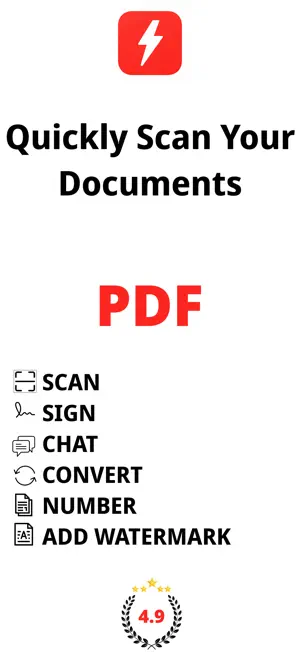
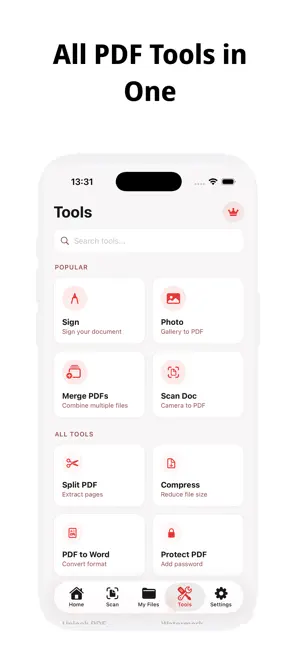
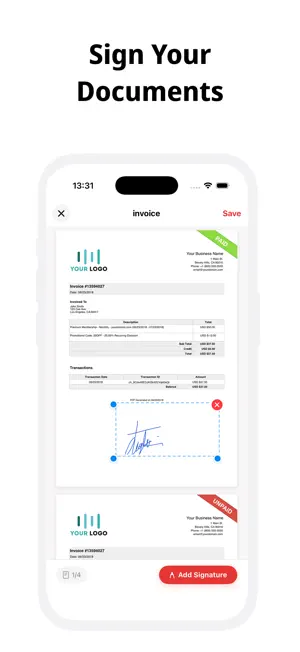
BoltPDF - PDF Editor & Scanner Manage your documents professionally. All PDF tools in one app. BoltPDF makes PDF tasks on your iPhone and iPad fast, secure, and easy. Scan, sign, convert, merge documents, and much more - nothing is uploaded to a server, everything stays on your device. SIGN & EDIT Easily sign your contracts, forms, and documents. Draw with your finger, add text, fill in fields. No paper needed. SCAN & CONVERT Scan documents with your camera and instantly convert them to PDF. Get clean, professional results with automatic edge detection. You can also create PDFs from your photo gallery. PDF TOOLS Merge PDFs - Combine multiple files into a single document Split PDF - Separate desired pages into separate files Compress File - Reduce PDF size while maintaining quality Add Password / Unlock - Protect your documents with a password Add Watermark - Add a brand or text watermark Page Numbering - Automatically number your pages PDF to Word - Convert your PDFs to editable Word documents Image → PDF - Convert your JPG and PNG files to PDF PRIVACY COMES FIRST BoltPDF runs entirely on your device. Your documents are never sent to a server or stored in the cloud. Your privacy is our priority. FAST & INTUITIVE Start using it in minutes. Clean interface, fast processing, no unnecessary complexity. Subscription and Purchase Options BoltPDF offers monthly subscription, annual subscription, one-time purchase, or lifetime usage options. Purchases are managed through your App Store account. Subscriptions can be canceled at any time. Terms of Use: https://phototopdf.app/term-of-use Privacy Policy: https://phototopdf.app/privacy-policy
Ratings & reviews
4.5
25 ratings
What’s new
Version 2.0.0 · Updated March 11, 2026
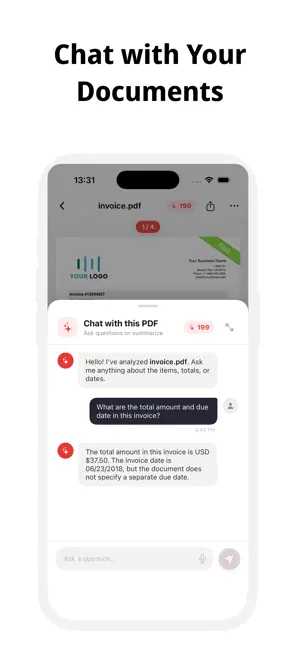
BoltPDF is now a full-featured PDF editor! New features: - PDF Signing: Instantly e-sign your documents - Document Scanner: Scan with your camera and convert to PDF - PDF Merge: Combine multiple PDFs into a single file - PDF Split: Separate or extract pages - PDF Compression: Reduce file size effortlessly - PDF to Word: Convert to an editable format with ease - PDF Protection: Secure your documents with a password - Page Numbering: Automatically add numbers to your pages - AI Assistant: Chat with your PDFs and ask questions Faster, more powerful, all in one.
App privacy
The developer, OBZENA LLC, reported these privacy practices to Apple.
Data Not Collected
The developer does not collect any data from this app.
Alternatives to BoltPDF: Fill, Sign & Edit PDF
Looking for apps like BoltPDF: Fill, Sign & Edit PDF? Here are 6 similar apps on the App Store. The highest rated is Photo to PDF Convert - Scanner (4.9/5), and all 6 are free to download.
-
 Photo to PDF Convert - Scanner
4.9
Photo to PDF Convert - Scanner
4.9
-
 People Counter: Party, Events
4.4
People Counter: Party, Events
4.4
-
 DoThread - Mind journaling
4.8
DoThread - Mind journaling
4.8
-
 i PDf accessible
4.7
i PDf accessible
4.7
-
 AI Notes: BYOK Transcription
4.8
AI Notes: BYOK Transcription
4.8
-
 Esse: AI Video Summarizer
4.8
Esse: AI Video Summarizer
4.8
| App | Rating | Price | Last updated | Compare |
|---|---|---|---|---|
| BoltPDF: Fill, Sign & Edit PDF | 4.5 / 5 (25 ratings) | Free | March 11, 2026 | |
| Photo to PDF Convert - Scanner | 4.9 / 5 (16) | Free | Jul 28, 2025 | Compare |
| People Counter: Party, Events | 4.4 / 5 (14) | Free | Mar 10, 2026 | Compare |
| DoThread - Mind journaling | 4.8 / 5 (4) | Free | Oct 13, 2026 | Compare |
| i PDf accessible | 4.7 / 5 (19) | Free | Sep 24, 2026 | Compare |
| AI Notes: BYOK Transcription | 4.8 / 5 (6) | Free | Oct 10, 2026 | Compare |
| Esse: AI Video Summarizer | 4.8 / 5 (24) | Free | Apr 24, 2026 | Compare |