

PDF Reader - FileConvert
涛 夏 Utilities iPhoneiPadiPod touch
PDF Reader - FileConvert is a free Utilities app for iPhone and iPad by 涛 夏. Requires iOS 13.0. Updated September 2, 2025.
- Price
- Free
- on the App Store
- Size
- 72 MB
- Age 4+
- Updated
- Sep 2
- 2025 · v1.2.0
Screenshots
About PDF Reader - FileConvert
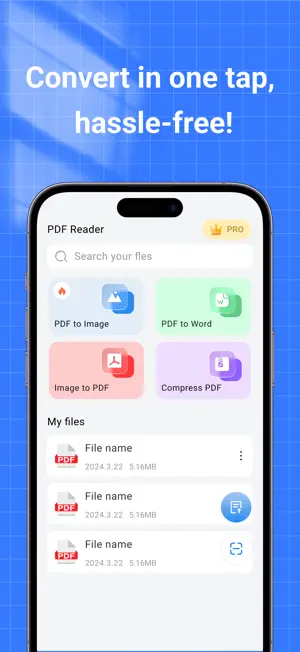
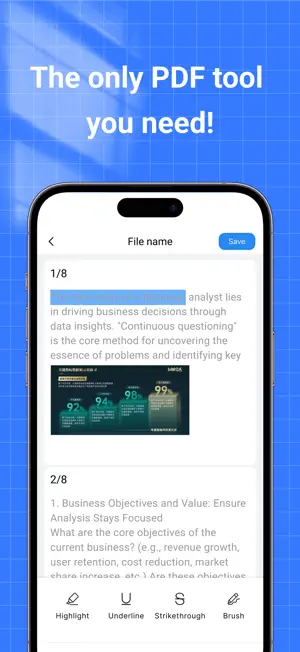
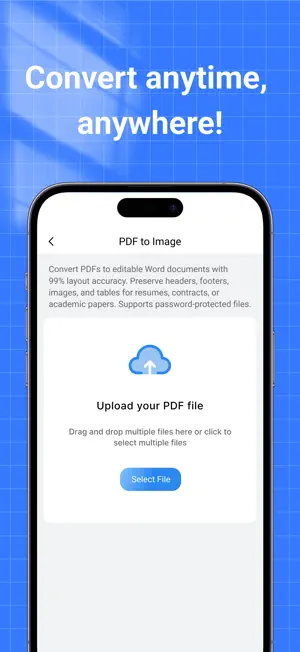
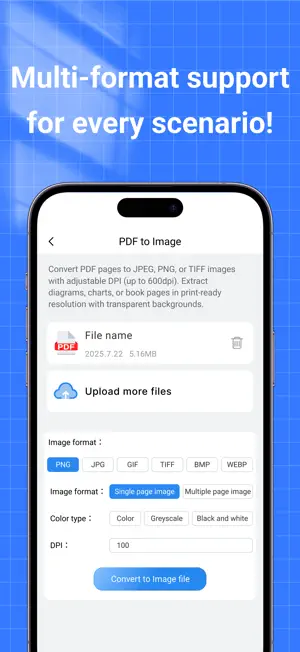
Welcome to PDF Reader - FileConvert!This app helps you easily read PDF files and quickly convert them into images or various other formats, boosting your efficiency in handling documents. Whether for work, study, or everyday use, it’s your reliable assistant for document management. Perfect for the following users: ● Those who need to batch convert photos, screenshots, and other images into PDFs ● People who want to organize scanned documents taken with their phone into a unified PDF ● Anyone looking for a lightweight and efficient image-to-PDF tool ● Users who want to save assignments, receipts, ID photos, etc., as PDFs ● People who prefer using their phone instead of a complicated scanner to convert documents into PDF ● Individuals who often need to create PDF reports, homework files, or e-documents Why we recommend PDF Reader - FileConvert: One-Tap Image to PDF: Import multiple images at once and generate high-quality PDFs with a single tap. Flexible Export and Management: Converted PDFs can be previewed, renamed, and saved—making file organization clear and efficient. Minimalist User Experience: No login required. Open and use instantly. Perfect for users of all levels. Auto-Renewing Subscription Instructions Subscription Service: All membership features are available for free during the subscription period. Subscription Period: 1 month / 1 year Payment: Payment will be charged to your Apple account upon confirmation of purchase. Renewal: Your Apple account will be charged within 24 hours before the end of the current period. Once the payment is successful, the subscription will be extended for one more period. Cancellation: To cancel the subscription, please manually turn off auto-renewal in iTunes/Apple ID settings at least 24 hours before the end of the current period. Privacy Policy:http://pdf.girlfriendgames.top/privacy.html User Agreement:http://pdf.girlfriendgames.top/eula.html
What’s new
Version 1.2.0 · Updated September 2, 2025
-Fix some bugs -New UI design
App privacy
The developer, 涛 夏, reported these privacy practices to Apple.
Data Used to Track You
The following data may be used to track you across apps and websites owned by other companies:
- Identifiers: User ID, Device ID
Data Linked to You
The following data, which may be collected and linked to your identity, may be used for the following purposes:
- Identifiers: User ID, Device ID
Used for: Third-Party Advertising, Analytics, App Functionality
Alternatives to PDF Reader - FileConvert
Looking for apps like PDF Reader - FileConvert? Here are 6 similar apps on the App Store. The highest rated is PDF Converter: Doc File Pro (5.0/5), and all 6 are free to download.
-
 FileShare Pro
-
 PDF Converter-File conversion
-
 QR Barcode scanner to Sheets
-
 Image Converter: JPEG,PDF,HEIC
1.0
Image Converter: JPEG,PDF,HEIC
1.0
-
 PDF Converter: Doc File Pro
5.0
PDF Converter: Doc File Pro
5.0
-
 Faceplate
5.0
Faceplate
5.0
| App | Rating | Price | Last updated | Compare |
|---|---|---|---|---|
| PDF Reader - FileConvert | – | Free | September 2, 2025 | |
| FileShare Pro | – | Free | Nov 14, 2025 | Compare |
| PDF Converter-File conversion | – | Free | Oct 15, 2025 | Compare |
| QR Barcode scanner to Sheets | – | Free | Oct 16, 2025 | Compare |
| Image Converter: JPEG,PDF,HEIC | 1.0 / 5 (1) | Free | Jul 25, 2025 | Compare |
| PDF Converter: Doc File Pro | 5.0 / 5 (1) | Free | Sep 13, 2026 | Compare |
| Faceplate | 5.0 / 5 (3) | Free | Apr 30, 2026 | Compare |