

JPG to PDF Converter: Photos
MOBILECRAFT LLC Utilities iPhoneiPadiPod touch
JPG to PDF Converter: Photos is a free Utilities app for iPhone and iPad by MOBILECRAFT LLC. Requires iOS 18.2. Updated July 20, 2026.
- Price
- Free
- on the App Store
- Size
- 57 MB
- Age 4+
- Updated
- Jul 20
- 2026 · v2.0
Screenshots



About JPG to PDF Converter: Photos
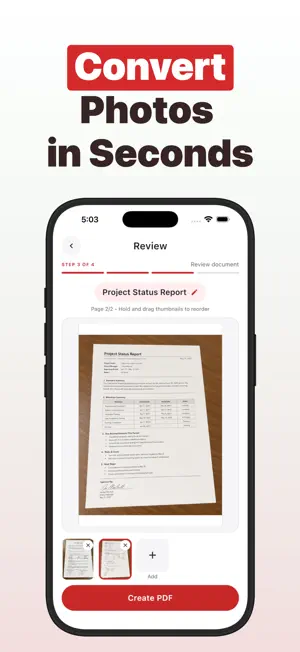
Turn your photos into clean, shareable PDFs in seconds. Whether you need to send documents for work, organize receipts, compile a photo album, or prepare files for printing, JPG to PDF Converter makes it simple and fast. Pick photos from your gallery or take new ones with your camera. The app supports JPG, PNG, HEIC, and all standard image formats your device can capture. Choose from six page layouts to get the look you need: one photo per page with margins, edge-to-edge for full bleed, or fit two, three, four, or six images on a single page for compact documents. Before creating your PDF, reorder pages by dragging thumbnails into the right sequence. Name your document, review the layout, and tap to generate. The finished PDF is saved to your device, ready to share through any app — email, messaging, cloud storage, or anywhere else you need it. Your photos stay private. The entire conversion happens on your device with no internet connection required. Nothing is uploaded, no account is needed, and no watermarks are added to your files. All your PDFs are organized in a personal library where you can preview, rename, share, or delete them anytime. Each document shows its page count and file size so you always know what you have. The app is free to start using. A optional Premium upgrade removes ads and gives you unlimited PDF exports so you can work without interruption. Whether you are a student scanning notes, a freelancer sending invoices, a parent archiving school artwork, or anyone who just needs a reliable way to go from photos to PDF, this app does the job without fuss. Download JPG to PDF Converter and start turning your photos into polished PDFs today. Terms of Use: https://mobilecraft.io/terms Privacy Policy: https://mobilecraft.io/privacy/phototopdf
What’s new
Version 2.0 · Updated July 20, 2026
- Full app redesign - Bug fixes + Performance optimizations
App privacy
The developer, MOBILECRAFT LLC, reported these privacy practices to Apple.
Data Used to Track You
The following data may be used to track you across apps and websites owned by other companies:
- Identifiers: Device ID
- Usage Data: Product Interaction, Advertising Data
Data Not Linked to You
The following data, which may be collected but is not linked to your identity, may be used for the following purposes:
- Identifiers: Device ID
- Usage Data: Product Interaction, Advertising Data
- Purchases: Purchase History
Used for: Third-Party Advertising, App Functionality
Alternatives to JPG to PDF Converter: Photos
Looking for apps like JPG to PDF Converter: Photos? Here are 6 similar apps on the App Store. The highest rated is HEIC JPG PNG Image Converter (4.8/5), and all 6 are free to download.
-
 HEIC JPG PNG Image Converter
4.8
HEIC JPG PNG Image Converter
4.8
-
 Convert Picture to PDF +
-
 Image Converter ⁺
-
 Image to PDF - Photos PDF
-
 SwitchPDF - Image to PDF
-
 PDFWelder – PDF Merger
| App | Rating | Price | Last updated | Compare |
|---|---|---|---|---|
| JPG to PDF Converter: Photos | – | Free | July 20, 2026 | |
| HEIC JPG PNG Image Converter | 4.8 / 5 (10) | Free | Jun 18, 2024 | Compare |
| Convert Picture to PDF + | – | Free | Aug 21, 2026 | Compare |
| Image Converter ⁺ | – | Free | May 26, 2026 | Compare |
| Image to PDF - Photos PDF | – | Free | Sep 28, 2026 | Compare |
| SwitchPDF - Image to PDF | – | Free | Oct 13, 2026 | Compare |
| PDFWelder – PDF Merger | – | Free | Aug 25, 2026 | Compare |