

PDFWelder – PDF Merger
YACINE EL HADDAD Utilities iPhoneiPadiPod touch
PDFWelder – PDF Merger is a free Utilities app for iPhone and iPad by YACINE EL HADDAD. Requires iOS 17.0. Updated August 25, 2026.
- Price
- Free
- on the App Store
- Size
- 50 MB
- Age 4+
- Updated
- Aug 25
- 2026 · v1.2.0
Screenshots



About PDFWelder – PDF Merger
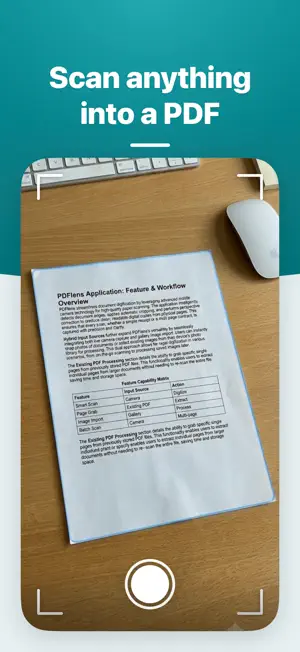
PDFWelder is a PDF merger and document toolkit for iPhone and iPad, with 36 tools. It processes your files on your device without uploading them to a server. Main tools include: • Merge, scan and organize: Combine files into one document. Scan paper with the camera or add photos, then straighten and clean them up. Reorder, rotate, delete, duplicate, insert or extract pages. Split by page range, every N pages, selected pages, odd and even pages, bookmarks, blank pages or target file size. • Edit, annotate and sign: Edit existing text, draw, crop, add images, highlight, add notes, and fill detected form fields. Add a drawn, typed or imported signature, then save the form editable or flattened. Export your notes and highlights as a file. Find and replace text in place, on typed and scanned pages. Build real fillable forms. • Make a PDF: Turn a Word, Excel, CSV, PowerPoint, EPUB or Markdown file into a PDF. Save a web page as a PDF. Write a new document with text and pictures in Create PDF. • Pages and layout: Trim margins and change the page size. Export pages as PNG or JPEG, pull out the original images, or stitch pages into one long image. Add page numbers, Bates stamps and custom numbering. Add bookmarks and a contents page. Make booklets, posters or several pages on one sheet. Turn a document gray. • Compress: Reduce file size with adjustable compression, choose a target size, or keep every detail with lossless Optimize. Run it on several files at once. • Extract and read: Use OCR to copy text or export it as TXT or Word, or make scanned documents searchable. Listen to a page sentence by sentence with your device's voices. Translate the text of a page on your device (requires iOS 18 or later). • Protect and finish: Add text or image watermarks. Add password protection, change passwords, unlock files when you know the current password, and set document access permissions. Redact sensitive content permanently, or let Smart Redaction find personal details for you. Flatten annotations and forms, and edit or remove document metadata. • Trust: Compare two versions and review text and visual differences. Inspect a file to see what is inside and what is risky. Sign with a certificate and check who signed a document. Pull out attached files. Try to recover pages and content from damaged PDFs. • Workflows: Chain tools and run them on many files at once. One free credit is included. PDFWelder PRO includes unlimited use. Privacy Policy: https://pdfwelderios.netlify.app/privacy-policy.html Terms of Use: https://pdfwelderios.netlify.app/terms-conditions.html
What’s new
Version 1.2.0 · Updated August 25, 2026
PDFWelder grows into a full document toolkit, and everything still runs on your device. • 26 new tools in clear sections, plus a search that finds a tool by what you want to do • Edit text, draw, crop, add images, highlight and comment right inside your PDF • Turn Word, Excel, PowerPoint and ebook files, or any web page, into a PDF, or write a new document from scratch • Reorder, rotate, crop and number pages, build booklets, add bookmarks, and find and replace text • Make scans searchable, read a page aloud, or translate it (translation requires iOS 18 or later) • Build forms others can fill in, and see who signed a document • Hide sensitive text for good, choose who can print or copy, and see what a file carries inside • Compare two versions, repair a file that will not open, and run several tools on many files at once Your all-in-one PDF toolkit: merge, scan, edit, sign, organize, compress, convert and protect your documents on iPhone and iPad.
App privacy
The developer, YACINE EL HADDAD, reported these privacy practices to Apple.
Data Not Linked to You
The following data, which may be collected but is not linked to your identity, may be used for the following purposes:
- Location: Coarse Location
- Identifiers: Device ID
- Usage Data: Product Interaction
- Diagnostics: Crash Data, Performance Data, Other Diagnostic Data
- Purchases: Purchase History
Used for: Analytics, App Functionality