

PDF Pages Editor
Riadh Daoued Utilities iPhoneiPadiPod touch
PDF Pages Editor is a free Utilities app for iPhone and iPad by Riadh Daoued. Rated 1.0/5 from 1 ratings. Requires iOS 16.6. Updated May 8, 2025.
- Rating
- 1.0
- 1 ratings
- Price
- Free
- on the App Store
- Size
- 3 MB
- Age 4+
- Updated
- May 8
- 2025 · v1.0
Screenshots


About PDF Pages Editor
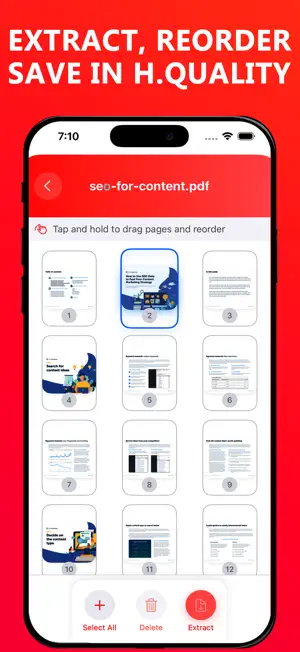
PDF Pages Editor - Extract, Reorder & Save is the ultimate tool for managing your PDF documents with ease. Whether you need to extract specific pages, reorder them, delete unwanted pages, or merge selected ones into a new PDF, this app makes the process seamless. With a simple drag-and-drop interface, you can organize your pages effortlessly. Perfect for professionals, students, and anyone handling PDFs. Designed for speed, efficiency, and ease of use, PDF Pages Editor is your go-to solution for editing PDFs on the go. Download now and take full control of your documents! Where PDF Pages Extract and Organize app can be helpful: - Business & Office Work 1. Extract specific pages from lengthy business reports, contracts, or legal documents. 2. Reorder pages before sending a document to clients or colleagues. 3. Delete unnecessary pages to reduce file size before sharing via email. 4. Merge extracted pages to create a customized document. - Academic & Study Needs 1. Extract chapters or key sections from PDF textbooks, research papers, or lecture notes. 2. Reorder or combine notes from different sources into one document. 3. Remove unnecessary pages from a scanned book. 4. Save separate PDF files for different subjects from a combined document. - Freelancers & Designers 1. Extract specific pages from design PDFs for client revisions. 2. Save only the necessary pages from a portfolio or proposal. 3. Organize and reorder pages in presentation documents. - Government & Legal Documents 1. Extract official pages from visa applications, tax forms, or ID documents. 2. Reorder scanned pages to maintain the correct sequence. 3. Remove blank or irrelevant pages before submitting official forms. - Teachers & Educational Institutions 1. Extract and distribute specific worksheets or exercises for students. 2. Remove blank pages from scanned assignments. 3. Merge multiple PDF pages into a single exam sheet or test material. - Printing & Publishing 1. Extract print-ready pages for book printing. 2. Remove unnecessary pages before sending a document to print. 3. Merge important pages into a final print file. - Personal Document Management 1.Extract receipts from multi-page scanned files. 2. Organize bills, invoices, bank statements into separate PDFs. 3.Remove sensitive or personal information before sharing documents. - Why Users Need PDF Pages Extract and Organize? Saves time by extracting, organizing, and merging PDF pages efficiently. User-friendly interface for quick document management. No need for complex PDF editing software like Adobe Acrobat. Improves productivity in various professional and personal tasks. PDF Pages Editor and Organize is a powerful tool for document management, making it ideal for professionals, students, teachers, and everyday users!
App privacy
The developer, Riadh Daoued, reported these privacy practices to Apple.
Data Used to Track You
The following data may be used to track you across apps and websites owned by other companies:
- Location: Coarse Location
- Identifiers: Device ID
- Usage Data: Advertising Data
Data Linked to You
The following data, which may be collected and linked to your identity, may be used for the following purposes:
- Location: Coarse Location
- Identifiers: Device ID
- Usage Data: Advertising Data
Used for: Third-Party Advertising
Data Not Linked to You
The following data, which may be collected but is not linked to your identity, may be used for the following purposes:
- Other Data: Other Data Types
Used for: App Functionality
Alternatives to PDF Pages Editor
Looking for apps like PDF Pages Editor? Here are 6 similar apps on the App Store. The highest rated is SMART-PDF: Document Scanner (4.7/5), and all 6 are free to download.
-
 Pdf Pages Remover
-
 Simple PDF Page Remover
-
 PDF Combi/Splitter
-
 PDF Page Remover: Edit Pages
-
 SMART-PDF: Document Scanner
4.7
SMART-PDF: Document Scanner
4.7
-
 Fast PDF Editor
| App | Rating | Price | Last updated | Compare |
|---|---|---|---|---|
| PDF Pages Editor | 1.0 / 5 (1 rating) | Free | May 8, 2025 | |
| Pdf Pages Remover | – | Free | Aug 12, 2025 | Compare |
| Simple PDF Page Remover | – | Free | Apr 10, 2026 | Compare |
| PDF Combi/Splitter | – | Free | Nov 25, 2025 | Compare |
| PDF Page Remover: Edit Pages | – | Free | Aug 12, 2026 | Compare |
| SMART-PDF: Document Scanner | 4.7 / 5 (9) | Free | Oct 10, 2026 | Compare |
| Fast PDF Editor | – | Free | Jul 12, 2026 | Compare |
Compare PDF Pages Editor with the top alternatives: ratings, updates, ASO score and keyword gaps →