

Authenticator 2FA-MFA,TOTP
泽雄 陈 Productivity iPhoneiPadiPod touch
Authenticator 2FA-MFA,TOTP is a free Productivity app for iPhone and iPad by 泽雄 陈. Requires iOS 15.0. Updated August 8, 2026.
- Price
- Free
- on the App Store
- Size
- 10 MB
- Age 4+
- Updated
- Aug 8
- 2026 · v1.0.5
Screenshots

About Authenticator 2FA-MFA,TOTP
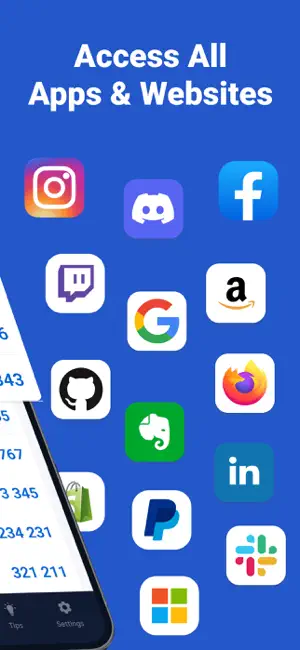
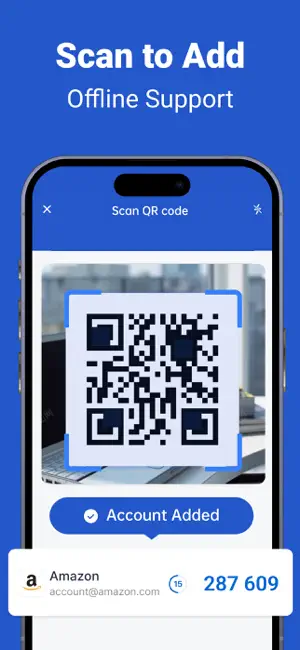
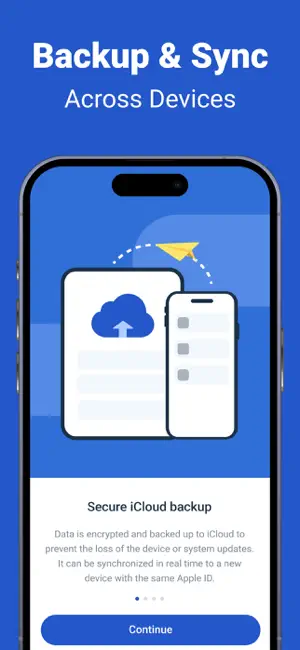
Authenticator App is a powerful, all-in-one security tool that combines two-factor authentication, password management, and strong password generation. Designed for simplicity and security, it helps you protect your online accounts with ease. Key Features: - Two-Factor Authenticator Supports TOTP (Time-Based One-Time Password). Compatible with major services. Scan a QR code or manually enter a key to start using 2FA quickly and securely. - Password Manager Securely store your login credentials with local encryption. Organize your accounts by groups and find what you need in seconds. - Password Generator Create strong, unique passwords with customizable rules (length, character types). Say goodbye to weak or reused passwords. - Security Tips Get regular security tips to boost your digital awareness and learn how to stay protected online. - Encrypted Data Storage All data is encrypted end-to-end and stored securely on your device. - iCloud Sync & Backup Optional iCloud support allows encrypted syncing across devices and secure backup, giving you full control of your data. - Privacy First We do not collect or store any of your personal information. Your data stays with you — always. Subscription & Premium Features Some features such as adding 2FA accounts and saving passwords require a Premium Membership. Premium Membership Subscription: - Payment will be charged to your iTunes account upon confirmation of purchase. - Your subscription will automatically renew unless auto-renew is turned off at least 24 hours before the end of the current period. - Your account will be charged for renewal within 24 hours before the end of the current period at the selected plan rate. - You can manage your subscription and turn off auto-renewal by going to your account settings after purchase. Privacy Policy: https://sites.google.com/view/mfaauthenticator/authenticator/privacy-policy Terms of Use: https://sites.google.com/view/mfaauthenticator/authenticator/terms-of-use For support, please contact us at: Email: [email protected]
What’s new
Version 1.0.5 · Updated August 8, 2026
This update fixes bugs and improved the performance of the app.
App privacy
The developer, 泽雄 陈, reported these privacy practices to Apple.
Data Not Linked to You
The following data, which may be collected but is not linked to your identity, may be used for the following purposes:
- Usage Data: Product Interaction
- Diagnostics: Performance Data
Used for: Analytics, App Functionality
Alternatives to Authenticator 2FA-MFA,TOTP
Looking for apps like Authenticator 2FA-MFA,TOTP? Here are 6 similar apps on the App Store. The highest rated is Authenticator-2FA Code (5.0/5), and all 6 are free to download.
-
 Authenticator : 动态密码令牌App
-
 Authenticator-2FA Code
5.0
Authenticator-2FA Code
5.0
-
 Authenticator App: 2FA & Cloud
4.7
Authenticator App: 2FA & Cloud
4.7
-
 Authenticator App ⋆
4.0
Authenticator App ⋆
4.0
-
 Authenticator App : 2FA & MFA
4.5
Authenticator App : 2FA & MFA
4.5
-
 Authy Authenticator
4.4
Authy Authenticator
4.4
| App | Rating | Price | Last updated | Compare |
|---|---|---|---|---|
| Authenticator 2FA-MFA,TOTP | – | Free | August 8, 2026 | |
| Authenticator : 动态密码令牌App | – | Free | May 29, 2025 | Compare |
| Authenticator-2FA Code | 5.0 / 5 (1) | Free | Mar 3, 2026 | Compare |
| Authenticator App: 2FA & Cloud | 4.7 / 5 (13) | Free | Aug 27, 2026 | Compare |
| Authenticator App ⋆ | 4.0 / 5 (48) | Free | May 14, 2025 | Compare |
| Authenticator App : 2FA & MFA | 4.5 / 5 (654) | Free | Jun 17, 2026 | Compare |
| Authy Authenticator | 4.4 / 5 (207) | Free | Nov 24, 2025 | Compare |