

PDF Unlock: Offline PDF Tools
Dipak Chhag Productivity iPhoneiPadiPod touchMac
PDF Unlock: Offline PDF Tools is a free Productivity app for iPhone and iPad by Dipak Chhag. Rated 4.5/5 from 2 ratings. Requires iOS 15.6.
- Rating
- 4.5
- 2 ratings
- Price
- Free
- on the App Store
- Size
- 79 MB
- Age 4+
- Updated
- Aug 23
- 2026 · v2.5
Screenshots
About PDF Unlock: Offline PDF Tools
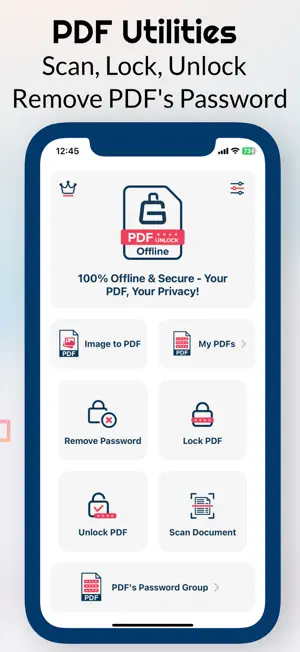
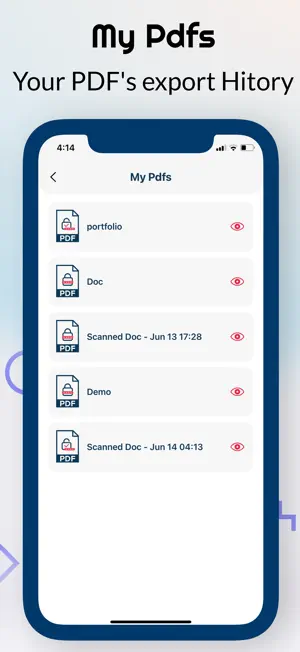
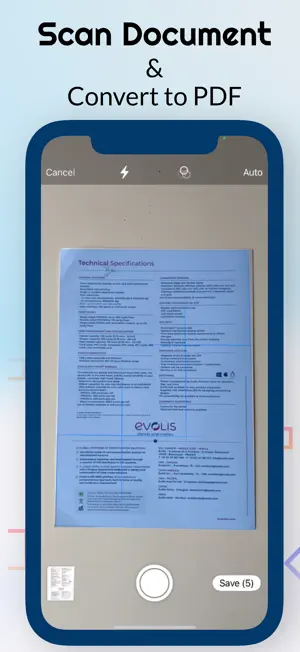
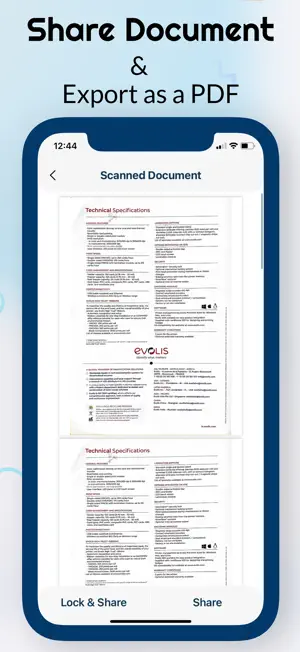
PDF Unlock: Offline PDF Tools Your complete offline PDF toolkit to scan documents, unlock and protect PDFs, convert files, manage PDF passwords, and more — all without an internet connection. Key Features * PDF Unlock & Remove Password – Unlock secured PDFs and remove password protection when you have the required password. * Auto Unlock PDF – Save passwords securely on your device and automatically unlock similar PDFs without repeatedly entering the password. * Lock PDF – Protect your PDFs with a password and keep your documents secure. * PDF Password Manager – Store and manage your PDF passwords locally, so you don’t have to remember them every time. * Scan Documents – Scan documents directly from your device and create high-quality PDFs. * Image to PDF – Convert one or multiple images into a single PDF, with optional password protection. * PDF to Image – Convert PDF pages into image files quickly and easily. * Merge PDFs – Combine multiple PDF files into a single document. * Split PDF – Extract selected pages or split a PDF into separate documents. * Compress PDF – Reduce PDF file size while keeping your documents easy to use and share. * Organise PDF – Manage, reorder, remove, and organize PDF pages with ease. * Sign PDF – Add your signature to PDF documents quickly and conveniently. * PDF History – Quickly access your recently processed PDF files. * Multiple Languages – Available in English, Hindi, French, German, Russian, Japanese, and more. * Settings & Support – Customize your experience and get help whenever you need it. 100% Offline & Secure Your files never leave your device. PDF Unlock processes your PDFs locally without requiring an internet connection. Your documents and saved PDF passwords stay on your device instead of being uploaded to a cloud server. One app for your everyday PDF needs, wherever you work. Is a Subscription/In-App Purchase Required? Yes. A subscription or lifetime purchase is required to access all current and upcoming premium features. What Do You Get After Subscribing? Premium gives you full access to all current and upcoming features of PDF Unlock. No additional payments are required. All included features are available with your active subscription. Is a Free Trial Available? Yes. A 3-day free trial is available so you can explore the app before subscribing. Subscription Terms: • Monthly, Yearly, and Lifetime purchase options are available. • Payment is charged to your Apple ID account at confirmation of purchase. • Subscriptions automatically renew unless canceled at least 24 hours before the end of the current subscription period. • Your account will be charged for renewal within 24 hours before the end of the current period. • You can manage or cancel your subscription at any time through your App Store account settings. Terms of use: https://sites.google.com/view/appsadore/term Privacy policy: https://sites.google.com/view/appsadore/privacy Support: Need help? Have a question or feedback? Contact us at [email protected].
What’s new
Version 2.5 · Updated August 23, 2026
New PDF tools, improved security, faster processing, enhanced document scanning, and expanded language support — all while keeping your files 100% offline and private.
App privacy
The developer, Dipak Chhag, reported these privacy practices to Apple.
Data Not Collected
The developer does not collect any data from this app.
Alternatives to PDF Unlock: Offline PDF Tools
Looking for apps like PDF Unlock: Offline PDF Tools? Here are 6 similar apps on the App Store. The highest rated is Unlock PDF - Password Remover (5.0/5), and all 6 are free to download.
-
 Unlock PDF - Password Remover
5.0
Unlock PDF - Password Remover
5.0
-
 PDF it All Document Converter
4.8
PDF it All Document Converter
4.8
-
 PDFMaker: JPG to PDF converter
4.8
PDFMaker: JPG to PDF converter
4.8
-
 iLovePDF - PDF Editor & Scan
4.8
iLovePDF - PDF Editor & Scan
4.8
-
 PDFelement: PDF Editor, Viewer
4.6
PDFelement: PDF Editor, Viewer
4.6
-
 Superwhisper - AI Dictation
4.4
Superwhisper - AI Dictation
4.4
| App | Rating | Price | Last updated | Compare |
|---|---|---|---|---|
| PDF Unlock: Offline PDF Tools | 4.5 / 5 (2 ratings) | Free | August 23, 2026 | |
| Unlock PDF - Password Remover | 5.0 / 5 (2) | Free | Apr 16, 2026 | Compare |
| PDF it All Document Converter | 4.8 / 5 (8,154) | Free | Oct 20, 2026 | Compare |
| PDFMaker: JPG to PDF converter | 4.8 / 5 (1,400) | Free | Oct 12, 2026 | Compare |
| iLovePDF - PDF Editor & Scan | 4.8 / 5 (52,071) | Free | Sep 14, 2026 | Compare |
| PDFelement: PDF Editor, Viewer | 4.6 / 5 (7,576) | Free | Oct 20, 2026 | Compare |
| Superwhisper - AI Dictation | 4.4 / 5 (845) | Free | Oct 20, 2026 | Compare |