

ShareMe - File Music Sharing
Varsha Patel Utilities iPhoneiPadiPod touch
ShareMe - File Music Sharing is a free Utilities app for iPhone and iPad by Varsha Patel. Rated 5.0/5 from 1 ratings. Requires iOS 17.0.
- Rating
- 5.0
- 1 ratings
- Price
- Free
- on the App Store
- Size
- 18 MB
- Age 4+
- Updated
- Oct 20
- 2026 · v7.3
Screenshots


About ShareMe - File Music Sharing
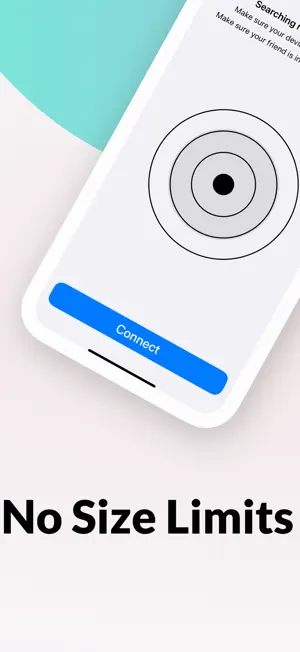
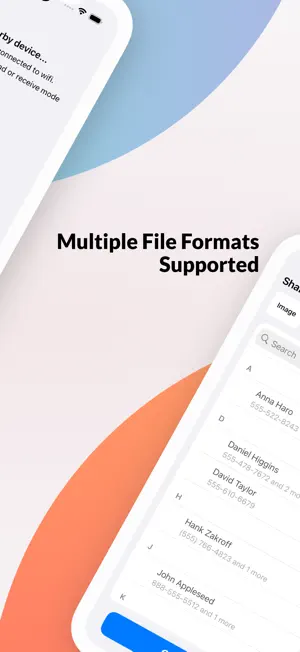
ShareMe is the fastest way to send photos, videos, music, contacts and documents between iPhones and iPads nearby — no internet, no cables, no sign-up. FAST & OFFLINE • Transfer directly between devices over Wi-Fi — no mobile data used • Send full-quality photos and videos, exactly as they were taken • Large files resume where they stopped if the connection drops • Send whole folders or many files together as one ZIP SHARE FROM ANYWHERE • Tap Share in Photos, Files or any app and choose ShareMe • Send text and links to the other device in one tap • Home Screen widget: connect or reconnect to a recent device instantly • Follow progress on the Lock Screen and Dynamic Island SHARE WITH ANDROID & PC • Web Share: open the address or scan the QR code in any browser on the same Wi-Fi • Download files from your iPhone, or drag & drop files into the browser to send them to it • Works without a router using Personal Hotspot EASY & SECURE • Pair instantly by scanning a QR code • Every connection must be accepted on the other device • Transfers are encrypted • Received photos and videos are saved to a "ShareMe" album in Photos ORGANISED • History of everything sent and received — send any item again in a tap • Failed transfers are kept so you can retry them • See and manage received files and storage in one place Works on iPhone and iPad, in 13 languages, with Light and Dark mode. ShareMe is free to use with ads and a daily transfer limit. ShareMe Premium removes ads and the limit. SUBSCRIPTION AND TERMS: You may purchase an auto-renewing subscription through an In-App Purchase to enjoy all App Features without Ads: • Auto-renewable subscription • Weekly, 1 month and 1-year durations • Your subscription will be charged to your iTunes account at confirmation of purchase and will automatically renew (at the duration selected) unless auto-renew is turned off at least 24 hours before the end of the current period. • Current subscription may not be canceled during the active subscription period; however, you can manage your subscription and/or turn off auto-renewal by visiting your iTunes Account Settings after purchase. Privacy Policy: https://sites.google.com/view/filesharing-privacypolicy Terms of use: https://sites.google.com/view/filesharing-termscondition
What’s new
Version 7.3 · Updated October 20, 2026
• Share from any app — pick ShareMe in the Share sheet in Photos, Files, Safari and more • Resume large transfers — if the connection drops, big files continue from where they stopped • Live Activity — follow transfer progress on the Lock Screen and in the Dynamic Island • New Home Screen widget — connect, open Web Share or reconnect to a recent device in one tap • Send text and links between devices • Web Share upgrade — drag & drop uploads, per-file progress, uploads that survive Wi-Fi drops, send text from the browser, and photo previews • New Received Files screen to manage what you received and free up storage • Faster, smoother lists that use much less memory • Stability improvements and bug fixes
App privacy
The developer, Varsha Patel, reported these privacy practices to Apple.
Data Used to Track You
The following data may be used to track you across apps and websites owned by other companies:
- Usage Data: Advertising Data
Data Linked to You
The following data, which may be collected and linked to your identity, may be used for the following purposes:
- Location: Precise Location
Used for: Third-Party Advertising, Analytics, Product Personalization
Data Not Linked to You
The following data, which may be collected but is not linked to your identity, may be used for the following purposes:
- Identifiers: User ID, Device ID
- Usage Data: Advertising Data
- Diagnostics: Crash Data
Used for: Third-Party Advertising, Analytics, Product Personalization
Alternatives to ShareMe - File Music Sharing
Looking for apps like ShareMe - File Music Sharing? Here are 6 similar apps on the App Store. The highest rated is MeDrop: File Sharing (5.0/5), and all 6 are free to download.
-
 ShareMe: WiFi File Transfer PC
3.6
ShareMe: WiFi File Transfer PC
3.6
-
 MeDrop: File Sharing
5.0
MeDrop: File Sharing
5.0
-
 Fast File Sharing App
-
 ShareMe - File Share
4.6
ShareMe - File Share
4.6
-
 Share Me: File Transfer App
4.5
Share Me: File Transfer App
4.5
-
 ShareMe: iShare File Transfer
4.5
ShareMe: iShare File Transfer
4.5
| App | Rating | Price | Last updated | Compare |
|---|---|---|---|---|
| ShareMe - File Music Sharing | 5.0 / 5 (1 rating) | Free | October 20, 2026 | |
| ShareMe: WiFi File Transfer PC | 3.6 / 5 (5) | Free | Sep 28, 2026 | Compare |
| MeDrop: File Sharing | 5.0 / 5 (1) | Free | Sep 22, 2026 | Compare |
| Fast File Sharing App | – | Free | Mar 6, 2026 | Compare |
| ShareMe - File Share | 4.6 / 5 (116) | Free | May 27, 2025 | Compare |
| Share Me: File Transfer App | 4.5 / 5 (4) | Free | Aug 27, 2026 | Compare |
| ShareMe: iShare File Transfer | 4.5 / 5 (97) | Free | Apr 24, 2024 | Compare |