

Photo Delete Swipe: Swipelio
Evgeniy Konev Utilities iPhoneiPadiPod touch
Photo Delete Swipe: Swipelio is a free Utilities app for iPhone and iPad by Evgeniy Konev. Rated 4.5/5 from 6 ratings. Requires iOS 18.0.
- Rating
- 4.5
- 6 ratings
- Price
- Free
- on the App Store
- Size
- 24 MB
- Age 4+
- Updated
- Oct 27
- 2026 · v1.5.2
Screenshots



About Photo Delete Swipe: Swipelio
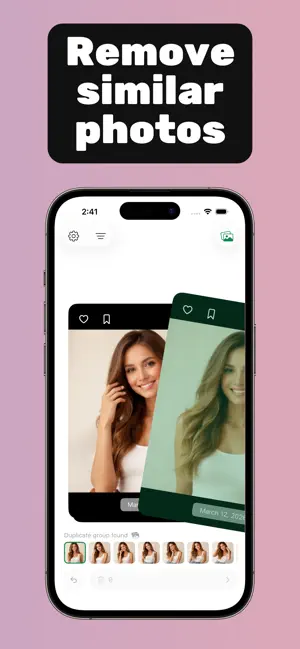
This application is designed for convenient everyday use. Nothing superfluous – only basic functionality, an intuitive interface, and smooth animations. Simply open the app in your free time and swipe away unwanted photos. If needed, select the desired album and work with it. The app offers two powerful tools: 1. Photo swipe for easy deletion at any time. 2. Duplicate photo search and removal. Allows you to quickly free up your gallery from a large number of identical photos. Advantages: - Smooth animations and a simple interface – using the application is a pleasure - Fast operation and minimal load on the device's system - Progress saving – you won't lose your results if the application closes - One-tap file recovery – accidentally deleted photos can be easily restored - Preview before deletion – delete only what you really don't need - Work with selected albums and basic sorting types Supported formats: The application works with photos and videos. It can display live photos, photo bursts, and other complex formats only as regular photos. This is a technical limitation that may be addressed in future versions. Privacy Policy: https://docs.google.com/document/d/18MDITLr0ZvEECLhXWnYAM2fICXIBG7u1zKgj2kCplDA/edit?usp=sharing Terms of Use: https://docs.google.com/document/d/18MDITLr0ZvEECLhXWnYAM2fICXIBG7u1zKgj2kCplDA/edit?usp=sharing
Ratings & reviews
4.5
6 ratings
What’s new
Version 1.5.2 · Updated October 27, 2026
- Clean by month: pick any month and swipe through just its photos. Each month shows how many photos are left, and finished months get a checkmark. - Pick a date or range: tap the calendar on the By month tab to clean up a single day or any span of days, like a trip or an event. - Sort in one tap: turn on “Add and keep in one tap” in album settings. Tapping an album then adds the photo to it and moves straight to the next one, so you can file a whole pile into one album fast. - Polished pickers: text is easier to read in both light and dark themes, and the pickers no longer stretch to full screen when you scroll.
App privacy
The developer, Evgeniy Konev, reported these privacy practices to Apple.
Data Not Linked to You
The following data, which may be collected but is not linked to your identity, may be used for the following purposes:
- Usage Data: Product Interaction
Used for: Analytics
Alternatives to Photo Delete Swipe: Swipelio
Looking for apps like Photo Delete Swipe: Swipelio? Here are 6 similar apps on the App Store. The highest rated is Clean my Gallery (5.0/5), and all 6 are free to download.
-
 Clean my Gallery
5.0
Clean my Gallery
5.0
-
 Swiply: Photo & Video Cleaner
-
 Swipe To Delete Photos - Sweep
-
 PhotoClear: Swipe to Delete
4.4
PhotoClear: Swipe to Delete
4.4
-
 gallery clean up - swipeclear
3.0
gallery clean up - swipeclear
3.0
-
 Swipe Delete Photos by Flicky
5.0
Swipe Delete Photos by Flicky
5.0
| App | Rating | Price | Last updated | Compare |
|---|---|---|---|---|
| Photo Delete Swipe: Swipelio | 4.5 / 5 (6 ratings) | Free | October 27, 2026 | |
| Clean my Gallery | 5.0 / 5 (1) | Free | Apr 16, 2025 | Compare |
| Swiply: Photo & Video Cleaner | – | Free | Jul 16, 2026 | Compare |
| Swipe To Delete Photos - Sweep | – | Free | Oct 15, 2026 | Compare |
| PhotoClear: Swipe to Delete | 4.4 / 5 (16) | Free | Mar 21, 2026 | Compare |
| gallery clean up - swipeclear | 3.0 / 5 (2) | Free | Oct 14, 2026 | Compare |
| Swipe Delete Photos by Flicky | 5.0 / 5 (3) | Free | May 19, 2026 | Compare |