

Screen Mirroring: PigeonCast
FalconAI Utilities iPhoneiPadiPod touchMac
Screen Mirroring: PigeonCast is a free Utilities app for iPhone and iPad by FalconAI. Rated 4.7/5 from 789 ratings. Requires iOS 15.
- Rating
- 4.7
- 789 ratings
- Price
- Free
- on the App Store
- Size
- 114 MB
- Age 17+
- Updated
- Sep 11
- 2026 · v3.5.3
Screenshots


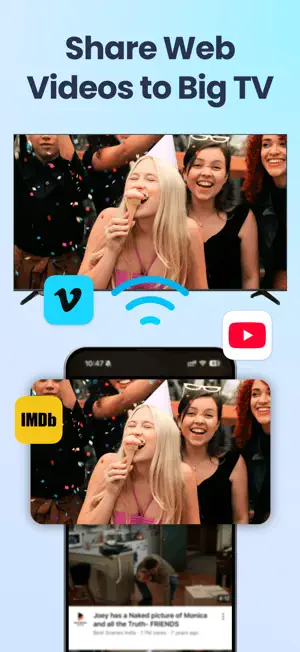
About Screen Mirroring: PigeonCast
Turn your iPhone, iPad, or PC into a bigger-screen experience with Screen Mirroring:PigeonCast. Screen Mirroring:PigeonCast to TV helps you screen mirror, screen share, and cast to TV with fewer steps and smoother playback. Whether you want to mirror iPhone to TV for videos, cast iPad to TV for presentations, or send content from PC to TV, PigeonCast makes wireless display simple. KEY FEATURES ▶ Screen Mirroring for iPhone and iPad Mirror your iPhone or iPad screen to a larger display for streaming, demos, learning, and family viewing. PigeonCast is designed to make screen mirror sessions stable, clear, and quick to start. ▶ Cast to TV with Google Cast-compatible devices Use PigeonCast to cast to TV on supported smart TVs and compatible TV boxes. This is especially useful when you want a flexible screen mirroring app that works across different device environments. ▶ Cross Devices File Transfer Send Photos, Videos, Music, Files, Folders,Messages to TV/PC installed with our PigeonCastReceiver app. ▶ Screen Share Across More Devices Need more than phone-to-TV mirroring? PigeonCast also supports broader screen share scenarios, including connecting to PC, Mac, and other large-screen receivers through our own receiver workflow. ▶ HD Wireless Display Experience Enjoy a clean wireless display experience with high-quality screen mirroring, low-latency performance, and flexible connection options depending on device support. ▶ Easy Connection Methods Connect by device discovery, Wi-Fi search, or code scanning. Whether you are using PigeonCast for home entertainment, school, or work, setup stays simple. Our mirroring app is built for users who want an easy screen mirroring app without complicated setup. Open the app, find a compatible device, and start sharing your screen in moments. For Google Cast-compatible TVs and displays, PigeonCast gives you a more direct way to cast content across devices and ecosystems. Why choose PigeonCast: - Screen mirror iPhone and iPad to compatible TVs - Screen share content from your phone, tablet, or computer - Cast to TV for videos, presentations, browsing, and everyday use - Smooth playback with optional audio control - HD mirroring with support up to 2K depending on device Perfect for: - Watching videos on a bigger screen - Sharing slides, documents, or teaching content - Casting casual games and apps to TV - Mirroring iPhone or iPad during meetings - Sending content from PC to TV for a larger view PigeonCast also fits common screen-sharing needs such as phone mirroring, iPad mirroring, screen sharing, wireless display, cast videos to TV, and mirror phone to TV. It can be used with supported Samsung, LG, Sony, Roku, Vizio, TCL, Hisense, Apple TV, Fire TV, Google TV, Chromecast and other compatible smart TVs or receivers. Works perfectly with Apple TV & other smart TVs such as Sony, Samsung(2018-2023), LG(after2018, higher than webOS 4.0), TCL, Roku, Vizio, Xiaomi, Hitv,etc. Notes: - Google Cast-compatible TVs must support the relevant cast protocol. - Your phone, tablet, computer, and TV should be on the same Wi-Fi for best results. - Resolution and performance may vary by device and network conditions. Terms of Use: https://pigeoncast.com/terms Privacy Policy: https://pigeoncast.com/privacy
Ratings & reviews
4.7
789 ratings
What’s new
Version 3.5.3 · Updated September 11, 2026
* Fix minor bugs * Screen mirroring to Google TV/Chromecast-enabled TV * Mirror screen to web and view it instantly in a browser * Cross Devices File Transfer: Photos, Videos, Music, Files, Folders,Messages... # Cross-platform Support: - Windows & Mac - Apple TV & Smart TV - Full Audio/Video Support
App privacy
The developer, FalconAI, reported these privacy practices to Apple.
Data Used to Track You
The following data may be used to track you across apps and websites owned by other companies:
- Identifiers: Device ID
Data Not Linked to You
The following data, which may be collected but is not linked to your identity, may be used for the following purposes:
- Diagnostics: Other Diagnostic Data, Crash Data, Performance Data
Used for: Analytics, App Functionality
Alternatives to Screen Mirroring: PigeonCast
Looking for apps like Screen Mirroring: PigeonCast? Here are 6 similar apps on the App Store. The highest rated is Miracast: Screen Mirroring TV (4.5/5), and all 6 are free to download.
-
 Miracast: Screen Mirroring TV
4.5
Miracast: Screen Mirroring TV
4.5
-
 Screen Mirroring - 1001 TVs
4.4
Screen Mirroring - 1001 TVs
4.4
-
 Screen Mirroring to TV: DoCast
3.9
Screen Mirroring to TV: DoCast
3.9
-
 Screen Mirroring: LetsView
2.7
Screen Mirroring: LetsView
2.7
-
 Screen Mirroring – Chromecast
4.0
Screen Mirroring – Chromecast
4.0
-
 Chromecast TV Cast & Mirror
4.1
Chromecast TV Cast & Mirror
4.1
| App | Rating | Price | Last updated | Compare |
|---|---|---|---|---|
| Screen Mirroring: PigeonCast | 4.7 / 5 (789 ratings) | Free | September 11, 2026 | |
| Miracast: Screen Mirroring TV | 4.5 / 5 (2,726) | Free | Aug 24, 2026 | Compare |
| Screen Mirroring - 1001 TVs | 4.4 / 5 (1,008) | Free | Sep 5, 2026 | Compare |
| Screen Mirroring to TV: DoCast | 3.9 / 5 (2,712) | Free | Sep 17, 2026 | Compare |
| Screen Mirroring: LetsView | 2.7 / 5 (406) | Free | Aug 19, 2026 | Compare |
| Screen Mirroring – Chromecast | 4.0 / 5 (18,596) | Free | Nov 21, 2025 | Compare |
| Chromecast TV Cast & Mirror | 4.1 / 5 (137) | Free | Aug 20, 2026 | Compare |