

Convert to PDF - Photo to PDF
Avelisse labs LLC Productivity iPhoneiPadiPod touch
Convert to PDF - Photo to PDF is a free Productivity app for iPhone and iPad by Avelisse labs LLC. Requires iOS 16.2. Updated October 15, 2026.
- Price
- Free
- on the App Store
- Size
- 9 MB
- Age 4+
- Updated
- Oct 15
- 2026 · v1.10
Screenshots


About Convert to PDF - Photo to PDF
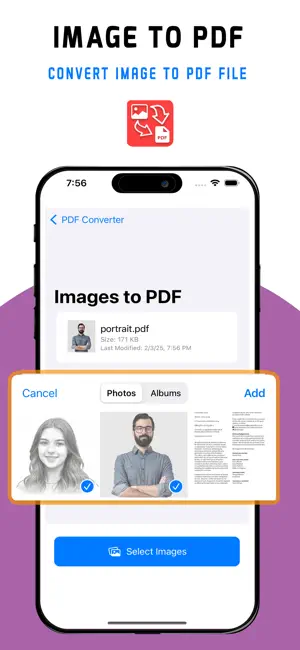
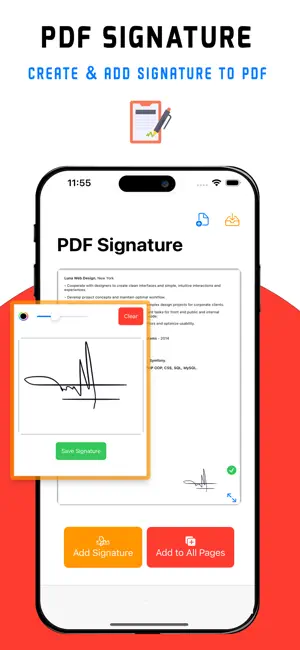
Convert photos, images, and documents to PDF with a fast and easy-to-use PDF toolkit. Whether you need to create a PDF from photos, convert a document, annotate a PDF, or add your signature, Convert to PDF gives you the essential tools you need in one place. CONVERT FILES TO PDF Quickly create PDF documents from your files and images. • Convert photos and images to PDF • JPG and PNG to PDF • Word documents to PDF • Excel files to PDF • Create PDFs from multiple images PDF ANNOTATION Review and mark up your documents directly on your device. • Highlight important content • Draw and write on PDF pages • Add annotations and notes • Mark up documents • Review PDFs on the go SIGN PDF DOCUMENTS Add your signature directly to PDF documents without printing them. • Create and save your signature • Add signatures to PDFs • Sign forms and documents • Position your signature where you need it • Keep your document workflow digital USEFUL PDF TOOLS Work with your documents without switching between multiple applications. • Merge PDF documents • Split PDF files • Reorder pages • Convert PDF pages to images • Protect PDF documents • Manage your PDF files MADE FOR EVERYDAY DOCUMENTS Use Convert to PDF for contracts, forms, invoices, receipts, reports, school documents, business files, and other everyday paperwork. From turning a photo into a PDF to signing and annotating an important document, everything is designed to make working with PDFs simple. Download Convert to PDF and keep your essential PDF tools in one place. Privacy Policy: https://sites.google.com/view/pdfconverter2025/home Terms of Use: https://sites.google.com/view/pdfconverter2025-privacypolicy/home
What’s new
Version 1.10 · Updated October 15, 2026
We’ve improved Convert to PDF to make working with your documents smoother and more reliable. • Improved PDF conversion • Enhanced annotation experience • Improved document signing • Performance and stability improvements • Bug fixes and usability enhancements Thank you for using Convert to PDF!
App privacy
The developer, Avelisse labs LLC, reported these privacy practices to Apple.
Data Used to Track You
The following data may be used to track you across apps and websites owned by other companies:
- Identifiers: Device ID
- Usage Data: Advertising Data
Data Not Linked to You
The following data, which may be collected but is not linked to your identity, may be used for the following purposes:
- Identifiers: Device ID
- Usage Data: Advertising Data
- Diagnostics: Crash Data, Performance Data, Other Diagnostic Data
Used for: Third-Party Advertising, Developer’s Advertising or Marketing, Analytics, App Functionality
Alternatives to Convert to PDF - Photo to PDF
Looking for apps like Convert to PDF - Photo to PDF? Here are 6 similar apps on the App Store. The highest rated is PDF Converter & PDF Reader (3.0/5), and all 6 are free to download.
-
 PDF Reader 2025
-
 PDF Converter & PDF Reader
3.0
PDF Converter & PDF Reader
3.0
-
 PDF to Excel Converter: OCR
1.0
PDF to Excel Converter: OCR
1.0
-
 PDF Merger 2025
-
 Improve your Resume - AuraCV
-
 Image & Photo PDF Maker
| App | Rating | Price | Last updated | Compare |
|---|---|---|---|---|
| Convert to PDF - Photo to PDF | – | Free | October 15, 2026 | |
| PDF Reader 2025 | – | Free | May 13, 2025 | Compare |
| PDF Converter & PDF Reader | 3.0 / 5 (4) | Free | Jun 5, 2025 | Compare |
| PDF to Excel Converter: OCR | 1.0 / 5 (1) | Free | Oct 24, 2026 | Compare |
| PDF Merger 2025 | – | Free | May 12, 2025 | Compare |
| Improve your Resume - AuraCV | – | Free | Oct 7, 2026 | Compare |
| Image & Photo PDF Maker | – | Free | Oct 4, 2025 | Compare |