

PDF Converter - Professional
珮辰 赵 Utilities iPhoneiPadiPod touch
PDF Converter - Professional is a free Utilities app for iPhone and iPad by 珮辰 赵. Requires iOS 15.0. Updated September 5, 2026.
- Price
- Free
- on the App Store
- Size
- 3 MB
- Age 4+
- Updated
- Sep 5
- 2026 · v1.0.9
Screenshots


About PDF Converter - Professional
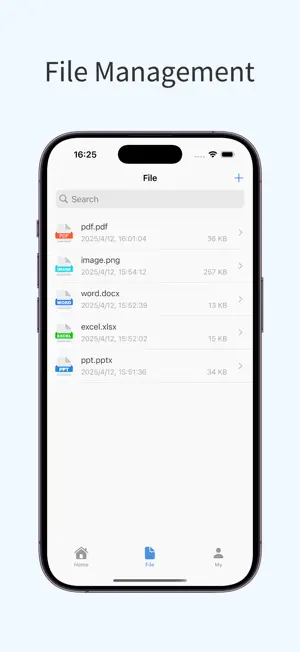
PDF Converter is a powerful file conversion tool that helps you easily convert various file formats, an essential tool for work and study! Main Features: • PDF Conversion: Quickly convert PDF files to Word, Excel, PPT, and images for easy editing and modification. • File to PDF: Convert Word, Excel, PPT, and images to PDF with just one click, making sharing and printing easier. • High-Quality Conversion: Retain the original file format, layout, and fonts, ensuring accurate content after conversion. • Import/Export Functionality: Easily import files and export converted files in various formats for more convenient file management. • Simple to Use: Intuitive interface, no professional knowledge required, making file conversion easy. Use Cases: • Office document processing • Study material organization • File sharing and archiving Download PDF Converter now and enjoy an efficient and convenient file processing experience! [Auto-Renewal Terms] We offer auto-renewable subscription services for 1 week, 1 month, and 12 months. • Payment: Payment will be charged to your iTunes account after confirmation of purchase. • Renewal: Subscriptions with a free trial will automatically renew to a paid subscription after the trial ends. The payment will be deducted from your iTunes account 24 hours before the current subscription period ends. Renewal charges are based on the selected subscription plan. After successful payment, the subscription period will automatically extend for another cycle. • Cancel Renewal: To cancel renewal, please turn off the auto-renewal feature at least 24 hours before the current subscription period ends via your iTunes/Apple ID settings. After that, no renewal fees will be charged. User Agreement: http://oss.qingchengkeji.vip/h5/pdfConvert/user.html Privacy Policy: http://oss.qingchengkeji.vip/h5/pdfConvert/privacy.html Subscription Agreement: http://oss.qingchengkeji.vip/h5/pdfConvert/subscribe.html
What’s new
Version 1.0.9 · Updated September 5, 2026
Fix bugs.
App privacy
The developer, 珮辰 赵, reported these privacy practices to Apple.
Data Not Collected
The developer does not collect any data from this app.
Alternatives to PDF Converter - Professional
Looking for apps like PDF Converter - Professional? Here are 6 similar apps on the App Store.
-
 PDF Conversion-Convert To Word
-
 PDF Tools – Convert & Merge
-
 PDF Assist - File Converter
-
 PDF Converter - To Word, Excel
-
 QR Maker – Custom QR Code
-
 Voice to Text - Speech to Text
| App | Rating | Price | Last updated | Compare |
|---|---|---|---|---|
| PDF Converter - Professional | – | Free | September 5, 2026 | |
| PDF Conversion-Convert To Word | – | Free | Sep 8, 2026 | Compare |
| PDF Tools – Convert & Merge | – | Free | Sep 7, 2026 | Compare |
| PDF Assist - File Converter | – | Free | Sep 16, 2026 | Compare |
| PDF Converter - To Word, Excel | – | Free | Oct 15, 2026 | Compare |
| QR Maker – Custom QR Code | – | Free | Sep 17, 2026 | Compare |
| Voice to Text - Speech to Text | – | Free | Sep 16, 2026 | Compare |