

Simple PDF Converter
Bhautik Gadhiya Productivity iPhoneiPadiPod touch
Simple PDF Converter is a free Productivity app for iPhone and iPad by Bhautik Gadhiya. Requires iOS 16.0. Updated July 28, 2025.
- Price
- Free
- on the App Store
- Size
- 18 MB
- Age 4+
- Updated
- Jul 28
- 2025 · v1.0.2
Screenshots
About Simple PDF Converter
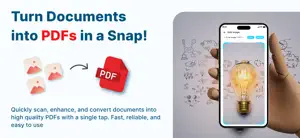
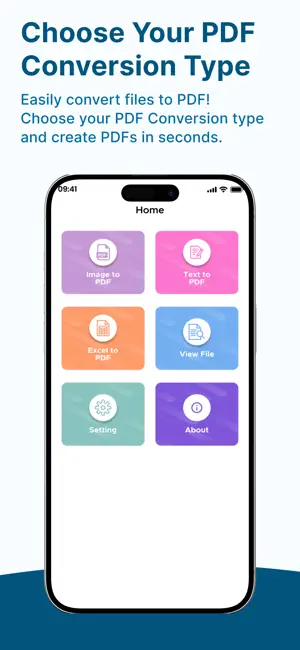
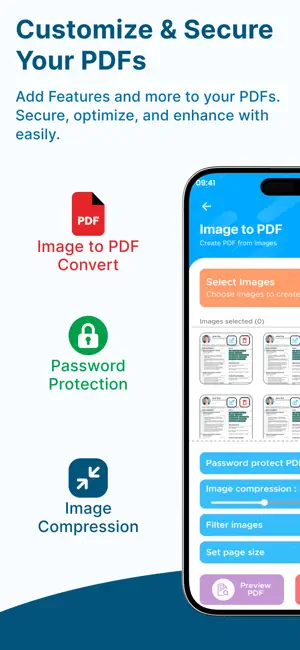
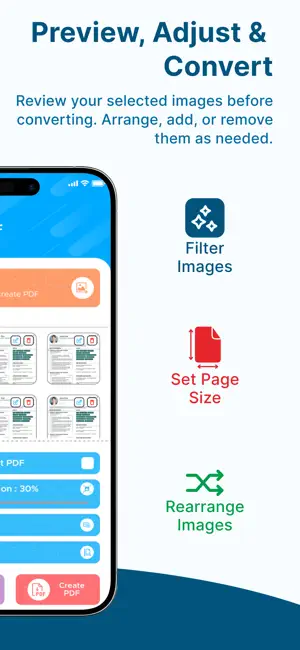
Transform Your Files into Customizable PDFs – Fast and Easy! Convert images, text files, and Excel spreadsheets into professional-quality PDFs in seconds. Whether you're organizing documents, sharing reports, or archiving files, our all-in-one PDF Converter app for iOS gives you complete control over how your PDFs look and function. Key Features: Image to PDF Select photos from your gallery Customize layout, orientation, padding, and borders Text File to PDF Import text files Adjust font, size, alignment, and styling Add headers, footers, and page numbers Excel to PDF Convert spreadsheets with accurate formatting Choose print areas, scaling, and sheet selection Full PDF Customization: Font & Styling Options Customize your PDF’s look with your favorite font, size, and alignment. Watermark Support Add custom text or image watermarks to protect your documents. Add Password Protection Secure your PDFs with passwords before sharing or saving. Page Layout Control Manage margins, page padding, orientation (portrait/landscape), and border styling. Preview Before Saving Instantly view your PDF before finalizing it to ensure everything looks perfect. Built-in PDF History: Track and Manage All PDFs You’ve Created: View full history of created PDFs Re-open, edit, and update old files Rename, delete, or re-export as needed Settings for a Personalized Experience: Set Your Defaults Once – Use Everywhere: Choose your preferred fonts, margins, and watermark settings Save time by auto-applying default settings to all new conversions Seamless File Handling: Import files from Files app, email attachments, or other apps Save to Files, share via AirDrop, mail, or any other app Print directly from your iPhone or iPad Whether you’re a student, professional, or everyday user, this app makes PDF creation simple, flexible, and fast. Download now to take control of your PDF workflow! We offer following plans: - PDF Converter Monthly Subscription: $1.00 - PDF Converter Lifetime: $10.00 Terms of use: https://www.apple.com/legal/internet-services/itunes/dev/stdeula/ Privacy policy: https://www.termsfeed.com/live/bd26a8ab-d0fc-4174-841d-422d20523d59
What’s new
Version 1.0.2 · Updated July 28, 2025
- Downgrade required iOS
App privacy
The developer, Bhautik Gadhiya, reported these privacy practices to Apple.
Data Not Collected
The developer does not collect any data from this app.
Alternatives to Simple PDF Converter
Looking for apps like Simple PDF Converter? Here are 6 similar apps on the App Store. The highest rated is PDF Converter: Create PDF File (3.5/5), and all 6 are free to download.
-
 PDF Easy Tools
-
 PDF Scan - Sign, Edit Document
-
 Simple Text to PDF: SlateAI
-
 Photo PDF: Maker and Converter
-
 PDF Converter: Create PDF File
3.5
-
 PDF Scanner and Editor +.
| App | Rating | Price | Last updated | Compare |
|---|---|---|---|---|
| Simple PDF Converter | – | Free | July 28, 2025 | |
| PDF Easy Tools | – | Free | Feb 4, 2026 | Compare |
| PDF Scan - Sign, Edit Document | – | Free | Mar 19, 2026 | Compare |
| Simple Text to PDF: SlateAI | – | Free | Feb 9, 2026 | Compare |
| Photo PDF: Maker and Converter | – | Free | Nov 26, 2025 | Compare |
| PDF Converter: Create PDF File | 3.5 / 5 (2) | Free | Jun 22, 2026 | Compare |
| PDF Scanner and Editor +. | – | Free | Aug 24, 2026 | Compare |