

Blur & Mosaic - Auto Face blur
kim seong-yeon Photo & Video iPhoneiPadiPod touch
Blur & Mosaic - Auto Face blur is a free Photo & Video app for iPhone and iPad by kim seong-yeon. Requires iOS 15.1. Updated October 18, 2026.
- Price
- Free
- on the App Store
- Size
- 62 MB
- Age 4+
- Updated
- Oct 18
- 2026 · v1.3.0
Screenshots


About Blur & Mosaic - Auto Face blur
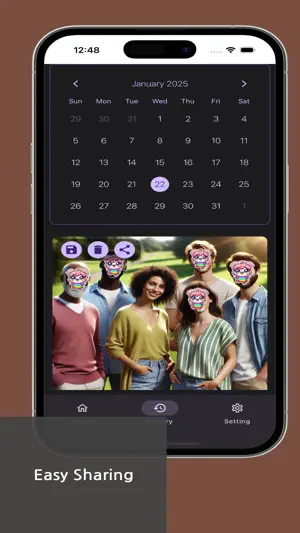
Blur & Mosaic - Auto Face is a convenient photo editing app that immediately detects faces when you load a picture and automatically applies a blur or mosaic effect. Safeguard your personal information by applying a blur effect to specific areas or choosing from various mosaic styles (circular, square, hexagonal, etc.), and easily share your edited images on social media! Main Features 1. Auto Blur & Mosaic - AI face recognition automatically applies blur or mosaic as soon as a photo is loaded 2. Variety of Effects - Blur, mosaic (circular, square, hexagonal), and sticker effects are all supported 3. Manual Blur & Editing - Use the brush or rectangular tool to selectively apply blur or mosaic - Zoom in and out for precise editing 4. Undo Function - Revert any edits with ease if you make a mistake 5. Photo Sharing - Easily share your blurred or mosaic-processed photos from the history page to social media Recommended For - Anyone who wants to hide faces or personal information on photos before uploading to social media - Those who need to conceal a car license plate or sensitive details in a secondhand marketplace listing - Users looking for a fast and easy way to apply blur and mosaic effects
What’s new
Version 1.3.0 · Updated October 18, 2026
All-new Auto Face Blur - Faces, brush, eraser, area and effect tools in one bar - Finds small faces in group photos much better and hides found faces right away - The editor no longer covers your photo; results shown instantly - Much sharper saved photos; share right after saving - Contact us in the app and see our reply - Light, dark or system theme - No ad on your first save - Stability improvements
App privacy
The developer, kim seong-yeon, reported these privacy practices to Apple.
Data Used to Track You
The following data may be used to track you across apps and websites owned by other companies:
- Location: Coarse Location
- Identifiers: Device ID
- Usage Data: Product Interaction, Advertising Data
- Diagnostics: Crash Data, Performance Data
Data Linked to You
The following data, which may be collected and linked to your identity, may be used for the following purposes:
- Location: Coarse Location
- Identifiers: Device ID
- Usage Data: Product Interaction, Advertising Data
- Diagnostics: Performance Data
- User Content: Customer Support
Used for: Third-Party Advertising, Analytics, App Functionality
Data Not Linked to You
The following data, which may be collected but is not linked to your identity, may be used for the following purposes:
- Diagnostics: Crash Data
Used for: Third-Party Advertising, Analytics
Alternatives to Blur & Mosaic - Auto Face blur
Looking for apps like Blur & Mosaic - Auto Face blur? Here are 6 similar apps on the App Store.
-
 Face Blur & Mosaic | auto easy
-
 Auto Pixelate
-
 Mozaikka - Auto Face Mosaic
-
 Easy Blur Face AI Hide Mosaic
-
 Useful Video Mosaic
-
 MozFace - Face Blur & Mosaic
| App | Rating | Price | Last updated | Compare |
|---|---|---|---|---|
| Blur & Mosaic - Auto Face blur | – | Free | October 18, 2026 | |
| Face Blur & Mosaic | auto easy | – | Free | Sep 25, 2025 | Compare |
| Auto Pixelate | – | Free | Sep 13, 2025 | Compare |
| Mozaikka - Auto Face Mosaic | – | Free | Dec 5, 2025 | Compare |
| Easy Blur Face AI Hide Mosaic | – | Free | Aug 10, 2026 | Compare |
| Useful Video Mosaic | – | Free | Oct 5, 2026 | Compare |
| MozFace - Face Blur & Mosaic | – | Free | Aug 27, 2026 | Compare |