

Lingo Widget: Daily Vocabulary
Oguz Doruk Education iPhoneiPadiPod touch
Lingo Widget: Daily Vocabulary is a free Education app for iPhone and iPad by Oguz Doruk. Rated 4.7/5 from 101 ratings. Requires iOS 17.6.
- Rating
- 4.7
- 101 ratings
- Price
- Free
- on the App Store
- Size
- 68 MB
- Age 4+
- Updated
- Oct 12
- 2026 · v4.5.9
Screenshots
About Lingo Widget: Daily Vocabulary
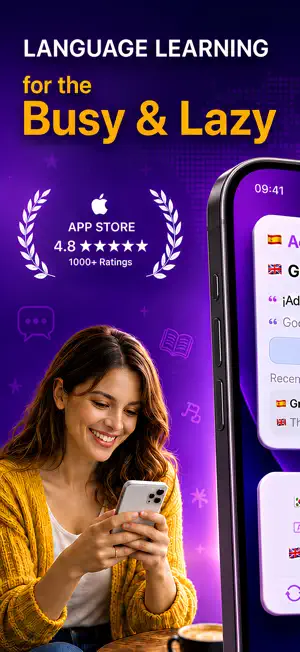
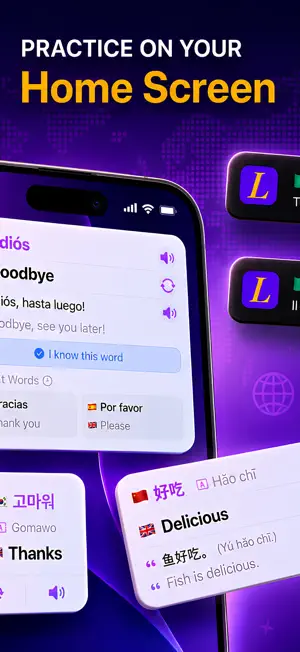
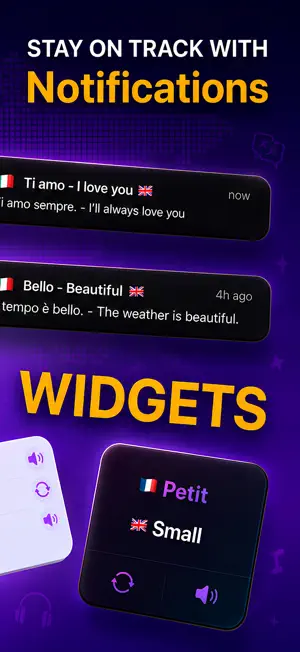
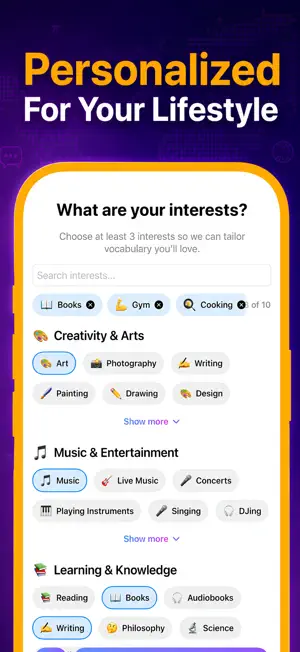
Learn a language without opening the app. Lingo puts personalized vocabulary on your Home Screen, so every glance becomes a quick lesson. KEY FEATURES - Home Screen widgets (Small / Medium / Large) - New widget looks: Cool & Minimal, plus Light/Dark themes - Auto refresh interval: 4h, 8h, 12h, or 24h - Example sentence + romanization for non-Latin scripts - One-tap Learned to track progress - Save words to Reminders and review them via notifications AI PERSONALIZATION Pick your interests and goals, and Lingo prioritizes words you'll actually use in real life: travel, food, work, fitness, tech, and more. HOW IT WORKS 1) Choose your native and target language 2) Tell Lingo what you're into 3) Add the widget to your Home Screen 4) Learn a little every time you glance at your Home Screen SUPPORTED LANGUAGES (31) Turkish, English, Spanish, Indonesian, French, Italian, Portuguese, Chinese, Russian, Japanese, Hindi, Filipino, Thai, Korean, Dutch, Swedish, Polish, Greek, German, Arabic, Vietnamese, Bengali, Urdu, Ukrainian, Romanian, Czech, Hungarian, Persian, Finnish, Danish, Slovak PREMIUM - Pronunciation audio (tap the speaker) - Unlimited word refreshes No account required. No streaks. No guilt. Just simple, effective learning on your Home Screen. Terms: https://oguzdoruk.com/lingo-widget-terms-of-service/ Privacy: https://oguzdoruk.com/lingo-widget-privacy-policy/
Ratings & reviews
4.7
101 ratings
What’s new
Version 4.5.9 · Updated October 12, 2026
Quick Recall now focuses on the words you are still learning, including your Learning, Almost and Remind Me words. It asks what a word means and how to say it, and you can update a word's status right after you answer. Words you mark as known in Level Essentials no longer come back on your daily card.
App privacy
The developer, Oguz Doruk, reported these privacy practices to Apple.
Data Linked to You
The following data, which may be collected and linked to your identity, may be used for the following purposes:
- Purchases: Purchase History
- Identifiers: User ID, Device ID
- Usage Data: Product Interaction, Advertising Data
- Other Data: Other Data Types
- Location: Coarse Location
Used for: Developer’s Advertising or Marketing, Analytics, App Functionality
Data Not Linked to You
The following data, which may be collected but is not linked to your identity, may be used for the following purposes:
- Diagnostics: Other Diagnostic Data
Used for: Analytics, App Functionality
Alternatives to Lingo Widget: Daily Vocabulary
Looking for apps like Lingo Widget: Daily Vocabulary? Here are 6 similar apps on the App Store. The highest rated is Of The Day: Words, Facts, Quiz (4.8/5), and all 6 are free to download.
-
 Word of the Day | Vocabulary
4.6
Word of the Day | Vocabulary
4.6
-
 Live Translator - Voice & Text
4.6
Live Translator - Voice & Text
4.6
-
 Learn Python in 21 Days
4.5
Learn Python in 21 Days
4.5
-
 Of The Day: Words, Facts, Quiz
4.8
Of The Day: Words, Facts, Quiz
4.8
-
 Grammar Check Corrector +
4.8
Grammar Check Corrector +
4.8
-
 LinguistWidget: Daily Word
4.0
LinguistWidget: Daily Word
4.0
| App | Rating | Price | Last updated | Compare |
|---|---|---|---|---|
| Lingo Widget: Daily Vocabulary | 4.7 / 5 (101 ratings) | Free | October 12, 2026 | |
| Word of the Day | Vocabulary | 4.6 / 5 (51) | Free | Mar 16, 2026 | Compare |
| Live Translator - Voice & Text | 4.6 / 5 (94) | Free | Sep 18, 2025 | Compare |
| Learn Python in 21 Days | 4.5 / 5 (17) | Free | Sep 14, 2026 | Compare |
| Of The Day: Words, Facts, Quiz | 4.8 / 5 (275) | Free | Jun 17, 2026 | Compare |
| Grammar Check Corrector + | 4.8 / 5 (203) | Free | Mar 24, 2026 | Compare |
| LinguistWidget: Daily Word | 4.0 / 5 (4) | Free | Oct 11, 2026 | Compare |