

PDF Reader - Scanner app
Tech Nest Business iPhoneiPadiPod touch
PDF Reader - Scanner app is a free Business app for iPhone and iPad by Tech Nest. Rated 4.4/5 from 187 ratings. Requires iOS 16. Updated May 19, 2026.
- Rating
- 4.4
- 187 ratings
- Price
- Free
- on the App Store
- Size
- 81 MB
- Age 4+
- Updated
- May 19
- 2026 · v1.1.7
Screenshots
About PDF Reader - Scanner app
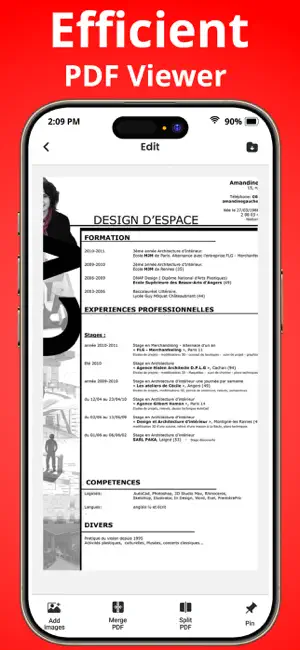
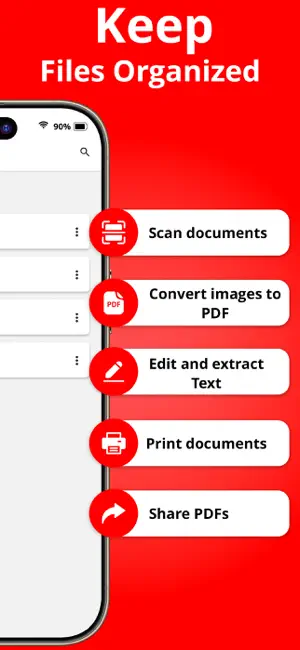
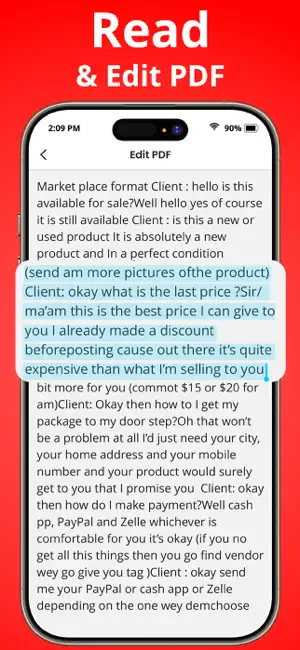
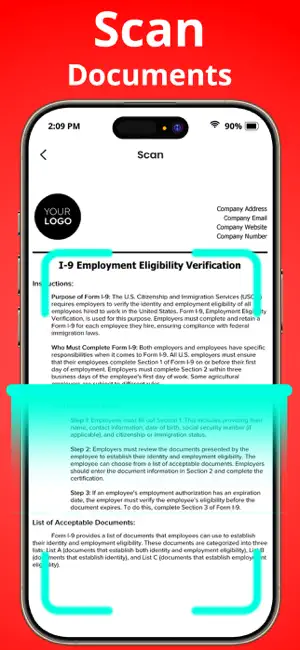
PDF reader - scanner app helps you scan, convert, and manage documents on iPhone and iPad. Whether at the office or on the go, scan documents into PDFs without a bulky scanner. Convert image to PDF and extract text from scans. Get the PDF Scanner app to simplify your document management and document needs. With an extensive set of powerful features, PDF editor app works as an all-document scanner, simplifying your document-related tasks and enhancing your productivity. pdf converter is also a powerful converter, easily converting all PDF files. With just one click, PDF scanner app makes it easy to improve your work efficiency, Try document scanner app now to organize your PDFs Key features for PDF reader - scanner app - Image to PDF - Document scanner - Document send by email - Print PDF from iPhone and iPad - Extract text - Add New Pages Image to PDF - PDF expert: Create a PDF file from multiple images (PNG, JPG, TIFF, GIF). - Convert images and documents to PDF converter files - The powerful features make the ultimate PDF converter for your device to convert jpg to pdf - Convert image to PDF easily and safely Document scanner - Easily scan documents receipts, contracts, notes, books, and more. - Save scans as multipage PDFs or JPGs, catering to all your document needs - Effortlessly PDF scanner scans multiple pages and compiles them into a single, Document send by email - Share unlimited files with your contacts and email - Share, email, and upload your scans anywhere with cloud compatibility - Option to email as attachments or share links directly. Print PDF - PDF reader - scanner app makes it easy for you to print from your iPhone or iPad - Print & Scan pdf reader - scanner app helps you to print your documents and photos easily - Print sizes, page counts, and orientations may be easily changed. - Directly print PDFs like contracts and invoices from the file converter Extract text - Multi-Format Support, Extract text from PDFs, Word documents, images, and more. - OCR Technology, file Converter text from images into editable and searchable content. - Cloud Integration, PDF expert and save extracted text to cloud storage like Google Drive or OneDrive. Add New Pages - Organize pages: Add, delete, extract, rotate, merge, split, crop, and rearrange PDF files. - Insert new pages into documents for better organization. - Remove unnecessary pages to streamline your document. PDF editor - With our PDF editor, edit text and images directly in your PDF - Fix typos or add paragraphs with the PDF editor - Easily add, delete, or rotate any image and PDF file converter PDF Reader - scanner app makes it easy for you to print from your iPhone or iPad. Select the document scanner or photo from your camera that you want to print, select your printer, and send the print job. You print all sorts of different documents: PDF, Word DOC, Excel XLS, PowerPoint PPT, Photoshop PSD, JPEG, PNG, BMP, TIFF, GIF, and more, Image to PDF file converter, Transform images and photos (including PNG, JPEG, and more) into pdf converter files. Perfect for creating PDF expert, portfolios, and presentations By using our app, you accept to our Privacy Policy and Terms of use. Privacy Policy: https://sites.google.com/view/technestitservices/pdf-reader-scanner-app/privacy-policy Terms of Use: https://sites.google.com/view/technestitservices/pdf-reader-scanner-app/terms-of-use
Ratings & reviews
4.4
187 ratings
What’s new
Version 1.1.7 · Updated May 19, 2026
Bug fixes & Improvements
App privacy
The developer, Tech Nest, reported these privacy practices to Apple.
Data Used to Track You
The following data may be used to track you across apps and websites owned by other companies:
- Usage Data: Advertising Data
Data Not Linked to You
The following data, which may be collected but is not linked to your identity, may be used for the following purposes:
- Usage Data: Advertising Data
- Diagnostics: Crash Data, Performance Data, Other Diagnostic Data
Used for: Third-Party Advertising, Analytics
Alternatives to PDF Reader - Scanner app
Looking for apps like PDF Reader - Scanner app? Here are 6 similar apps on the App Store. The highest rated is PDF Scanner Converter & Viewer (4.6/5), and all 6 are free to download.
-
 Lite PDF - OCR Scan Edit
4.4
Lite PDF - OCR Scan Edit
4.4
-
 PDF Editor - Convert File
3.6
PDF Editor - Convert File
3.6
-
 Paperly PDF
4.2
Paperly PDF
4.2
-
 PDF Scan – Image to PDF
4.2
PDF Scan – Image to PDF
4.2
-
 PDF Scanner Converter & Viewer
4.6
PDF Scanner Converter & Viewer
4.6
-
 Read Master-FlowPDF
4.0
Read Master-FlowPDF
4.0
| App | Rating | Price | Last updated | Compare |
|---|---|---|---|---|
| PDF Reader - Scanner app | 4.4 / 5 (187 ratings) | Free | May 19, 2026 | |
| Lite PDF - OCR Scan Edit | 4.4 / 5 (16) | Free | Sep 18, 2025 | Compare |
| PDF Editor - Convert File | 3.6 / 5 (54) | Free | Jun 9, 2026 | Compare |
| Paperly PDF | 4.2 / 5 (437) | Free | Apr 24, 2026 | Compare |
| PDF Scan – Image to PDF | 4.2 / 5 (329) | Free | Jun 5, 2026 | Compare |
| PDF Scanner Converter & Viewer | 4.6 / 5 (103) | Free | Jul 3, 2026 | Compare |
| Read Master-FlowPDF | 4.0 / 5 (30) | Free | Jul 9, 2026 | Compare |