

Authenticator - 2FA/MFA
园 周 Productivity iPhoneiPadiPod touch
Authenticator - 2FA/MFA is a free Productivity app for iPhone and iPad by 园 周. Rated 5.0/5 from 2 ratings. Requires iOS 15.5. Updated April 8, 2026.
- Rating
- 5.0
- 2 ratings
- Price
- Free
- on the App Store
- Size
- 50 MB
- Age 4+
- Updated
- Apr 8
- 2026 · v1.0.9
Screenshots
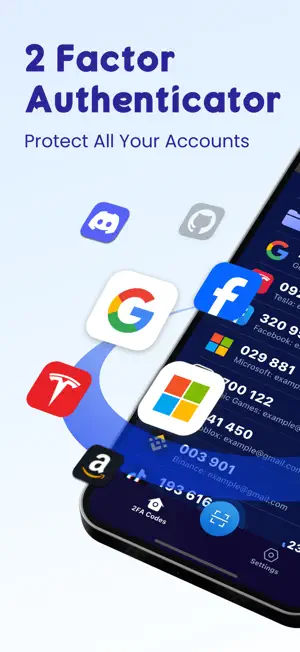
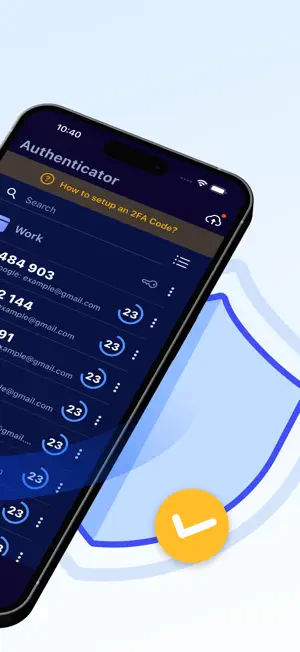
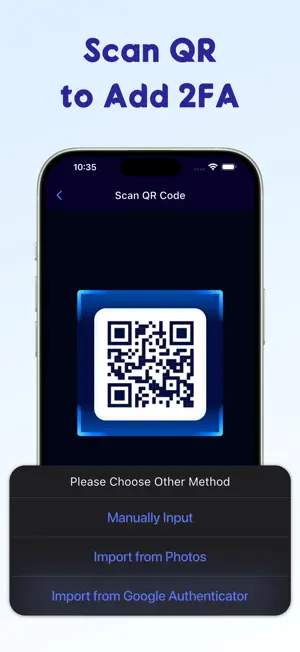

About Authenticator - 2FA/MFA
Authenticator - 2FA/MFA is a highly secure two step authenticator app that can be installed on your iPhone/iPad to keep your online accounts safe. It is the easiest & most user friendly way to elevate your online security by generating two-factor authentication security tokens (2FA codes) or, in other words, time-based one-time password (TOTP/OTP), when you logging into your online accounts. Scan, generate & save 2FA/MFA codes with this authenticator app for popular services which support 2 step verification: Google, Microsoft, Amazon,Facebook, TikTok, Instagram, PayPal, Twitch, Epic,Shopify, etc. Key Features of this 2FA Authentication App: * Highly Security - Quickly generate secure 2FA codes for your accounts and update every 30 seconds. - Backup your security token and sync all accounts with iCloud, which enables you access to your accounts on iPhone, iPad, Mac or even Apple Watch, super fast and easy. - Make sure only you can access your accounts by enabling biometric authentication(Face ID or Touch ID). * 100% Easy to Use - Setup 2-factor authentication by scanning QR or manually input or even importing from Google Authenticator. - We offer detailed guides to help you add 2FA/MFA/(T)OTP Codes quickly. - Customize two step authentication token folders for easy TOTP/OTP management. - Import/export your two-factor authentication codes as a simple, readable text file for easy storage and backup. * All Popular Accounts In addition to the above services, the powerful authentication application also supports: Snapchat, Coinbase, Roblox, Discord, Reddit, SAP, Login.gov, Kick, Activision, NVIDIA, LastPass, Sony, One Healthcare ID, crypto, Stripe, Rockstar, Sprintax, Sterling, Ubisoft, Autotask, Air Force, GitHub, mo.gov and many more. Terms of Use: https://docs.google.com/document/d/1jqhy9RXEz_X740tUiWcUH2K3XnlhsWaJsIll0bN7uJk/edit?usp=sharing Privacy Policy: https://docs.google.com/document/d/1HoY1uo9ydkkL2BvKbEIMFfW_0ztR2Gs0bP2E8eNRFHA/edit?usp=sharing
What’s new
Version 1.0.9 · Updated April 8, 2026
Fix some minor bugs.
App privacy
The developer, 园 周, reported these privacy practices to Apple.
Data Used to Track You
The following data may be used to track you across apps and websites owned by other companies:
- Identifiers: Device ID
Data Not Linked to You
The following data, which may be collected but is not linked to your identity, may be used for the following purposes:
- Identifiers: Device ID
- Usage Data: Product Interaction, Other Usage Data
- Diagnostics: Crash Data, Performance Data, Other Diagnostic Data
Used for: Analytics, App Functionality
Alternatives to Authenticator - 2FA/MFA
Looking for apps like Authenticator - 2FA/MFA? Here are 6 similar apps on the App Store. The highest rated is Password Manager (4.8/5), and all 6 are free to download.
-
 2FAuthify - Authenticator app
4.1
2FAuthify - Authenticator app
4.1
-
 Authenticator App ℠
1.0
Authenticator App ℠
1.0
-
 Authenticator App - 2FA
4.4
Authenticator App - 2FA
4.4
-
 Passkeys App
4.7
Passkeys App
4.7
-
 Password Manager
4.8
Password Manager
4.8
-
 2FA Authenticator (2FAS)
4.7
2FA Authenticator (2FAS)
4.7
| App | Rating | Price | Last updated | Compare |
|---|---|---|---|---|
| Authenticator - 2FA/MFA | 5.0 / 5 (2 ratings) | Free | April 8, 2026 | |
| 2FAuthify - Authenticator app | 4.1 / 5 (47) | Free | Aug 11, 2026 | Compare |
| Authenticator App ℠ | 1.0 / 5 (2) | Free | Oct 5, 2026 | Compare |
| Authenticator App - 2FA | 4.4 / 5 (551) | Free | Jan 13, 2026 | Compare |
| Passkeys App | 4.7 / 5 (979) | Free | Feb 10, 2026 | Compare |
| Password Manager | 4.8 / 5 (3,089) | Free | Jul 15, 2026 | Compare |
| 2FA Authenticator (2FAS) | 4.7 / 5 (35,578) | Free | Sep 14, 2026 | Compare |