

Fax App - Send FAX from Phone
TS Technology Productivity iPhoneiPadiPod touch
Fax App - Send FAX from Phone is a free Productivity app for iPhone and iPad by TS Technology. Rated 5.0/5 from 1 ratings. Requires iOS 15.6.
- Rating
- 5.0
- 1 ratings
- Price
- Free
- on the App Store
- Size
- 24 MB
- Age 4+
- Updated
- Jul 9
- 2025 · v1.6
Screenshots


About Fax App - Send FAX from Phone
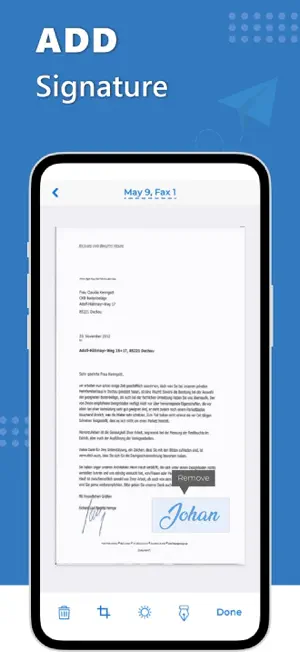
FAX Send and receive faxes directly from your iPhone with ease. Our FAX app ensures fast, reliable, and secure document transmission at your fingertips. Note: * iPhone and iPad are trademarks of Apple Inc. Features Send and receive faxes in seconds, right from your phone. Scan documents using your phone’s camera or upload files from your device. All faxes are encrypted to ensure your data stays safe. Send and receive faxes in PDF, DOC, JPEG, and more. Easily send faxes worldwide without hassle. How to Use Upload documents or images from your device Input the recipient’s fax number, including international numbers if needed. Tap "Send" to transmit your fax securely. Receive faxes directly to your app inbox. Why Choose Our Application? Our FAX app combines speed, simplicity, and security, making it the perfect tool for all your faxing needs. With a user-friendly interface, global faxing capabilities, and encrypted transmissions, our app guarantees a smooth and reliable experience. FAQs Can I send faxes internationally? Yes, you can send faxes to any country using our app. What file formats are supported? We support PDF, DOC, JPEG, and other common formats for sending faxes. Is my information secure? Yes, all faxes are encrypted to ensure your documents remain private and secure. Do I need a physical fax machine? No, you can send and receive faxes entirely through your phone without a traditional fax machine. Note: STEP 1 - Payment will be charged to your iTunes account at confirmation of purchase. Your subscription will automatically renew unless auto-renew is turned off at least 24-hours before the end of the current subscription period. STEP 2 - Your account will be charged for renewal within 24-hours prior to the end of the current subscription period. Automatic renewals will cost the same price you were originally charged for the subscription. STEP 3 - You can manage your subscriptions and turn off auto-renewal by going to your Account Settings on the App Store after purchase. Read our terms of service and Privacy Policy for more information. Terms of Use https://tstechnology.org/terms.html Privacy Policy https://tstechnology.org/privacy.html
What’s new
Version 1.6 · Updated July 9, 2025
performance Enhancement and UI Updated
App privacy
The developer, TS Technology, reported these privacy practices to Apple.
Data Not Collected
The developer does not collect any data from this app.
Alternatives to Fax App - Send FAX from Phone
Looking for apps like Fax App - Send FAX from Phone? Here are 6 similar apps on the App Store. The highest rated is Fax App – Send & Receive Faxes (5.0/5), and all 6 are free to download.
-
 Fax from iPhone - send files
4.9
Fax from iPhone - send files
4.9
-
 Fax App – Send & Receive Faxes
5.0
Fax App – Send & Receive Faxes
5.0
-
 Fax Fax Scan Pdf Send Document
4.8
Fax Fax Scan Pdf Send Document
4.8
-
 Fax From iPhone - Receive Fax
4.8
Fax From iPhone - Receive Fax
4.8
-
 QuickFax - Send Fax from Phone
3.9
QuickFax - Send Fax from Phone
3.9
-
 Fax From IPhone: Send &Receive
4.6
Fax From IPhone: Send &Receive
4.6
| App | Rating | Price | Last updated | Compare |
|---|---|---|---|---|
| Fax App - Send FAX from Phone | 5.0 / 5 (1 rating) | Free | July 9, 2025 | |
| Fax from iPhone - send files | 4.9 / 5 (13) | Free | Jul 6, 2026 | Compare |
| Fax App – Send & Receive Faxes | 5.0 / 5 (3) | Free | Jul 30, 2026 | Compare |
| Fax Fax Scan Pdf Send Document | 4.8 / 5 (13) | Free | Jan 21, 2025 | Compare |
| Fax From iPhone - Receive Fax | 4.8 / 5 (16,799) | Free | Jun 2, 2026 | Compare |
| QuickFax - Send Fax from Phone | 3.9 / 5 (11) | Free | Sep 5, 2024 | Compare |
| Fax From IPhone: Send &Receive | 4.6 / 5 (10,826) | Free | Oct 7, 2026 | Compare |