

Copy My Data Switch Transfer
Edgorzho Khomidov Utilities iPhoneiPadiPod touch
Copy My Data Switch Transfer is a free Utilities app for iPhone and iPad by Edgorzho Khomidov. Rated 4.9/5 from 7 ratings. Requires iOS 18.0.
- Rating
- 4.9
- 7 ratings
- Price
- Free
- on the App Store
- Size
- 112 MB
- Age 4+
- Updated
- Aug 31
- 2026 · v2.0.2
Screenshots


About Copy My Data Switch Transfer
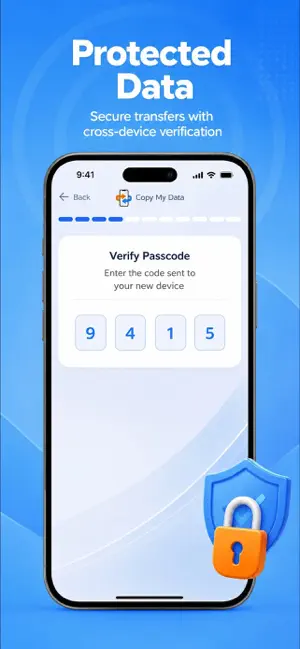
Need a clear way to carry contacts and phone content across devices? Copy My Data Switch Transfer helps organise a phone clone, sync essential details, and move selected information with less manual work. Changing phones often means repeating the same steps. Contacts may sit in different places, photos can be scattered, and useful records may be hard to locate. Copy My Data Switch Transfer brings the transfer task into one focused utility. Choose the content that matters, review the available items, and continue when everything looks right. TRANSFER TOOLS · Start a contacts phone clone · Select records from the current device · Move chosen content between phones · Keep contact details grouped together · Match phone data before migration · Check a quick transfer summary The app is designed for practical phone changes, whether an old handset is being replaced or a second device needs the same core information. Selection stays in your hands. This makes it easier to avoid carrying every item when only contacts, images, or other personal content is needed. A file can be reviewed before the transfer begins. The built-in explorer helps locate relevant material, while an hd image can remain available for selection when photo quality matters. If a source label shows cx, inc., or bg, it can be checked as part of the visible item name rather than treated as a separate task. READY FOR YOUR NEXT PHONE · Prepare a cleaner device handover · Review contact groups before syncing · Keep selected photos within reach · Share chosen transfer details safely · Work with familiar phone categories · Continue after checking the destination Copy My Data Switch Transfer is also useful when information has been collected from more than one place. A saved reference may show gdrive, 4shared, or i-flashdevice in its name. These labels can be inspected during selection, helping you recognise the right source without relying on memory. The app focuses on visible transfer choices, not unnecessary setup. For a smoother routine, begin with contacts, compare the available content, then confirm the destination device. Larger collections can be handled in clear stages. When we keep each stage separate, it is easier to spot missing details and repeat only the part that needs attention. HOW IT WORKS Open Copy My Data Switch Transfer and choose the source. Select contacts or other available phone content, check the destination, and start the transfer. After completion, review the new device and confirm that the selected information is present. The process is intended for everyday use, with clear choices at each point. Copy My Data Switch Transfer supports a focused phone clone workflow without asking you to rebuild your address book manually. It can help before a device change, during a personal phone migration, or when selected information needs a second copy. Use the app as part of a careful handover routine and retain only the content that is relevant. The paid version gives access to the app’s available transfer tools and extended use. Subscription settings, including cancellation, are handled through your account settings; access remains active until the current paid period ends. Use of Copy My Data Switch Transfer is governed by the applicable Terms of Use: https://docs.google.com/document/d/1DevgJAH8cQzhMVHx5EKDNqHuzqOzS6BWCvgicb6yRM0/edit?usp=sharing
Ratings & reviews
4.9
7 ratings
What’s new
Version 2.0.2 · Updated August 31, 2026
This update brings bug fixes, stability improvements, and small interface refinements throughout the app.
App privacy
The developer, Edgorzho Khomidov, reported these privacy practices to Apple.
Data Used to Track You
The following data may be used to track you across apps and websites owned by other companies:
- Identifiers: User ID, Device ID
- Usage Data: Product Interaction
Data Not Linked to You
The following data, which may be collected but is not linked to your identity, may be used for the following purposes:
- Identifiers: User ID, Device ID
- Usage Data: Product Interaction
Used for: Analytics
Alternatives to Copy My Data Switch Transfer
Looking for apps like Copy My Data Switch Transfer? Here are 6 similar apps on the App Store. The highest rated is Storm Cleaner-Clean up storage (4.8/5), and all 6 are free to download.
-
 Storm Cleaner-Clean up storage
4.8
Storm Cleaner-Clean up storage
4.8
-
 Decluttr AI: Storage Cleaner
4.0
Decluttr AI: Storage Cleaner
4.0
-
 ClearPeak:Smart Cleaning
-
 PhotoSure
-
 Duo Cleaner: Clean Up Storage
4.5
Duo Cleaner: Clean Up Storage
4.5
-
 FlashClean: Boost & Clear Junk
4.6
FlashClean: Boost & Clear Junk
4.6
| App | Rating | Price | Last updated | Compare |
|---|---|---|---|---|
| Copy My Data Switch Transfer | 4.9 / 5 (7 ratings) | Free | August 31, 2026 | |
| Storm Cleaner-Clean up storage | 4.8 / 5 (13) | Free | Sep 24, 2026 | Compare |
| Decluttr AI: Storage Cleaner | 4.0 / 5 (31) | Free | Sep 14, 2026 | Compare |
| ClearPeak:Smart Cleaning | – | Free | Oct 21, 2026 | Compare |
| PhotoSure | – | Free | Oct 12, 2026 | Compare |
| Duo Cleaner: Clean Up Storage | 4.5 / 5 (31) | Free | Oct 23, 2026 | Compare |
| FlashClean: Boost & Clear Junk | 4.6 / 5 (16) | Free | Oct 13, 2026 | Compare |