

Phantrace
Michael Teagle Graphics & Design iPad
Phantrace is a free Graphics & Design app for iPad by Michael Teagle. Rated 5.0/5 from 2 ratings. Requires iOS 17.0. Updated October 16, 2026.
- Rating
- 5.0
- 2 ratings
- Price
- Free
- on the App Store
- Size
- 47 MB
- Age 4+
- Updated
- Oct 16
- 2026 · v2.3.0
Screenshots



About Phantrace
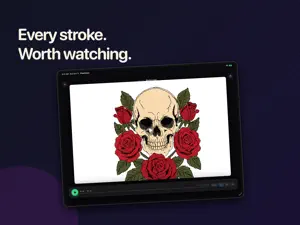
Turn any photo into a coloring page, or into a trace-ready canvas. Layer your sketch on top, color beneath editable outlines, and use Apple Pencil for precision work. When you're done, watch every stroke replay in order — perfect for sharing process or studying your own technique. Built for iPad. Built around Apple Pencil. One purchase, yours forever. NEW IN 2.3 • Coloring pages — create outlines from a photo with Apple Image Playground on supported devices, then color beneath them. Your original photo stays on its own layer with adjustable opacity. • Photo comparison — drag a slider across your photo and your drawing, then share or save the result. • Photos — reuse saved photos for new drawings, coloring pages, canvas backgrounds, and Camera Trace. Reimported photos are checked for duplicates. • Camera Trace — frame and trace onto paper with lens controls and on-screen guidance. • Lasso (beta) — on iOS 27, select, duplicate, recolor, rotate and delete strokes, and copy handwriting as text. It is an early experiment, so expect rough edges. CORE FEATURES • Trace from any photo — import from Photos or Files, adjust opacity, scale, and position on the canvas • Multi-layer canvas — background image, overlay layers, and drawing layers, each independently togglable • Apple Pencil tools — pen, marker, eraser, with adjustable brush size and pressure • Drawing replay — every stroke is recorded automatically, play it back at any speed • Full color picker with recent colors and custom color controls • Folders to organize your drawings, sort by name or date • Light and dark canvas modes • Export as PNG with transparent backgrounds, save to Photos or Files WHO IT'S FOR • Tattoo artists building stencils over reference photos • Illustrators studying anatomy and gesture from photo references • Sketch artists who want a digital lightbox without a dedicated rig • Anyone who wants to trace a photo, a comic panel, or a doodle and learn from it ONE-TIME UNLOCK Phantrace is a single one-time purchase. Pay once, own it forever — including every future update. Try every tool free for 3 days from first launch. After the trial, a single one-time purchase unlocks continued access to the entire app. There is no ongoing free tier. EXISTING SUBSCRIBERS & ORIGINAL BUYERS If you subscribed to Phantrace Pro under 1.x — or bought the app back when it was a paid download — you're automatically grandfathered into full access. No re-purchase needed. Just open the app. Legacy 1.x subscriptions keep renewing until you cancel them in Settings › Apple ID › Subscriptions; cancelling never takes away access you already have. PRIVACY Your drawings and photos stay on your device. No accounts, no cloud sync. Anonymous usage and crash data helps us fix problems and never includes your artwork or photos.
What’s new
Version 2.3.0 · Updated October 16, 2026
Introducing coloring pages, photo comparisons, and more ways to make a drawing your own. • Create coloring pages from photos with Apple Image Playground on supported devices. Color beneath editable outlines, with the original photo on a separate layer and adjustable opacity. • Compare your photo and drawing with a draggable slider in the export preview, then share or save the comparison. • Original photos are saved in Photos when you create a coloring drawing, ready to reuse. A photo you bring in again is now recognized, so it is no longer saved twice. • References is now Photos, with clearer labels and refreshed translations. Find New drawing and New coloring page together in the New menu. • On iOS 27, select and edit strokes with the new lasso (beta) and copy handwriting as text. The lasso is still an experiment, so expect some rough edges. • On supported iOS 27 devices and languages, Apple Intelligence can name untitled drawings from their photos. • Camera Trace offers easier photo access, framing and lens controls, and guidance for tracing on paper. • Continue your active three-day trial after opening the upgrade screen, with clearer trial and purchase feedback. • Meet our new pencil-holding ghost icon. • Reuse a saved photo wherever you choose a photo, including new coloring pages and Camera Trace. New drawing opens the background picker to help you get started. • Improved coloring-page stability and the return from Image Playground. • Fixed cropped replays. Imported coloring outlines are left out of replay and drawing export so the focus stays on your own strokes. • Refined selection controls and improved feedback submission.
App privacy
The developer, Michael Teagle, reported these privacy practices to Apple.
Data Linked to You
The following data, which may be collected and linked to your identity, may be used for the following purposes:
- Contact Info: Email Address
Used for: App Functionality
Alternatives to Phantrace
Looking for apps like Phantrace? Here are 6 similar apps on the App Store. The highest rated is SketchLab: Learn to Draw (5.0/5), and all 6 are free to download.
-
 SketchLab: Learn to Draw
5.0
SketchLab: Learn to Draw
5.0
-
 Trace Studio: Draw & Sketch
4.7
Trace Studio: Draw & Sketch
4.7
-
 Arte: 3D Art Gallery Studio
-
 Rotoscope:Start Sketching
3.4
Rotoscope:Start Sketching
3.4
-
 Image to SVG
-
 Procreate Brushes by Breeze
4.8
Procreate Brushes by Breeze
4.8
| App | Rating | Price | Last updated | Compare |
|---|---|---|---|---|
| Phantrace | 5.0 / 5 (2 ratings) | Free | October 16, 2026 | |
| SketchLab: Learn to Draw | 5.0 / 5 (3) | Free | Oct 15, 2026 | Compare |
| Trace Studio: Draw & Sketch | 4.7 / 5 (96) | Free | Jul 9, 2026 | Compare |
| Arte: 3D Art Gallery Studio | – | Free | Sep 21, 2026 | Compare |
| Rotoscope:Start Sketching | 3.4 / 5 (7) | Free | Apr 18, 2026 | Compare |
| Image to SVG | – | Free | Mar 23, 2026 | Compare |
| Procreate Brushes by Breeze | 4.8 / 5 (36) | Free | Aug 22, 2026 | Compare |
Compare Phantrace with the top alternatives: ratings, updates, ASO score and keyword gaps →