

ID Card Scanner & PDF Maker
Vishal Dave Productivity iPhoneiPadiPod touch
ID Card Scanner & PDF Maker is a free Productivity app for iPhone and iPad by Vishal Dave. Rated 5.0/5 from 2 ratings. Requires iOS 18.0.
- Rating
- 5.0
- 2 ratings
- Price
- Free
- on the App Store
- Size
- 63 MB
- Age 4+
- Updated
- Oct 3
- 2026 · v3.4
Screenshots


About ID Card Scanner & PDF Maker
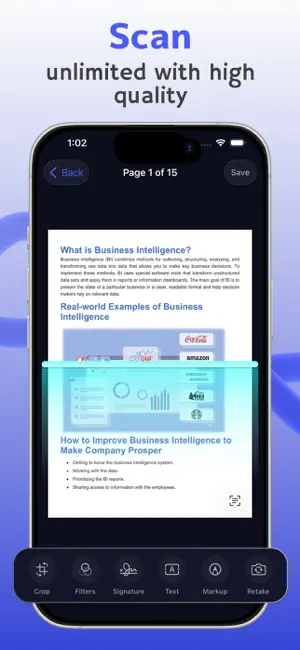
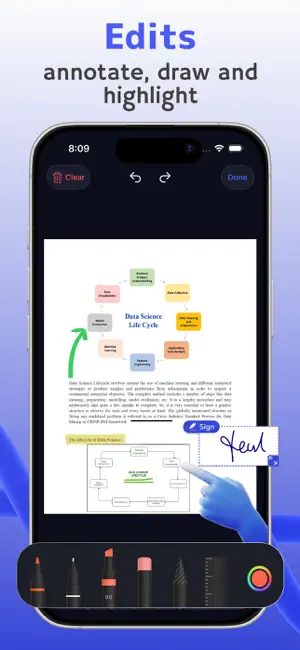
Scan both sides of an ID card onto a single page, turn photos into PDFs, shrink large files for email and upload forms, and copy text from any page. Fast, simple, and free to use every day — no sign-up, no account. ID CARD SCANNER — BOTH SIDES, ONE PAGE • Scan the front and back of an ID card, driver's license, or passport • Both sides are placed together on one clean page, ready to print, email, or upload • Perfect for forms, applications, rentals, and anywhere a copy of your ID is required DOCUMENT SCANNER • Sharp, clean scans with automatic edge detection and enhancement • Crop, rotate, and apply filters to every page • Import existing PDFs and photos into your library • Live Text — grab text straight from the camera • QR & barcode scanner — tap a code to open, call, or save a contact PDF MAKER & COMPRESSOR • Turn photos and JPG images into a PDF in seconds • Compress PDFs to fit email and website upload limits — see the new size before you share • Sign documents — draw your signature, place it, resize it, done IMAGE TO TEXT (OCR) • Copy text from any scanned page or photo • Find any document by the words inside it • Read aloud — listen to a scanned page with text to speech ORGANIZED AUTOMATICALLY • Receipts, invoices, IDs, and business cards are sorted for you • Scans name themselves from their content • Favorites, folders, and iPhone Spotlight search • Reminders — get notified to review or send a document on time • Recently Deleted — 30 days to recover anything removed by mistake SAFE & PRIVATE • App Lock — protect your documents with Face ID or your passcode • Scanning and text recognition happen on your iPhone and work without internet • No sign-up and no account • Automatic iCloud backup, plus local backup files you control PREMIUM Unlimited folders, merge documents, translate, searchable PDF export, password-protected PDFs, export as editable text (opens in Word or Pages), ZIP, email and print — with no ads. APPLE INTELLIGENCE (SUPPORTED DEVICES) On iPhone 15 Pro or later with Apple Intelligence turned on (iOS 26 or later), you can also summarize a document and ask it questions. This runs on your iPhone. For very long documents on iOS 27, you can choose to use Apple's Private Cloud Compute — only with your permission, one document at a time. Available in 19 languages — English, Hindi, Bengali, Arabic, Spanish, German, French, Italian, Japanese, Portuguese, Russian, Chinese (Simplified), Ukrainian, Indonesian, Malay, Thai, Turkish, Vietnamese, and Korean. Subscription Information: • Auto-Renewal: Subscription payments will be charged to your Apple ID account at purchase confirmation. Auto-renewal occurs unless canceled at least 24 hours before the current billing period. • Manage Subscriptions: Access via App Store Account Settings. • Family Sharing: Not supported. Privacy policy: https://apps.bitclone.in/pdfscanner/privacy-policy Terms of Use: https://apps.bitclone.in/pdfscanner/terms-of-use Questions or ideas? We read everything: [email protected]
What’s new
Version 3.4 · Updated October 3, 2026
• Sharper text from tables: receipts, invoices and statements are now read row by row (iOS 26 or later). • Long-document summaries can use Apple's Private Cloud Compute, only if you allow it (devices with Apple Intelligence, iOS 27). • Ready for iOS 27, with bug fixes and stability improvements.
App privacy
The developer, Vishal Dave, reported these privacy practices to Apple.
Data Used to Track You
The following data may be used to track you across apps and websites owned by other companies:
- Identifiers: Device ID
- Usage Data: Advertising Data
Data Not Linked to You
The following data, which may be collected but is not linked to your identity, may be used for the following purposes:
- Location: Coarse Location
- Identifiers: Device ID
- Usage Data: Advertising Data, Product Interaction
- Purchases: Purchase History
- Diagnostics: Crash Data, Performance Data, Other Diagnostic Data
Used for: Third-Party Advertising, Analytics, App Functionality
Alternatives to ID Card Scanner & PDF Maker
Looking for apps like ID Card Scanner & PDF Maker? Here are 6 similar apps on the App Store. The highest rated is PDF AI: Editor, Scanner, Chat (4.8/5), and all 6 are free to download.
-
 PDF Scanner & OCR App
-
 PDF AI: Editor, Scanner, Chat
4.8
-
 AI Email Writer: Letter Writer
3.2
-
 PDF Reader - Smart Reader
4.0
-
 Camera Scanner: PDF Converter
4.7
-
 Flow AI: Voice Note Taker App
4.6
| App | Rating | Price | Last updated | Compare |
|---|---|---|---|---|
| ID Card Scanner & PDF Maker | 5.0 / 5 (2 ratings) | Free | October 3, 2026 | |
| PDF Scanner & OCR App | – | Free | Aug 18, 2026 | Compare |
| PDF AI: Editor, Scanner, Chat | 4.8 / 5 (160) | Free | Sep 3, 2026 | Compare |
| AI Email Writer: Letter Writer | 3.3 / 5 (4) | Free | Apr 11, 2025 | Compare |
| PDF Reader - Smart Reader | 4.0 / 5 (4) | Free | Aug 27, 2026 | Compare |
| Camera Scanner: PDF Converter | 4.7 / 5 (789) | Free | Oct 16, 2026 | Compare |
| Flow AI: Voice Note Taker App | 4.6 / 5 (448) | Free | Sep 25, 2026 | Compare |