

Tickwise
Igor Igor Productivity iPhoneiPadiPod touch
Tickwise is a free Productivity app for iPhone and iPad by Igor Igor. Requires iOS 17.0. Updated May 7, 2026.
- Price
- Free
- on the App Store
- Size
- 36 MB
- Age 4+
- Updated
- May 7
- 2026 · v1.1
Screenshots
About Tickwise
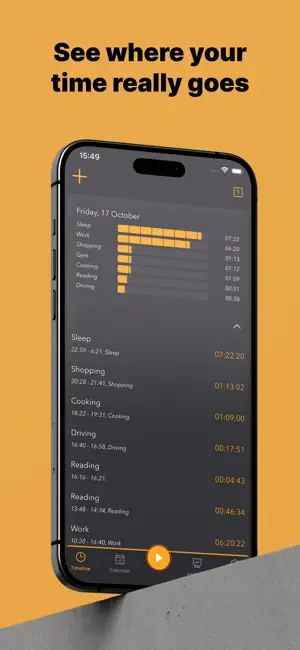
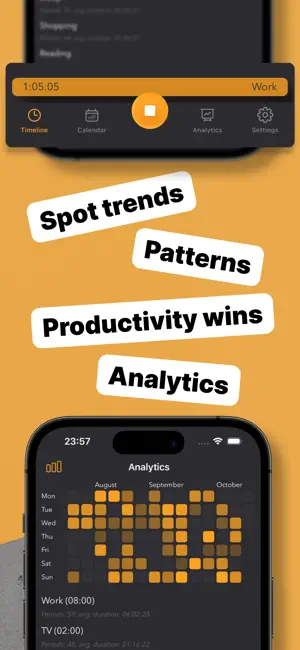
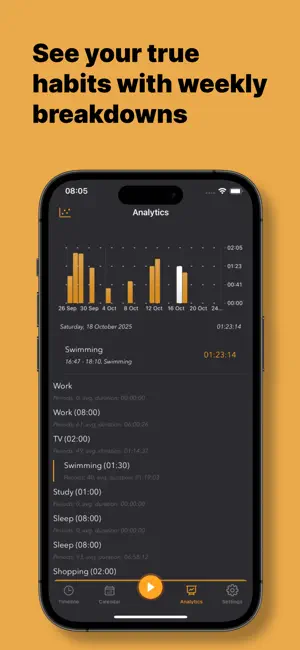
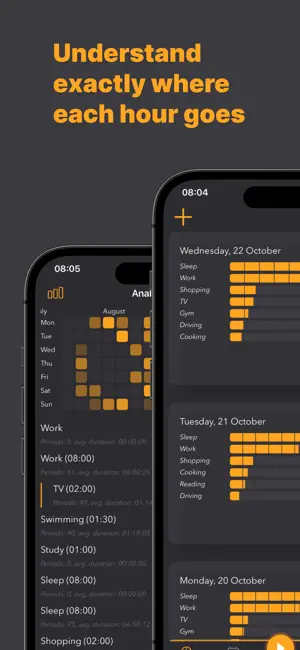
Tickwise – Track Your Time with Precision and Purpose Tickwise is the ultimate personal time tracker built for those who demand clarity, efficiency, and control over their daily routines. Whether you're a busy professional, student, freelancer, or just optimizing your life, Tickwise helps you capture, analyze, and improve how you spend every moment. Why Tickwise? - No AI :) Only you and your time. - Ultra-Fast Tracking – Start and stop tasks instantly with a single tap. No clutter, no friction. - Custom Categories – Fully customizable tags for anything: Work, Sleep, Gym, Cooking, Reading, Meetings, or even Deep Focus. - Daily, Weekly, Monthly Views – Visualize your time with flexible summaries and intuitive charts. - Offline First – All your data stays on-device. No account required. 100% private. - Minimal UI – Built for speed and clarity. No ads, no distractions, no fluff. Key Features: Timeline Overview – See your entire day at a glance. Tap to edit or create time blocks. Analytics Dashboard – Real insights from real usage. Discover your average sleep time, screen time, work hours, and more. Category Thresholds – Set a threshold for a category to check your goals Widgets & Live activity – Check timers directly from your lock screen or home screen. iCloud Sync – Sync to keep data safe across devices. See our Privacy Policy and Terms here: https://github.com/deszip/Tickwise/blob/main/PrivacyPolicy.md https://github.com/deszip/Tickwise/blob/main/eula.md
What’s new
Version 1.1 · Updated May 7, 2026
- Never lose track again — We now detect abandoned timers, so a session you forgot to stop won't ruin your stats. Configure your preference in Settings. - Faster category switching — A brand-new category shortcut lets you jump straight to the category you need while logging time. Less tapping, more tracking. - Smoother editing — Keyboard handling on the group form is now polished, so creating and editing groups feels effortless. - Sharper analytics — Category details now display your stats more clearly and accurately, so you can trust the numbers behind your time. Update now and make every minute count.
App privacy
The developer, Igor Igor, reported these privacy practices to Apple.
Data Not Linked to You
The following data, which may be collected but is not linked to your identity, may be used for the following purposes:
- Usage Data: Product Interaction
- Diagnostics: Crash Data
Used for: App Functionality
Alternatives to Tickwise
Looking for apps like Tickwise? Here are 6 similar apps on the App Store. The highest rated is DayTime - Track Your Day (5.0/5), and all 6 are free to download.
-
 This 60: To-Dos in Your Repo
-
 Time Tracking - Timeness
-
 DayTime - Track Your Day
5.0
DayTime - Track Your Day
5.0
-
 VoiceNote AI: Brain to Tasks
-
 KBoard: Recursive Kanban
-
 TaskDot: Daily Task Planner
| App | Rating | Price | Last updated | Compare |
|---|---|---|---|---|
| Tickwise | – | Free | May 7, 2026 | |
| This 60: To-Dos in Your Repo | – | Free | Sep 28, 2026 | Compare |
| Time Tracking - Timeness | – | Free | Oct 1, 2025 | Compare |
| DayTime - Track Your Day | 5.0 / 5 (1) | Free | Jul 16, 2025 | Compare |
| VoiceNote AI: Brain to Tasks | – | Free | Apr 23, 2026 | Compare |
| KBoard: Recursive Kanban | – | Free | Mar 25, 2026 | Compare |
| TaskDot: Daily Task Planner | – | Free | Sep 14, 2026 | Compare |
Compare Tickwise with the top alternatives: ratings, updates, ASO score and keyword gaps →