

SlideMemo Quick Swipe Notebook
YUUSUI KASHIWAGI Productivity iPhoneiPadiPod touch
SlideMemo Quick Swipe Notebook is a free Productivity app for iPhone and iPad by YUUSUI KASHIWAGI. Requires iOS 17.0. Updated March 30, 2026.
- Price
- Free
- on the App Store
- Size
- 7 MB
- Age 4+
- Updated
- Mar 30
- 2026 · v0.1.52
Screenshots
About SlideMemo Quick Swipe Notebook
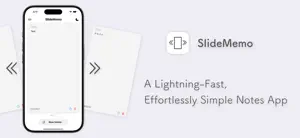
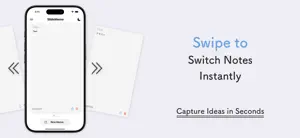
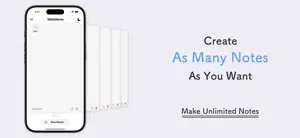
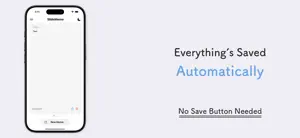
Swipe to organize. Capture ideas instantly. SlideMemo is a modern note-taking app that lets you manage multiple notes with simple left and right swipes—fast, intuitive, and frustration-free. No more wasting time digging through endless lists just to update a note. With SlideMemo, switching between notes is effortless, so your ideas never get lost. □ Key Features ・Create unlimited notes ・Instantly switch between notes with swipe gestures ・Auto-save ensures nothing gets lost ・Minimal design built for focus ・Works offline ・Word count and last edited time ・Adjustable font size and line spacing ・Search, list view, and custom sort ・Biometric lock support ・Light & dark mode toggle □ Use Cases ・Keep journals, idea logs, or reading notes organized by category ・Manage your to-dos and notes side by side with easy swipes ・Create study notes by subject ・Use as a “thinking pad” to quickly jot down spontaneous thoughts ・Take real-time notes during live streams or events □ Perfect For ・Anyone who wants a clean, efficient way to manage notes ・Users who prefer switching between multiple notes without hassle ・People tired of bloated apps and intrusive ads ・Those who need to capture ideas the moment they come ・Minimalists who value a stress-free user experience □ Pricing All core features are completely free. Additional options are available via in-app purchases. □ Development Philosophy SlideMemo is independently developed with one goal in mind: To make daily note-taking faster, simpler, and more enjoyable. We’re continuously improving the app based on your feedback. Download SlideMemo today and start capturing your ideas the smart way.
What’s new
Version 0.1.52 · Updated March 30, 2026
Thank you for using our app. In this update, we've made the following changes. ・Various URLs have been updated due to the migration to the new official website. ・Improvements for better stability and performance
App privacy
The developer, YUUSUI KASHIWAGI, reported these privacy practices to Apple.
Data Used to Track You
The following data may be used to track you across apps and websites owned by other companies:
- Location: Coarse Location
- Identifiers: Device ID
- Usage Data: Product Interaction, Advertising Data
- Diagnostics: Crash Data, Performance Data
Data Linked to You
The following data, which may be collected and linked to your identity, may be used for the following purposes:
- Location: Coarse Location
- Identifiers: Device ID
- Usage Data: Product Interaction, Advertising Data
- Diagnostics: Performance Data
Used for: Third-Party Advertising
Data Not Linked to You
The following data, which may be collected but is not linked to your identity, may be used for the following purposes:
- Diagnostics: Crash Data
Used for: Third-Party Advertising
Alternatives to SlideMemo Quick Swipe Notebook
Looking for apps like SlideMemo Quick Swipe Notebook? Here are 6 similar apps on the App Store. The highest rated is Nanonote Pro (5.0/5), and all 6 are free to download.
-
 FirstSeed Planner
-
 months - Vertical Calendar
-
 Nanonote Pro
5.0
Nanonote Pro
5.0
-
 Simple Memo - Obsidian Voice
5.0
Simple Memo - Obsidian Voice
5.0
-
 ToDoリストにもなるメモアプリ - Shoot!
3.0
ToDoリストにもなるメモアプリ - Shoot!
3.0
-
 Shin Jorte
| App | Rating | Price | Last updated | Compare |
|---|---|---|---|---|
| SlideMemo Quick Swipe Notebook | – | Free | March 30, 2026 | |
| FirstSeed Planner | – | Free | Sep 21, 2026 | Compare |
| months - Vertical Calendar | – | Free | Sep 21, 2026 | Compare |
| Nanonote Pro | 5.0 / 5 (1) | Free | Apr 23, 2025 | Compare |
| Simple Memo - Obsidian Voice | 5.0 / 5 (1) | Free | Sep 22, 2026 | Compare |
| ToDoリストにもなるメモアプリ - Shoot! | 3.0 / 5 (2) | Free | May 20, 2026 | Compare |
| Shin Jorte | – | Free | Sep 18, 2026 | Compare |