

PDF Editor - Annotate & Sign
大鹏 张 Utilities iPhoneiPadiPod touch
PDF Editor - Annotate & Sign is a paid Utilities app for iPhone and iPad by 大鹏 张. Rated 4.0/5 from 8 ratings. Requires iOS 17.0. Updated October 13, 2026.
- Rating
- 4.0
- 8 ratings
- Price
- 0.99 USD
- on the App Store
- Size
- 217 MB
- Age 4+
- Updated
- Oct 13
- 2026 · v2.8.0
Screenshots



About PDF Editor - Annotate & Sign
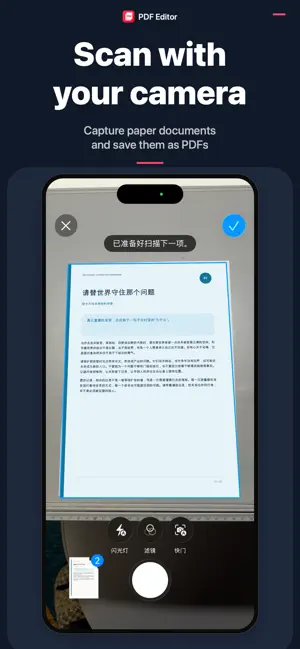
Edit and create PDFs with your documents processed on your device. PDF Editor helps you edit, scan, combine, and convert documents on iPhone and iPad without sending your files to a cloud service. No account is required. Your documents stay on your device unless you choose to share or export them. PRIVATE BY DESIGN • Document processing happens locally on your device • The app does not upload your documents for conversion • No account or sign-in is required EDIT AND ORGANIZE PDFS • Reorder pages with visual previews • Remove pages you no longer need • Merge multiple PDFs into one document • Import from Files or receive documents from other apps • Rename, preview, and share your finished PDFs CREATE AND CONVERT • Scan paper documents with the camera • Turn photos and text into PDFs • Convert supported Word, Excel, and PowerPoint files to PDF offline • Choose page size, orientation, image position, scale, rotation, and layers MADE FOR IPHONE AND IPAD A focused interface adapts to both phone and tablet, with 15 supported languages and a carefully designed right-to-left experience for Arabic. Keep sensitive documents close. Work confidently, even without an internet connection. ANNOTATE AND SIGN • Highlight or underline selectable text and choose a color • View and manage supported annotations • Draw a signature or reuse one saved on this device, then position and resize it before saving MORE WAYS TO WORK • Split PDF pages while keeping the original document • Follow the illustrated guide on first launch or revisit it in Settings • Choose system, light, or dark appearance • Transfer supported files with a computer over local Wi-Fi when you choose
Ratings & reviews
4.0
8 ratings
What’s new
Version 2.8.0 · Updated October 13, 2026
Bug fixes.
App privacy
The developer, 大鹏 张, reported these privacy practices to Apple.
Data Not Collected
The developer does not collect any data from this app.
Alternatives to PDF Editor - Annotate & Sign
Looking for apps like PDF Editor - Annotate & Sign? Here are 6 similar apps on the App Store. The highest rated is Network Doctor: WiFi Tools (5.0/5), and 3 of the 6 are free to download.
-
 Network Doctor: WiFi Tools
5.0
Network Doctor: WiFi Tools
5.0
-
 RoomTrace 3D
5.0
RoomTrace 3D
5.0
-
 LocalToolbox : Offline Tools
4.8
LocalToolbox : Offline Tools
4.8
-
 DocWeave: PDF Document Scanner
5.0
DocWeave: PDF Document Scanner
5.0
-
 ScanLan: Network Scanner
5.0
ScanLan: Network Scanner
5.0
-
 RecallRoll: Photo Cleaner
| App | Rating | Price | Last updated | Compare |
|---|---|---|---|---|
| PDF Editor - Annotate & Sign | 4.0 / 5 (8 ratings) | 0.99 USD | October 13, 2026 | |
| Network Doctor: WiFi Tools | 5.0 / 5 (5) | 4.99 USD | Aug 30, 2026 | Compare |
| RoomTrace 3D | 5.0 / 5 (1) | 2.99 USD | Aug 26, 2026 | Compare |
| LocalToolbox : Offline Tools | 4.8 / 5 (5) | 2.99 USD | Oct 9, 2026 | Compare |
| DocWeave: PDF Document Scanner | 5.0 / 5 (2) | Free | Aug 18, 2026 | Compare |
| ScanLan: Network Scanner | 5.0 / 5 (2) | Free | Sep 22, 2026 | Compare |
| RecallRoll: Photo Cleaner | – | Free | Sep 26, 2026 | Compare |