

RecallRoll: Photo Cleaner
凯丽 孟 Utilities iPhoneiPadiPod touchApple Watch
RecallRoll: Photo Cleaner is a free Utilities app for iPhone and iPad by 凯丽 孟. Requires iOS 15.0. Updated September 26, 2026.
- Price
- Free
- on the App Store
- Size
- 4 MB
- Age 4+
- Updated
- Sep 26
- 2026 · v2.0.0
Screenshots

About RecallRoll: Photo Cleaner
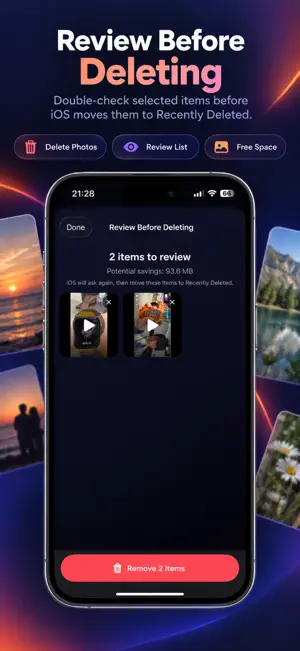
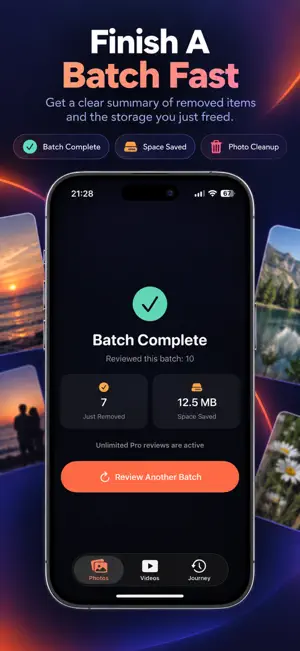
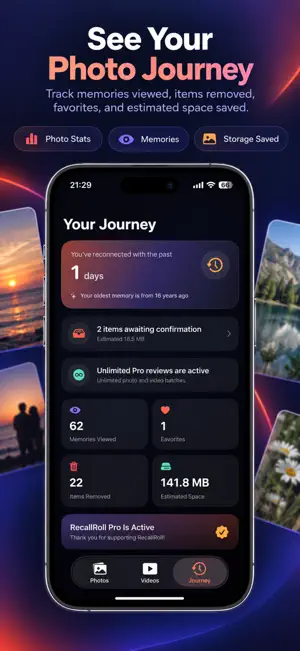
RecallRoll brings your photo library back to life, one forgotten moment at a time. Your library is more than storage. It is a record of the places you visited, the people you love, and the everyday moments you once captured. RecallRoll randomly resurfaces older photos and videos, turning library cleanup into a meaningful trip through your past. Rediscover with ease • Find photos and videos you may not have seen in years • Swipe vertically to move naturally from one memory to the next • Swipe a photo right to add it to your review list • Watch videos in an immersive vertical feed and use a clear button when you want to review one for deletion Look again before deleting Adding an item to your review list never deletes it immediately. At the end of each batch, you can inspect every selected photo and video, remove mistakes, and then ask iOS to confirm the deletion. Deleted items are moved to Recently Deleted by the system. See what you accomplished RecallRoll tracks the memories you viewed, items you chose to keep, items removed, and estimated storage reclaimed. After every batch, you can see exactly how much you just reviewed. Memories on your wrist The Apple Watch app brings back a random memory and gently reminds you to continue reviewing on your iPhone. Private by design Your photos and videos are processed only on your device and are never uploaded to our servers. Storage figures are estimates and may vary when iCloud Photos optimization is enabled. RecallRoll Pro Upgrade for unlimited photo and video review sessions and choose batches of 10, 20, 30, or 50 items for each media type. Weekly and yearly plans renew automatically and can be canceled in your Apple ID settings. The Early Bird Lifetime option is a one-time purchase. Apple confirms all prices and payments. Rediscover what is worth keeping—and let go of what you no longer need. Subscription Details • Subscription options: Weekly / Yearly / Lifetime (one-time purchase) • Payment will be charged to your Apple ID account at confirmation of purchase • Subscription automatically renews unless canceled at least 24 hours before the end of the current period • You can manage or cancel your subscription in your App Store account settings • Privacy Policy: https://sites.google.com/view/recallroll • Terms of Use (EULA): https://www.apple.com/legal/internet-services/itunes/dev/stdeula
What’s new
Version 2.0.0 · Updated September 26, 2026
A smoother and more efficient way to revisit your memories: • Filter photos and videos by category, including screenshots, selfies, Live Photos, portraits, and screen recordings • Live Photos now play automatically with a LIVE badge • Smoother photo transitions and swipe animations • Swipe right on videos to add them for review • Automatically move to the next item after tapping Remove • Improved button placement, loading performance, and stability
App privacy
The developer, 凯丽 孟, reported these privacy practices to Apple.
Data Not Collected
The developer does not collect any data from this app.
Alternatives to RecallRoll: Photo Cleaner
Looking for apps like RecallRoll: Photo Cleaner? Here are 6 similar apps on the App Store. The highest rated is SnapSort-A New Way to Organize (5.0/5), and all 6 are free to download.


| App | Rating | Price | Last updated | Compare |
|---|---|---|---|---|
| RecallRoll: Photo Cleaner | – | Free | September 26, 2026 | |
| Fotoz - 图片一键下载,批量下载网页图片 | 3.7 / 5 (3) | Free | Jun 10, 2026 | Compare |
| 扶遥 | – | Free | Aug 11, 2026 | Compare |
| SnapSort-A New Way to Organize | 5.0 / 5 (2) | Free | Sep 14, 2026 | Compare |
| 药有时 | – | Free | Sep 14, 2026 | Compare |
| 轻减记-减肥打卡体重日记 | – | Free | Aug 29, 2026 | Compare |
| 宝贝冲啊 | – | Free | Sep 12, 2026 | Compare |