

Image Converter : JPG to PDF
Dzine Media Productivity iPhoneiPadiPod touchMac
Image Converter : JPG to PDF is a free Productivity app for iPhone and iPad by Dzine Media. Rated 4.5/5 from 33 ratings. Requires iOS 14.0.
- Rating
- 4.5
- 33 ratings
- Price
- Free
- on the App Store
- Size
- 34 MB
- Age 4+
- Updated
- Jul 10
- 2026 · v1.2.7
Screenshots

About Image Converter : JPG to PDF
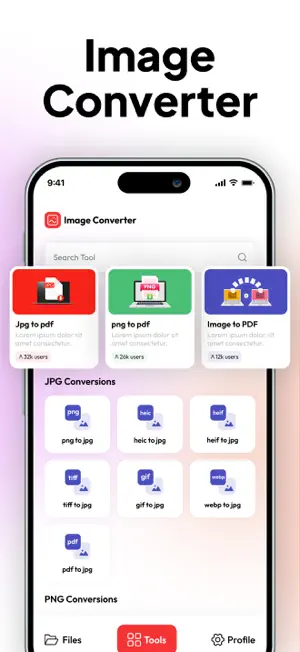
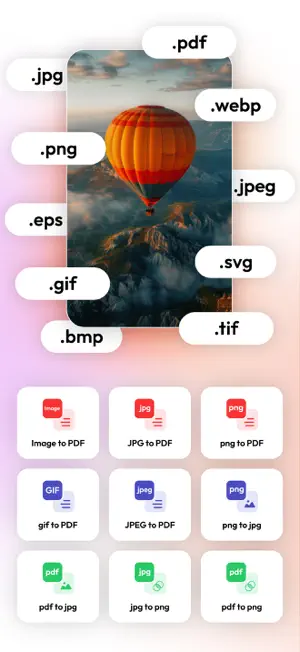
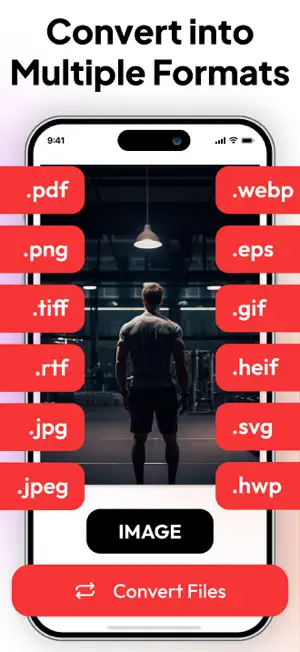
IMAGE CONVERTER – FAST AND SIMPLE FILE CONVERSION Image Converter is a powerful tool designed to convert, compress, resize, and prepare images in just a few taps. Whether you need to turn photos into PDFs, change image formats, or optimize files for sharing, this app delivers fast, accurate results with a clean and easy workflow. IMAGE TO PDF Quickly convert any image into a high-quality PDF, perfect for documents, forms, and multi-page files. FORMAT TO PDF Convert multiple image formats directly into PDF files with reliable, crisp output. Includes: JPG to PDF, PNG to PDF, GIF to PDF, TIFF to PDF, WebP to PDF, HEIC to PDF, HEIF to PDF. IMAGE FORMAT CONVERSION Change your images into the format you need with consistent quality and fast processing. Includes: • PNG to JPG, HEIC to JPG, HEIF to JPG, TIFF to JPG, GIF to JPG, WebP to JPG, PDF to JPG • JPG to PNG, HEIC to PNG, HEIF to PNG, TIFF to PNG, GIF to PNG, WebP to PNG, PDF to PNG • PNG to WebP, JPG to WebP IMAGE COMPRESSION Reduce file size without losing clarity. Perfect for uploading, emailing, and saving storage space. ADD WATERMARK Protect your images with custom text watermarks. Adjust size, opacity, and placement easily. CONVERT TO ZIP Instantly compress your images into a ZIP file for easier sharing and storage. RESIZE IMAGE Resize photos to exact dimensions or custom percentages while keeping high-quality output. FAST, CLEAN, AND EASY TO USE Image Converter is built for speed, accuracy, and simplicity. With support for all major image formats and powerful tools in one place, it’s the ideal solution for creators, professionals, students, and anyone handling images daily. https://www.trostun.com/terms-of-use/
Ratings & reviews
4.5
33 ratings
What’s new
Version 1.2.7 · Updated July 10, 2026
Improved JPG to PDF conversion speed and quality Enhanced image ordering before PDF creation Better support for high-resolution image conversion Faster file processing and smoother performance Improved app stability and user experience Bug fixes and overall performance enhancements
App privacy
The developer, Dzine Media, reported these privacy practices to Apple.
Data Not Collected
The developer does not collect any data from this app.
Alternatives to Image Converter : JPG to PDF
Looking for apps like Image Converter : JPG to PDF? Here are 6 similar apps on the App Store. The highest rated is JPG to PDF (4.7/5), and all 6 are free to download.
-
 Image Converter • JPG to PDF
3.9
Image Converter • JPG to PDF
3.9
-
 JPG to PDF
4.7
JPG to PDF
4.7
-
 Photo to PDF - Image Converter
4.5
Photo to PDF - Image Converter
4.5
-
 Image Converter to JPG-PDF-PNG
4.7
Image Converter to JPG-PDF-PNG
4.7
-
 Photo & Image Converter
4.3
Photo & Image Converter
4.3
-
 Image Converter : PDF Photos
4.7
Image Converter : PDF Photos
4.7
| App | Rating | Price | Last updated | Compare |
|---|---|---|---|---|
| Image Converter : JPG to PDF | 4.5 / 5 (33 ratings) | Free | July 10, 2026 | |
| Image Converter • JPG to PDF | 3.9 / 5 (14) | Free | Jul 27, 2026 | Compare |
| JPG to PDF | 4.7 / 5 (115) | Free | Jan 26, 2026 | Compare |
| Photo to PDF - Image Converter | 4.5 / 5 (103) | Free | Oct 26, 2026 | Compare |
| Image Converter to JPG-PDF-PNG | 4.7 / 5 (370) | Free | Aug 14, 2026 | Compare |
| Photo & Image Converter | 4.3 / 5 (506) | Free | Feb 14, 2024 | Compare |
| Image Converter : PDF Photos | 4.7 / 5 (183) | Free | Jun 18, 2026 | Compare |