

Image Converter • JPG to PDF
Javeria Jabeen Productivity iPhoneiPadiPod touchMac
Image Converter • JPG to PDF is a free Productivity app for iPhone and iPad by Javeria Jabeen. Rated 3.9/5 from 14 ratings. Requires iOS 13.0.
- Rating
- 3.9
- 14 ratings
- Price
- Free
- on the App Store
- Size
- 19 MB
- Age 4+
- Updated
- Jul 27
- 2026 · v1.1.7
Screenshots


About Image Converter • JPG to PDF
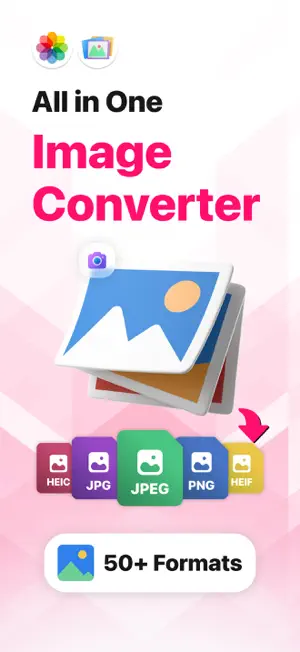
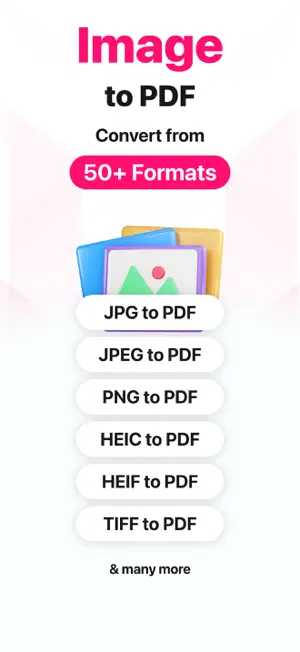
Image converter can convert more than 100 photo formats. Most popular of them are: - PNG to PDF: Convert picture to raw - PNG to JPG - JPEG to PDF - PNG to EPS - HEIC to PDF - PNG to GIF - PNG to PSD - JPEG to JPG - JPEG to PNG - JPEG to PSD And a lot more conversion formats, just select any file and we will present you the available conversion options. With all this you can also compress your photos and PDF files. Hers is how to use the app: 1. Select a file from Photos or Files App (single or multiple files) 2. Select output format 3. Press Convert & see the progress of each file separately 4. Save files And thats it! Simple and easy few steps. If you like the app's simplicity, rate us on the AppStore. Note: Please be aware that by using this app you agree that your files (some of the formats) will be uploaded to cloud server for conversion. All the files are immediately deleted from the server after conversion is completed. This makes the conversion process fast and easy, and has very little impact on battery. There are some formats that are converted locally at a very fast speed, we are working tirelessly to bring more & more formats to convert on your phone. Stay tuned!! This app can be used by subscribing or purchasing premium version. There are weekly, monthly & annual subscriptions. Monthly subscriptions has a 3 day free trial. Annual & weekly subscriptions have no free trial. There's also an option of lifetime purchase with no free trial. Payment will be charged to your iTunes account at confirmation of purchase and will automatically renew (at the duration/price selected) unless auto-renew is turned off at least 24 hrs before the end of the current period. Account will be charged for renewal within 24-hours prior to the end of the current period. Current subscription may not be cancelled during the active subscription period; however, you can manage your subscription and/or turn off auto-renewal by visiting your iTunes Account Settings after purchase. Any unused portion of the free one week initial period will be forfeited when you purchase a subscription. Privacy Policy: https://oliviafrank.co/privacypolicyIC.html Terms of Service: https://oliviafrank.co/termsandconditionsIC.html
Ratings & reviews
3.9
14 ratings
What’s new
Version 1.1.7 · Updated July 27, 2026
The best Image Converter. Convert your images to any format! PNG, JPG, JPEG, HEIC, PDF, PSD, GIF & Many More!! - Regular update to improve user experieince - Stability Improvements & Bug Fixes - Critical crash fixes
App privacy
The developer, Javeria Jabeen, reported these privacy practices to Apple.
Data Not Collected
The developer does not collect any data from this app.
Alternatives to Image Converter • JPG to PDF
Looking for apps like Image Converter • JPG to PDF? Here are 6 similar apps on the App Store. The highest rated is Image Converter: JPEG PDF HEIC (4.7/5), and all 6 are free to download.
-
 Photo & Image Converter
4.3
Photo & Image Converter
4.3
-
 Convert to JPG,HEIC,PNG atOnce
4.2
Convert to JPG,HEIC,PNG atOnce
4.2
-
 Image Converter : JPG to PDF
4.5
Image Converter : JPG to PDF
4.5
-
 Image Converter: JPEG PDF HEIC
4.7
Image Converter: JPEG PDF HEIC
4.7
-
 The Image Converter □
4.6
The Image Converter □
4.6
-
 HEIC Converter - HEIC to JPG
4.7
HEIC Converter - HEIC to JPG
4.7
| App | Rating | Price | Last updated | Compare |
|---|---|---|---|---|
| Image Converter • JPG to PDF | 3.9 / 5 (14 ratings) | Free | July 27, 2026 | |
| Photo & Image Converter | 4.3 / 5 (506) | Free | Feb 14, 2024 | Compare |
| Convert to JPG,HEIC,PNG atOnce | 4.2 / 5 (114) | Free | Aug 13, 2026 | Compare |
| Image Converter : JPG to PDF | 4.5 / 5 (33) | Free | Jul 10, 2026 | Compare |
| Image Converter: JPEG PDF HEIC | 4.7 / 5 (9,026) | Free | Nov 4, 2025 | Compare |
| The Image Converter □ | 4.6 / 5 (16,664) | Free | Apr 6, 2026 | Compare |
| HEIC Converter - HEIC to JPG | 4.7 / 5 (68) | Free | Sep 8, 2026 | Compare |