

Lock Screen Calendar Widget 26
Polymath Company Limited Productivity iPhoneiPadiPod touch
Lock Screen Calendar Widget 26 is a free Productivity app for iPhone and iPad by Polymath Company Limited. Rated 2.0/5 from 1 ratings. Requires iOS 17.0.
- Rating
- 2.0
- 1 ratings
- Price
- Free
- on the App Store
- Size
- 4 MB
- Age 4+
- Updated
- May 26
- 2026 · v1.1
Screenshots
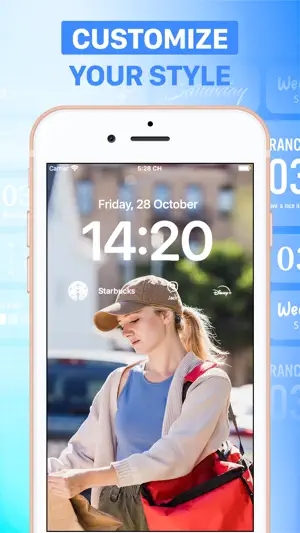


About Lock Screen Calendar Widget 26
iOS 16 has arrived, Apple introduced customizable lock screen widgets. Your Lock Screen is the first thing you see when you pick up your phone, and Lock Screen widgets for lots of apps. You can now customize your Lock Screen to put the information you need. A new appearance for your iPhone should inject some much-needed enthusiasm into your day. #1: HOW IT WORKS 1. Add your favorite features to your Locked Screen 2.You’ll be able to unlock your device to access your favorite features in just one tap — and even see some updates right on your Lock Screen. #2: KEY FEATURES: 1.App/Contact Launcher: * Easily launch your favorite apps/Contacts right on the lock screen without redirecting. It perfectly supports various Apps, Websites, Shortcuts and custom URL Scheme. 2. Gorgeous HD Lock Screen Wallpapers: * Get photos for free from one of these free stock photo websites: Pexel & Pixabay. 3. You can add a unique lock screen using cute icons. Combine how you want. 4. Get animated GIF images to your lock screen widgets to customize your iphone aesthetic. 5. Easy to use Start personalizing your lock screen to make it better suits your everyday needs. Customize widgets to your liking with plenty of options. You can use lock screen widgets easily on iPhones running iOS 16 and later. LockWidget has the following subscriptions: -$9.99 per month -$39.99 per year Payment will be charged to your iTunes Account after purchase. Subscription automatically renews 24 hours before the end of the subscription period. Subscription types and prices remain the same. If you do not want to automatically renew your subscription, be sure to cancel your subscription at least 24-hours before it expires. After purchase, you can manually turn off auto-renewal in iTunes/Apple ID Settings Manager. Terms of Use: https://tos.vidanimate.co Privacy Policy: https://privacy.vidanimate.co
What’s new
Version 1.1 · Updated May 26, 2026
-Bug fixes and improvements
App privacy
The developer, Polymath Company Limited, reported these privacy practices to Apple.
Data Used to Track You
The following data may be used to track you across apps and websites owned by other companies:
- Usage Data: Advertising Data
Data Not Linked to You
The following data, which may be collected but is not linked to your identity, may be used for the following purposes:
- Usage Data: Advertising Data, Product Interaction
- Diagnostics: Crash Data
Used for: Third-Party Advertising, Analytics
Alternatives to Lock Screen Calendar Widget 26
Looking for apps like Lock Screen Calendar Widget 26? Here are 6 similar apps on the App Store. The highest rated is Widget Pro: Incredible Widgets (5.0/5), and all 6 are free to download.
-
 Widget Pro: Incredible Widgets
5.0
Widget Pro: Incredible Widgets
5.0
-
 Open App - App Launcher
4.1
Open App - App Launcher
4.1
-
 Any Widget... Literally Any.
3.5
Any Widget... Literally Any.
3.5
-
 LockScreen Calendar Maker
4.7
LockScreen Calendar Maker
4.7
-
 Magic Launcher Widgets
3.8
Magic Launcher Widgets
3.8
-
 Calendarly Lockscreen Calendar
4.3
Calendarly Lockscreen Calendar
4.3
| App | Rating | Price | Last updated | Compare |
|---|---|---|---|---|
| Lock Screen Calendar Widget 26 | 2.0 / 5 (1 rating) | Free | May 26, 2026 | |
| Widget Pro: Incredible Widgets | 5.0 / 5 (2) | Free | Aug 10, 2026 | Compare |
| Open App - App Launcher | 4.1 / 5 (12) | Free | Jan 2, 2024 | Compare |
| Any Widget... Literally Any. | 3.5 / 5 (4) | Free | Jun 26, 2025 | Compare |
| LockScreen Calendar Maker | 4.7 / 5 (31) | Free | Oct 2, 2026 | Compare |
| Magic Launcher Widgets | 3.8 / 5 (81) | Free | Aug 6, 2026 | Compare |
| Calendarly Lockscreen Calendar | 4.3 / 5 (34) | Free | Oct 2, 2026 | Compare |